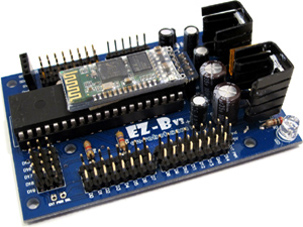
EZ-B V3 by EZ-Robot
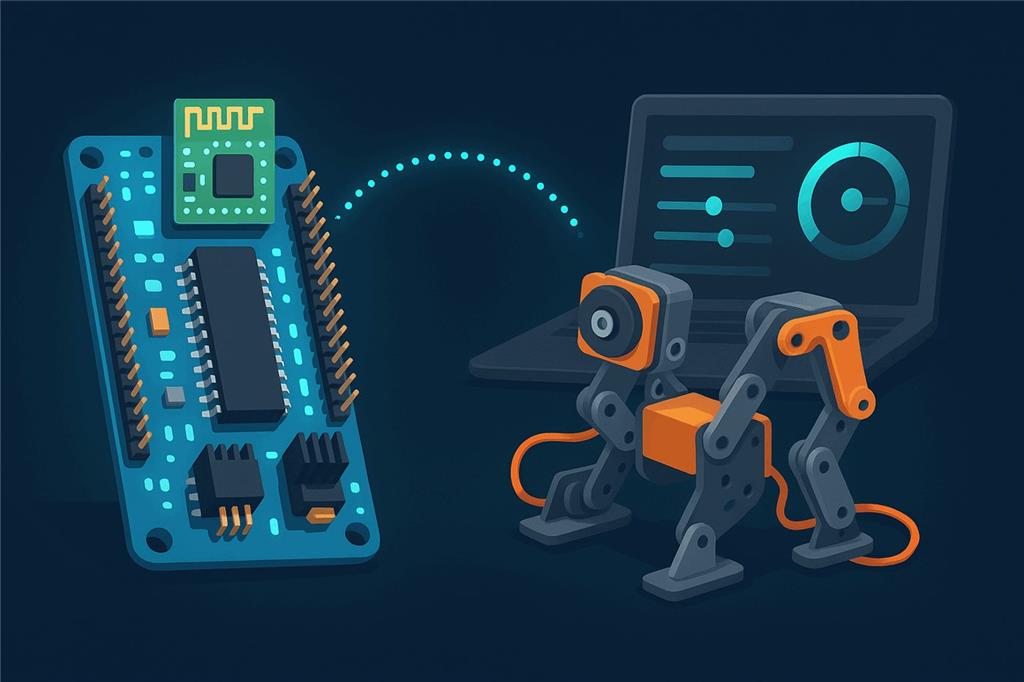
The classic Bluetooth EZ-B
The EZ-B v3 was EZ-Robot's Bluetooth robot controller from 2011 to 2013, before the Wi-Fi EZ-B v4 replaced it. It is discontinued, but Synthiam ARC still supports it, so a v3 in a drawer can still move servos, read sensors and run scripts today.
How the EZ-B v3 works with Synthiam: the board runs EZB firmware from the factory and needs no hardware programmer. A Windows computer pairs with it over Bluetooth, Windows gives the pairing a COM port, and ARC connects to that COM port with the EZB Connection skill. From then on you control the ports with ARC's robot skills and scripts. ARC is the proven path for the v3. ARCx on Windows may also work through the paired COM port, but this has not been tested.
What is the EZ-B v3?
The EZ-B v3 is a compact microcontroller board for robotics: the connection between your computer running ARC and robot parts such as servos, sensors, LEDs and motors. Instead of writing firmware or uploading sketches, you connect ARC to it over Bluetooth and control the ports with ARC's tools and scripts.
EZ-Robot designed it as an all-in-one hardware and software robotics platform and as a reusable controller: many builders made several robots and moved the same EZ-B from one project to the next. It combines several robotics-friendly features in one place:
- Voltage regulation for stable controller power (and, depending on wiring, for servos and sensors)
- Bluetooth so ARC connects without a USB cable
- Digital I/O for switches, LEDs and on/off signals
- Analog inputs (ADC) for sensors with a varying voltage
- Servo ports for RC servos
- Serial ports for modules that talk TTL serial
- TellyMate interface support, a legacy feature used by some older builds
EZ-B v3 at a glance
| Type | Bluetooth robot controller running EZB firmware |
|---|---|
| Maker | EZ-Robot |
| Available | 2011–2013 (discontinued, replaced by the EZ-B v4) |
| Connection | Class 2 Bluetooth, about 10 m (30 ft) typical range |
| Ports | 20 digital/servo, 8 ADC, serial TTL |
| Camera / audio | None on the board |
| Software | Synthiam ARC (Windows) |
| Successor | EZ-B v4 |
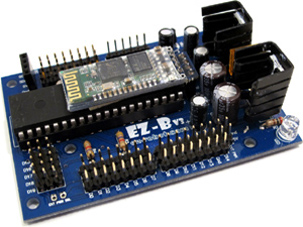
EZ-B v3 features
| Feature | EZ-B v3 |
|---|---|
| Digital I/O | 20 input/output ports |
| Servo ports | 20 |
| Analog inputs | 8 analog-to-digital converter (ADC) inputs |
| Serial TTL (standard) | 20 ports at 9600, 19200, 38400 or 57600 baud |
| Serial TTL (high speed) | 1 port at 115200 baud |
| Wireless | Class 2 Bluetooth (2.5 mW, 4 dBm), about 10 m / 30 ft typical range |
| Long-range options | Optional XBee, Synapse or Wi-Fi with the right add-on hardware |
| Expansion | Arduino shield support for sensors and peripherals |
Ready to use
Compact, shipped pre-assembled, and no hardware programmer needed.
Servos and sensors
Servo, ADC graph, digital and script skills in ARC drive every port.
iRobot Roomba
iRobot Roomba support was one of the v3's listed features.
Mind the power
Servos and motors can draw more current than a small battery or USB supply provides. Resets and erratic behavior are usually power.
Connect an EZ-B v3 to ARC
The exact steps vary a little with your Windows version and Bluetooth adapter, but the flow is always the same: power, pair, find the COM port, connect.
- Power the EZ-B v3 with a suitable battery or power source. Confirm it powers on (the LED indicators vary by revision), and keep it close to the computer for the first pairing.
-
Pair it in Windows. Open Bluetooth settings, choose Add a device and select the EZ-B v3 when it appears.
If you are asked for a PIN, try
1234or0000(it depends on the module and firmware). -
Find the COM port. After pairing, Windows assigns a serial port. Open Device Manager, expand Ports (COM & LPT)
and note the Bluetooth serial port for the EZ-B, for example:
Standard Serial over Bluetooth link (COM5) - Connect from ARC. Open ARC, select that COM port (for example COM5) in the EZB Connection skill and press Connect.
- Add robot skills. Servo controls, ADC graphs, digital controls and scripts all work with the connected v3. The EZ-B v3 Configuration skill views and changes the board's built-in settings, such as its Bluetooth name; the changes are stored on the board.
ARC is the supported choice for the v3
Use ARC with the EZ-B v3. It supports the board directly through its Bluetooth COM port and includes the EZ-B v3 Configuration skill.
ARCx, Synthiam's browser-based platform, connects to EZB boards over USB/serial and the network with its Ezb Connection skill. Because a paired v3 appears in Windows as an ordinary COM port, ARCx on Windows may be able to connect to it the same way, but Synthiam has not tested the v3 with ARCx. If you try it, enter the COM port as the address.
When something does not work
1234, then 0000. The PIN depends on the Bluetooth module and firmware revision.
Frequently asked questions
Put your EZ-B v3 back to work
Pair it, open ARC, and connect to the COM port. Ready for Wi-Fi, a camera and a browser interface? Step up to the EZ-B v4 and ARCx.

Wow, are there any of these wonderful classic units still out there in the wild?
Hey Dave, funny you mention that I still have mine and love it, use it with the EZ4 for extra sensor outputs.No added voltage regulators needed .One of the guys on the Forum in Vancouver drove all the way to EZ robot in Calgary,Met DJ and asked to buy an older EZ3,He was telling me it was handed over by DJ and was happy about the great service. So I mentioned I wanted one for an older robot I had and this guy in Vancouver sent me that same EZ3 here in Toronto!
Cool. I can see how the old unit could come in handy for extra ports. The added voltage regulator would be a welcomed bonus if you need a compact 5vdc output source. Can't think of much else I'd want it for. I sent in all the old V3's I had for credit a long time ago. I thought I'd miss them but that's not the case. Glad you are finding use for them though. Retro is in. LOL.
We have 3 or 4 boxes full of V3's from the buy back - they all would tell a good story I'm sure. Good to see so many people enjoying the v4's - they're power houses
Mostly I have V4s, but I do still have two V3s, all working great. A V3 would be great in a BB8's dome with a V4 in the body. Might be fun to rebuild an old non working BB8 and make him smarter than he was.
Totally! The v3's were such a great little unit. The onboard voltage regular was a blessing and a curse though.
Ya I love the voltage regulator on the V3 ,currently using one to give power to sensors and control the guns attached to the hands on new Cylon project I have going.
Just unboxing a complete kit I got in 2013 just before a series of unfortunate events derailed any opportunity to use it. Here looking for info. Is there a data sheet? Are the 3D printed parts stl’s still around? Any of the old docs?