Kinematics
Move robot arms by where the end of the arm should go, in millimetres, rather than joint by joint. The blocks list the kinematic chains in the project.
Where to find it: the Kinematics category of the toolbox, in any script editor set to Blockly or on Top bar → Workspaces → Blockly
Blocks
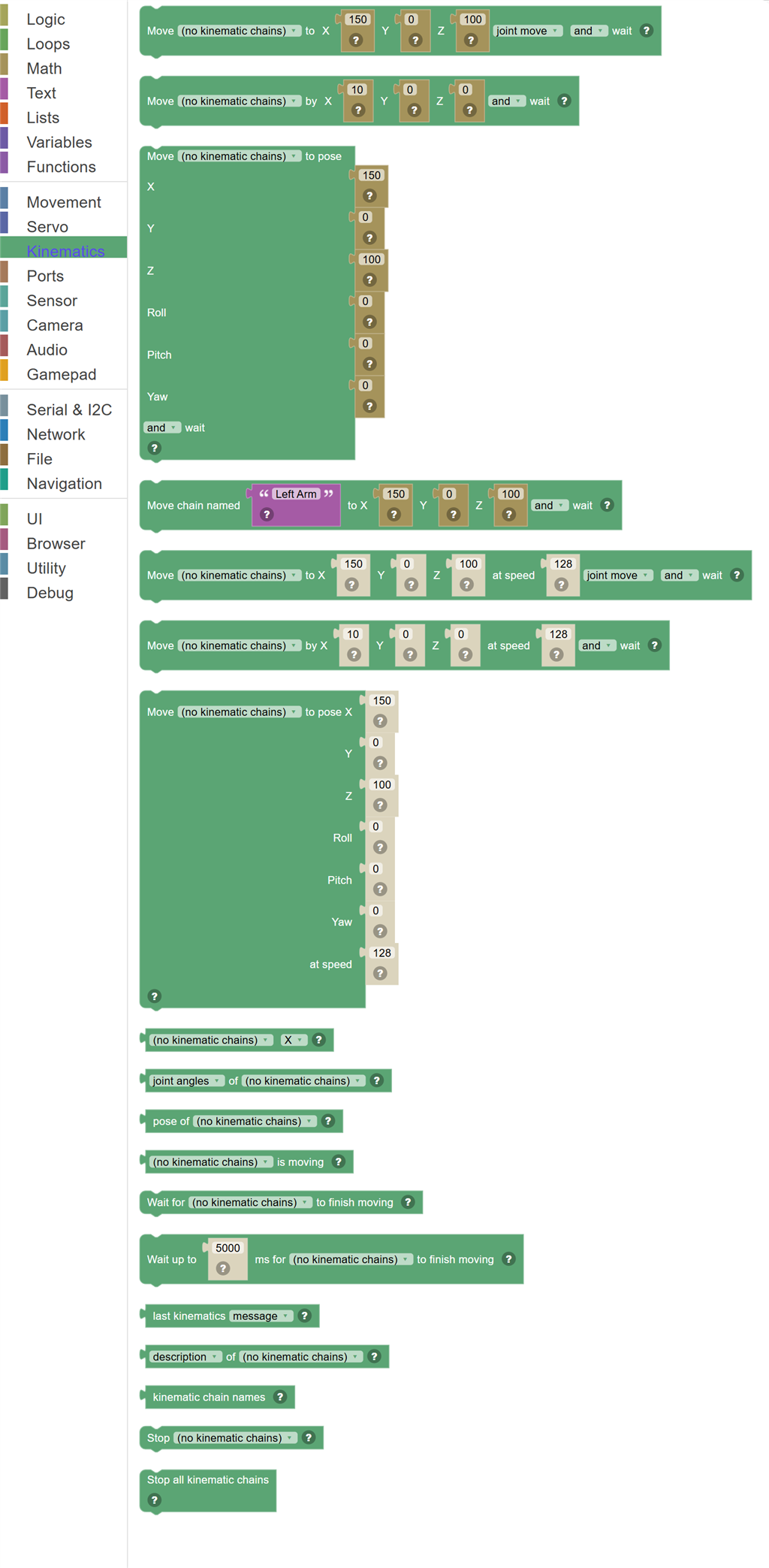
| Block | What it does |
|---|---|
| Move Arm To | Moves the end of a robot arm (the "end effector") to an exact X, Y, Z spot, measured in millimeters from the arm's base. |
| Move Arm By | Nudges the end of the arm from wherever it is now by the amount you give, in millimeters. |
| Move Arm To Pose | Moves the end of the arm to an X, Y, Z position AND points it in a direction using Roll, Pitch and Yaw angles in degrees. |
| Move Arm By Name | The same as Move Arm To, but the chain name comes from a text block or a variable instead of a dropdown. |
| Move … to X … Y … Z … at speed … … … | Move the end effector to an X, Y, Z position in millimeters at a speed from 1 (slowest) to 255 (fastest). |
| Move … by X … Y … Z … at speed … … | Move the end effector by an offset in millimeters at a speed from 1 (slowest) to 255 (fastest). |
| Move … to pose X … Y … Z … Roll … Pitch … Yaw … at speed … | Move the end effector to a position (millimeters) and orientation (degrees) at a speed from 1 (slowest) to 255 (fastest). |
| Arm Position | Reads where the end of the arm currently is: X, Y or Z in millimeters, or its Roll, Pitch or Yaw in degrees. |
| … of … | The angle of each joint in degrees, or the end effector position as a list of X, Y and Z in millimeters. |
| Pose of … | The whole end effector pose as one object, with X, Y, Z, Roll, Pitch and Yaw properties. |
| Arm Is Moving | True while the chosen arm is in the middle of a move, false once it has settled. |
| Wait For Arm | Pauses the script until the chosen arm reports that it has finished moving. |
| Wait up to … ms for … to finish moving | Pause the script until the chain stops moving, or until the time runs out. |
| Last kinematics … | What happened to the last move: the message the solver gave, or whether the target could be reached. |
| … of … | Facts about a chain: its description, the robot skill that provides it, how many joints it has, whether it can hold an orientation (roll, pitch, yaw), and whether it exists. |
| Kinematic chain names | The names of every kinematic chain in the project. |
| Stop Arm | Cancels any move the chosen arm is in the middle of. |
| Stop All Arms | Cancels every move in progress on every kinematic chain in the project. |
Details
Move Arm To

Moves the end of a robot arm (the "end effector") to an exact X, Y, Z spot, measured in millimeters from the arm's base. The arm's own robot skill works out how every joint has to turn to get there.
When to use it: Use this when you know where you want the hand, gripper or camera to be and do not want to think about individual servos.
Example: Move Left Arm to X: 200, Y: 0, Z: 150, joint move, and wait → the hand goes 200 mm forward and 150 mm up, straight out from the shoulder, and the script continues once it arrives.
Tips:
- +X is forward, +Y is left, +Z is up. Try small numbers first and watch where the arm goes.
- "Joint move" is fastest. "Straight line" keeps the hand on a predictable path, which matters if it is carrying something.
- If the spot is out of reach the arm does not move. The Kinematics.getLastMessage() function in JavaScript explains why.
- The chain list comes from the kinematics robot skills in your project. Add one (like Kinematics Service) if the dropdown is empty.
Move Arm By

Nudges the end of the arm from wherever it is now by the amount you give, in millimeters. Negative numbers go the other way.
When to use it: Use this for "a little more to the left" style moves, or to trace a shape step by step.
Example: Move Left Arm by X: 0, Y: -20, Z: 0 → the hand shifts 20 mm to the right and stays at the same height.
Tips:
- Repeating a small relative move inside a loop draws a line.
- The arm keeps its current tool angle during a relative move.
- Combine with Wait For to make sure one nudge finishes before the next starts.
Move Arm To Pose
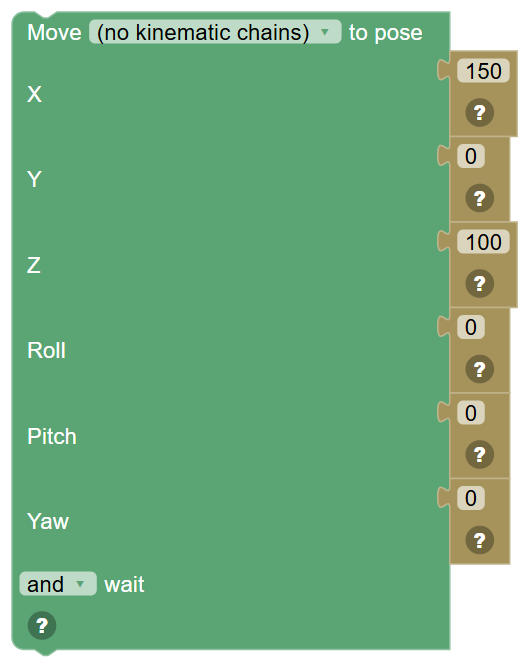
Moves the end of the arm to an X, Y, Z position AND points it in a direction using Roll, Pitch and Yaw angles in degrees.
When to use it: Use this when the direction the tool faces matters, such as keeping a camera level or pointing a gripper straight down.
Example: Move Left Arm to pose X: 180, Y: 0, Z: 100, Roll: 0, Pitch: 90, Yaw: 0 → the gripper is 180 mm out and pointing down.
Tips:
- Only arms with enough joints can control orientation. Check the chain's details in its robot skill.
- Roll turns about the forward axis, Pitch tips up and down, Yaw turns left and right.
- If the angles cannot be reached the arm may move to the nearest pose it can manage.
Move Arm By Name

The same as Move Arm To, but the chain name comes from a text block or a variable instead of a dropdown.
When to use it: Use this when your script decides which arm to move while it runs, for example picking "Left Arm" or "Right Arm" from a variable.
Example: Set $arm to "Right Arm", then Move chain named $arm to X: 150, Y: -50, Z: 120.
Tips:
- The name must match a published chain exactly, ignoring capitalization.
- A name that does not exist stops the script with an error that lists the chains that do.
In JavaScript: this block runs
Kinematics.moveToAndWait('Left Arm', 150, 0, 100);
Move … to X … Y … Z … at speed … … …

Move the end effector to an X, Y, Z position in millimeters at a speed from 1 (slowest) to 255 (fastest).
Move … by X … Y … Z … at speed … …

Move the end effector by an offset in millimeters at a speed from 1 (slowest) to 255 (fastest).
Move … to pose X … Y … Z … Roll … Pitch … Yaw … at speed …
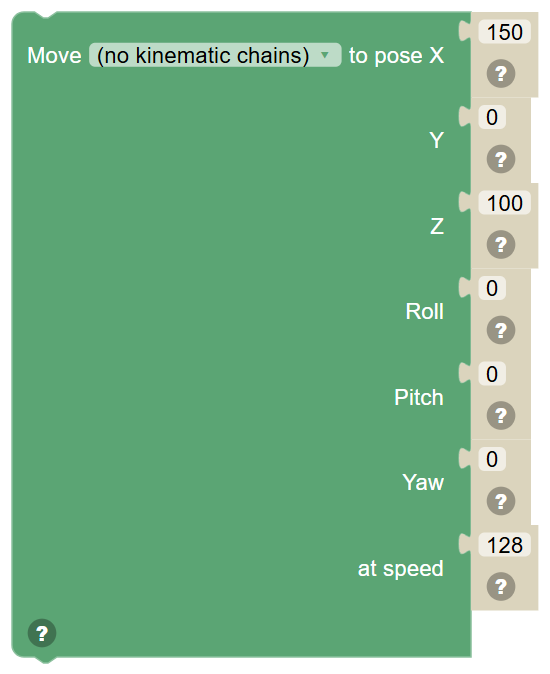
Move the end effector to a position (millimeters) and orientation (degrees) at a speed from 1 (slowest) to 255 (fastest). Does not wait - follow it with a wait block to wait.
Arm Position

Reads where the end of the arm currently is: X, Y or Z in millimeters, or its Roll, Pitch or Yaw in degrees. The value is calculated from the real servo positions, so it is right even if another robot skill moved the arm.
When to use it: Use it to make decisions ("if the hand is higher than 100 mm...") or to remember a position before moving somewhere else.
Example: Set $height to Left Arm Z → $height now holds how high the hand is.
Tips:
- Every published chain also sets variables like $KinematicLeftArmX that you can read from any script.
- Read a position, move somewhere, then move back to the saved position to return exactly where you started.
In JavaScript: this block gives back the value of
0
… of …

The angle of each joint in degrees, or the end effector position as a list of X, Y and Z in millimeters.
In JavaScript: this block gives back the value of
null
Pose of …

The whole end effector pose as one object, with X, Y, Z, Roll, Pitch and Yaw properties.
In JavaScript: this block gives back the value of
null
Arm Is Moving

True while the chosen arm is in the middle of a move, false once it has settled.
When to use it: Use it in an If or a loop when you do not want to block the whole script waiting, but still need to know when the arm is free.
Example: If Left Arm is moving → say "Just a moment".
Tips:
- For a simple "do this after the arm arrives", the Wait For block is easier.
In JavaScript: this block gives back the value of
false
Wait For Arm

Pauses the script until the chosen arm reports that it has finished moving.
When to use it: Use it after a "don't wait" move when you want to start two arms moving at once and then wait for both.
Example: Move Left Arm (don't wait), Move Right Arm (don't wait), Wait for Left Arm, Wait for Right Arm → both arms move together.
Tips:
- Stopping the script also stops the wait.
- Moves that were sent with "and wait" already include this.
Wait up to … ms for … to finish moving

Pause the script until the chain stops moving, or until the time runs out.
Last kinematics …

What happened to the last move: the message the solver gave, or whether the target could be reached.
In JavaScript: this block gives back the value of
Kinematics.getLastMessage()
… of …

Facts about a chain: its description, the robot skill that provides it, how many joints it has, whether it can hold an orientation (roll, pitch, yaw), and whether it exists.
In JavaScript: this block gives back the value of
null
Kinematic chain names
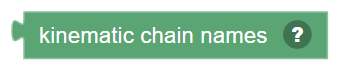
The names of every kinematic chain in the project.
In JavaScript: this block gives back the value of
Kinematics.getChains()
Stop Arm

Cancels any move the chosen arm is in the middle of. The arm holds wherever it is at that moment.
When to use it: Use it when a sensor says something is in the way, or a user presses a button.
Example: If ultrasonic distance < 10 → Stop Left Arm.
Tips:
- This does not release the servos; the arm keeps holding its position.
- Stop all kinematic chains does the same thing for every arm at once.
Stop All Arms
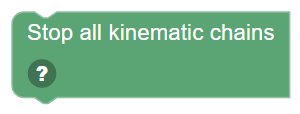
Cancels every move in progress on every kinematic chain in the project.
When to use it: Use it as a safety stop when several arms are moving.
Example: When the "halt" phrase is heard → Stop all kinematic chains.
Tips:
- Pair it with a Movement Stop block to freeze the whole robot.
In JavaScript: this block runs
Kinematics.stopAll();