
Movement
Drive the robot through whichever movement panel robot skill the project has. Movements keep going until another movement or a stop. Speeds run from 0 (stopped) to 255 (full speed).
Where to find it: the Movement category of the toolbox, in any script editor set to Blockly or on Top bar → Workspaces → Blockly
Blocks
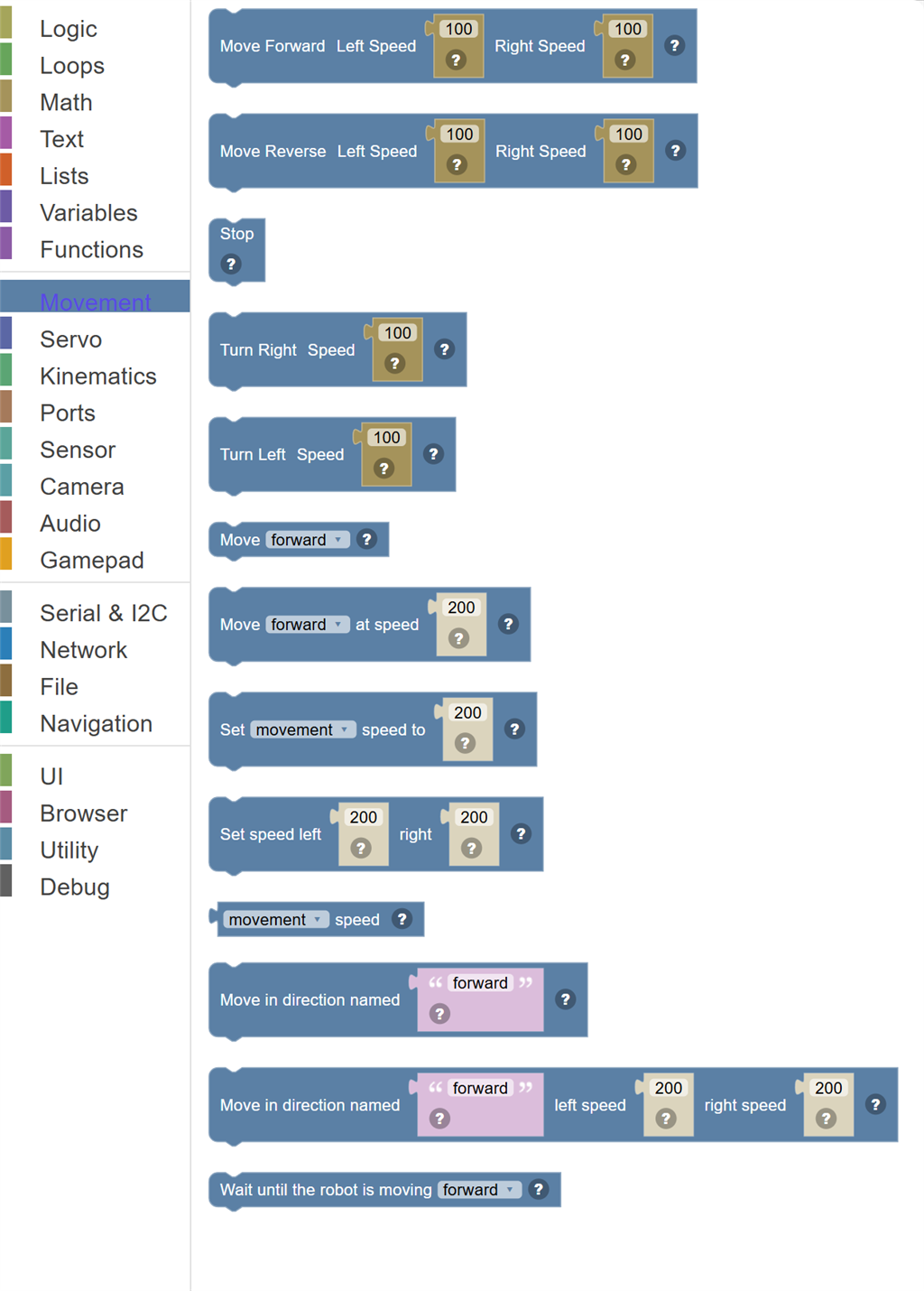
| Block | What it does |
|---|---|
| Move Forward | Drives the robot forward continuously. |
| Move Reverse | Drives the robot backward continuously. |
| Stop Movement | Immediately stops all robot movement. |
| Turn Right | Turns the robot to the right at the specified speed. |
| Turn Left | Turns the robot to the left at the specified speed. |
| Move … | Start moving in a direction at the current speed, through whichever movement panel is in the project. |
| Move … at speed … | Move in a direction at a speed from 0 to 255. |
| Set … speed to … | Set the speed, 0 to 255, for the movement commands that follow. |
| Set speed left … right … | Set the left and right speeds, 0 to 255 each, at once. |
| … speed | The current movement speed, 0 to 255. |
| Move in direction named … | Move in the direction named by the text: forward, reverse, left, right or stop, or the name of a custom direction the movement panel defines. |
| Move in direction named … left speed … right speed … | Move in the direction named by the text, with a speed from 0 to 255 for each side. |
| Wait until the robot is moving … | Pause the script until something - another script, a joystick, a robot skill - moves the robot in this direction. |
Details
Move Forward

Drives the robot forward continuously. Set the left and right wheel speeds independently — matching speeds go straight, different speeds cause turning.
When to use it: Use this to start the robot moving forward. The robot keeps going until you send a Stop or another movement command.
Example: Move Forward, Left Speed: 100, Right Speed: 100 → drives straight ahead at full speed.
Tips:
- Both speeds equal = straight line. Left faster = turns right. Right faster = turns left.
- Speed values are typically 0–100 (check your robot's specification).
- Remember to add a Stop block later, or the robot keeps going forever!
In JavaScript: this block runs
Movement.setSpeed(100, 100);
Movement.forward();
Move Reverse

Drives the robot backward continuously. Set the left and right wheel speeds independently. The robot keeps reversing until you send a Stop command.
When to use it: Use this when your robot needs to back up — like after detecting an obstacle.
Example: Move Reverse, Left: 60, Right: 60 → backs up at medium speed until stopped.
Tips:
- Remember to add a Stop or another move command to end the reversing.
- Unequal speeds will curve the robot as it reverses.
- A common pattern is: detect obstacle → reverse briefly → turn → go forward.
In JavaScript: this block runs
Movement.setSpeed(100, 100);
Movement.reverse();
Stop Movement
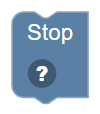
Immediately stops all robot movement. Halts whatever direction the robot was moving.
When to use it: Use this after a move block, or any time you need the robot to stand still — like when a sensor detects something.
Example: If obstacle detected → Stop → Say "I see something!"
Tips:
- Always stop the robot before switching directions for clean movement.
- Stop doesn't turn off servos — just the movement motor drive.
- Place a Stop at the end of any script that moves the robot, so it doesn't keep rolling!
In JavaScript: this block runs
Movement.stop();
Turn Right
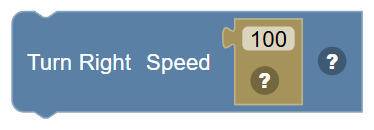
Turns the robot to the right at the specified speed. The robot keeps turning until a Stop or different movement command is given.
When to use it: Use this to rotate the robot right — like turning down a hallway or avoiding an obstacle on the left.
Example: Turn Right, Speed: 50 → robot spins right at medium speed until stopped.
Tips:
- Follow with a Sleep block then Stop to make a timed turn.
- Adjust speed for tighter or wider turns.
- A common pattern: Turn Right 500 ms → go forward.
In JavaScript: this block runs
Movement.setSpeed(100);
Movement.right();
Turn Left
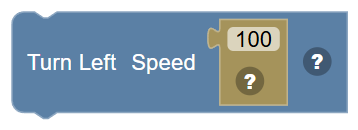
Turns the robot to the left at the specified speed. The robot keeps turning until a Stop or different movement command is given.
When to use it: Use this to rotate the robot left — like turning around a corner or scanning the environment.
Example: Turn Left, Speed: 50 → robot spins left at medium speed until stopped.
Tips:
- Higher speed = faster turn.
- Add a Sleep block to control how far the robot turns before stopping.
- For a precise 90° turn, experiment with the timing for your specific robot.
In JavaScript: this block runs
Movement.setSpeed(100);
Movement.left();
Move …
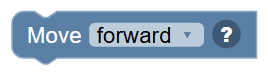
Start moving in a direction at the current speed, through whichever movement panel is in the project. The robot keeps moving until another movement command.
In JavaScript: this block runs
Movement.forward();
Move … at speed …
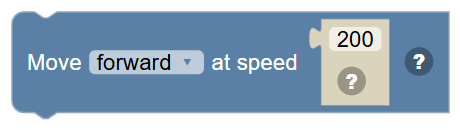
Move in a direction at a speed from 0 to 255. The robot keeps moving until another movement command.
In JavaScript: this block runs
Movement.forward(200);
Set … speed to …
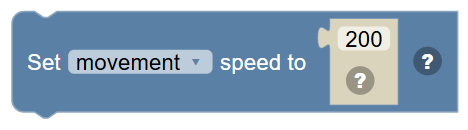
Set the speed, 0 to 255, for the movement commands that follow. Left and right are for panels that drive each side separately.
In JavaScript: this block runs
Movement.setSpeed(200);
Set speed left … right …
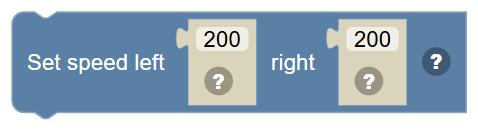
Set the left and right speeds, 0 to 255 each, at once.
In JavaScript: this block runs
Movement.setSpeed(200, 200);
… speed
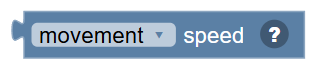
The current movement speed, 0 to 255.
In JavaScript: this block gives back the value of
Movement.getSpeed()
Move in direction named …
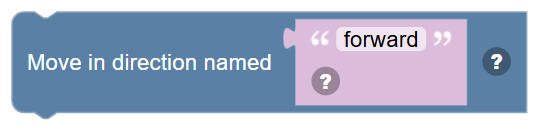
Move in the direction named by the text: forward, reverse, left, right or stop, or the name of a custom direction the movement panel defines.
In JavaScript: this block runs
Movement.fromString('forward');
Move in direction named … left speed … right speed …

Move in the direction named by the text, with a speed from 0 to 255 for each side.
In JavaScript: this block runs
Movement.fromString('forward', 200, 200);
Wait until the robot is moving …

Pause the script until something - another script, a joystick, a robot skill - moves the robot in this direction.
In JavaScript: this block runs
Movement.waitForForward();