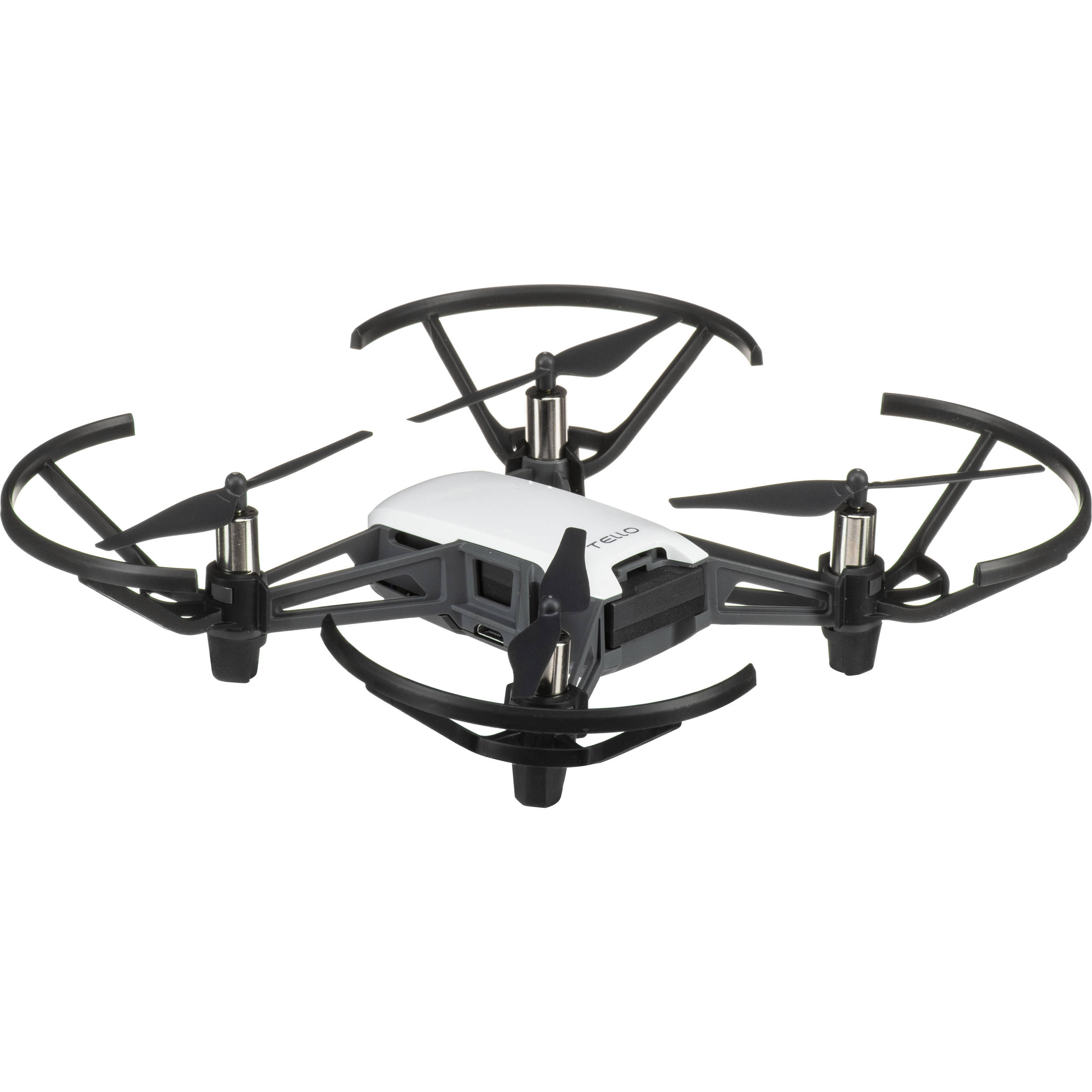
Tello Drone by DJI
The DJI Tello is a small, affordable drone that’s fun to fly and also a great way to learn robotics, automation, and coding. In Synthiam ARC, you can:
- Fly the drone (take off, land, move, rotate, and more)
- View the live camera feed inside ARC
- Use computer vision (object tracking, color tracking, face detection, etc.) with ARC’s camera tools
- Write code to control the drone using JavaScript, Python, EZ-Script, C++, or .NET
Get Started
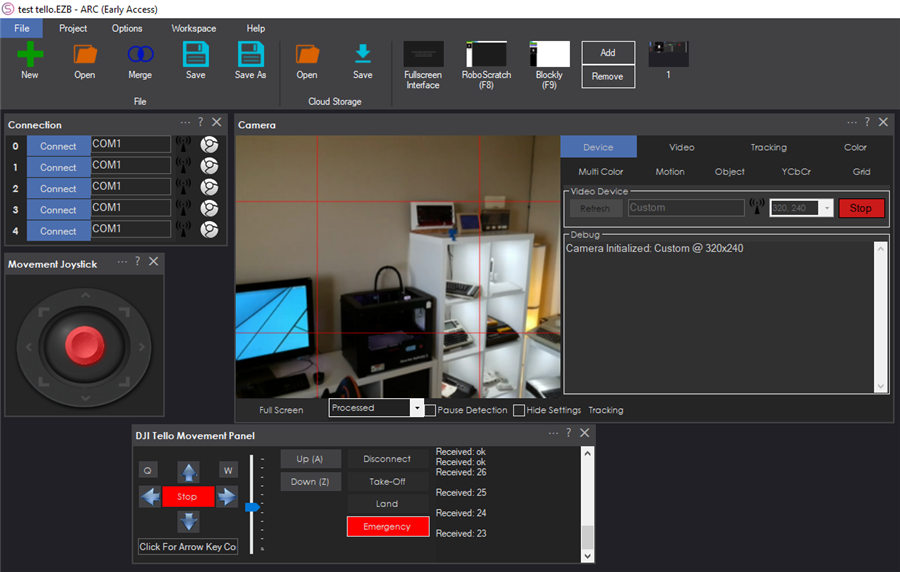
ARC includes a dedicated robot skill that handles the DJI Tello connection, basic flight controls, and the live video stream. The easiest way to begin is to add that skill to your ARC project and follow the step-by-step instructions inside it.
Step-by-step setup (beginner friendly)
- Power on the Tello and wait until its lights indicate it’s ready.
-
On your computer, open Wi‑Fi settings and connect to the Tello’s Wi‑Fi network.
It usually appears as a network name like TELLO-XXXXXX.
- Open Synthiam ARC and load (or create) a project.
- Add the DJI Tello Movement Panel skill to your project.
- In the skill, follow the prompts to connect, confirm the video feed, and test basic controls like takeoff and land.
Open the skill instructions here: DJI Tello Movement Panel Instructions
Using the Camera in ARC
The Tello’s camera stream can be used like other ARC camera sources. Once the video is visible in ARC, you can add camera-based skills such as:
- Object or color tracking to follow a target
- Face detection for interactive demos
- Computer vision features that trigger actions (for example: “if a red object is seen, rotate right”)
Programming the Tello (Optional)
If you want the drone to fly automatically, ARC lets you write scripts and code that can be tied to buttons, events, or vision triggers. You can use:
- EZ-Script (simple scripting inside ARC)
- JavaScript or Python (popular for learning and quick automation)
- C++ or .NET (advanced development)
The DJI Tello Movement Panel skill provides the connection and flight control interface; your scripts can call actions to automate behaviors.

Will you be supporting other models of DJI series drones? I assume they are very similar? I have an older Phantom 4.
Only ones that can be controlled by WiFi can have robot skills. Remember, most of those drones, such as the Phantom 4 are controlled by RF. There may be some movement commands accepted over WiFi, but I'd have to check how much compatibility there is. Remember, RF is remote control from a handheld joystick device.
Also, If there's a robot or technology you want to add robot skills, here's the tutorial for creating robot skills: https://synthiam.com/Support/Create-Robot-Skill/Overview
PS, I don't have any other DJI drones to play with - this $99 tello is perfect for labs and indoor use
Sounds good. I can’t fly the drone in the US (outside) now because FAA makes you basically get a pilots license to fly anything heavier than 300 grams. Reason DJI started making the mavic. Thinking of turning the Phantom into an indoor camera for shooting some shots for YouTube.
Will, you only need the part 107 license to fly commercially (which does include posting to YouTube if you are monetized). You are just flying for recreation, you just need a Small UAS Certificate of Registration which is good for 8 years and only costs a few dollars.
The Tello is well under 300 grams too (80 grams to be exact). It is a toy and can't fly out of the Phone's WiFi range, so you don't even need the registration for that.
Alan
The Tello may be considered a toy but I can’t believe the stability and control. It’s pretty amazing
That’s correct! I gave up keeping up with all the changes tho seemed like changes every few months.
The Mavic has been on my radar for sometime and I have some outdoor robots coming up and would be great to shoot that video with the Mavic. It’s too bad the resolution on the Tello is only 720.
I should add that it uses visual slam for stability and navigation. There’s a few features I’m adding that use Cartesian coordinates as well. It should be compatible with nms
im blown away with this drone. It’s popular with a number of our universities and I kept dismissing it because ... well, it seemed like a toy. An enterprise Education customer really wanted it - and I’m glad we did it. Because this thing is such a blast.
Nice addition DJ I have one of these drones and a pile of batteries because it doesn't fly very long. I wonder if you could come up with a way to get it to go on a mission and then self charge and go again. Maybe get it to find a Glyph and land in front of it on a charging pad. hmmm