
ROS by Open Robotics
A second life for every ROS robot
Many robots in labs, classrooms and workshops still run the original ROS. Synthiam ARCx connects to them through rosbridge and turns them into robots anyone can drive, program and talk to from a web browser. When you move to ROS 2, your ARCx project comes with you.
ROS is not an EZB, so why is it on this list? Because Synthiam makes it compatible. The ROS 2 Connector robot skill for ARCx has a ROS 1 compatibility switch that speaks to a rosbridge server running on ROS 1. Your ROS robot becomes a Synthiam robot, with the same joysticks, cameras, speech, scripts, AI and custom control screens that work with an EZB. ROS 1 support is an ARCx feature; the ARC connector targets ROS 2.
What is ROS?
ROS, the Robot Operating System, started in 2007 at Willow Garage, the research lab behind the PR2 robot. It gave robotics researchers something they had never had: a shared way to write robot software in small, reusable pieces, and a community to share those pieces with. Within a few years it was a common platform for robotics research.
A ROS robot is a set of programs called nodes, coordinated by a central roscore master. Nodes exchange topics (velocity commands, laser scans, images, joint states) and services, and are built with the catkin build system. Its ecosystem produced the navigation stack, gmapping and AMCL for mapping and localisation, MoveIt for robot arms, and drivers for nearly every research sensor and robot.
ROS 1's final distribution, Noetic Ninjemys, was released in 2020 and reached its end of life in May 2025. Its successor is ROS 2. But ROS 1 is far from gone: research platforms, older TurtleBots, university teaching robots and industrial arms with ROS 1 drivers are still in daily use, and many will be for years.
ROS 1 at a glance
| Type | Open-source robotics middleware, libraries and tools |
|---|---|
| Origin | Willow Garage, 2007 |
| Maintained by | Open Robotics and the ROS community |
| Final distribution | Noetic Ninjemys (Ubuntu 20.04), end of life May 2025 |
| Languages | C++ (roscpp) and Python (rospy) |
| Successor | ROS 2 |
| Synthiam connection | rosbridge (WebSocket JSON), port 9090, ARCx ROS 1 compatibility mode |
| Website | wiki.ros.org |
Hard to learn, and now harder to keep running
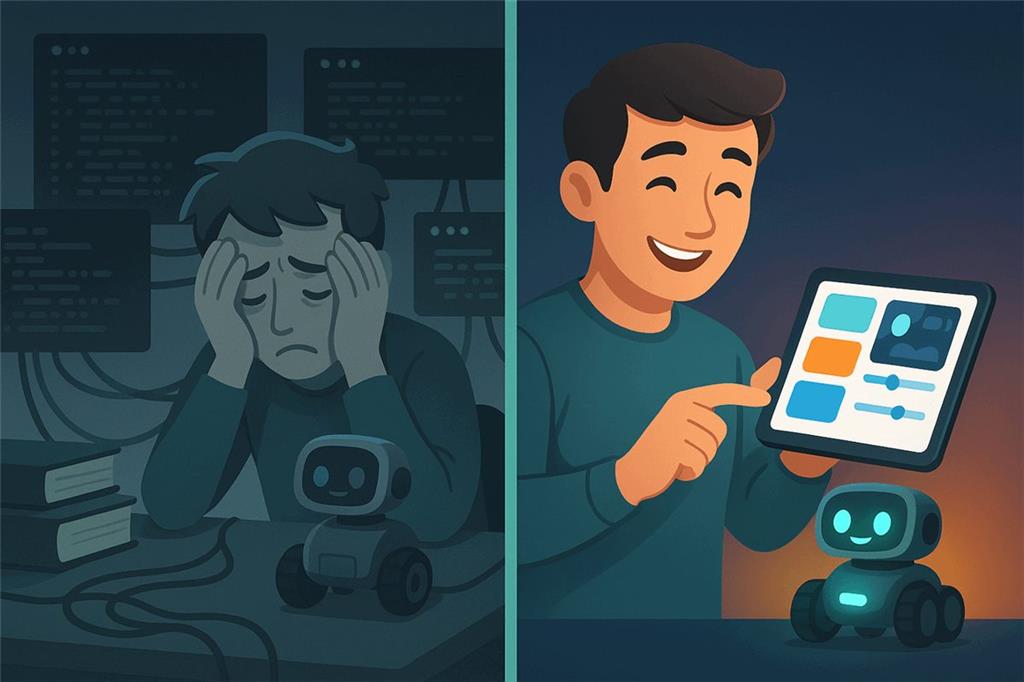
ROS was built by researchers, for researchers. Getting a ROS robot to do something useful has always meant Linux, the terminal, catkin workspaces, launch files and code. Now there is an extra problem: the platform itself has stopped moving.
- A steep start. roscore, nodes, topics, tf frames, URDF, catkin builds, environment sourcing and XML launch files, before the robot does anything.
- Everything is code. Behaviors are C++ or Python nodes. Changing what the robot does means editing, rebuilding and relaunching.
- No interface for people. RViz and rqt are developer tools. There is no dashboard you can hand to a student or a visitor.
- End of life. Noetic no longer receives updates, it is tied to Ubuntu 20.04, and new packages are written for ROS 2.
- Migration is a project. Moving a robot to ROS 2 means new build tools, new APIs and new launch files. Any user interface built for ROS 1 usually has to be rewritten too.
Keep the robot, change the experience
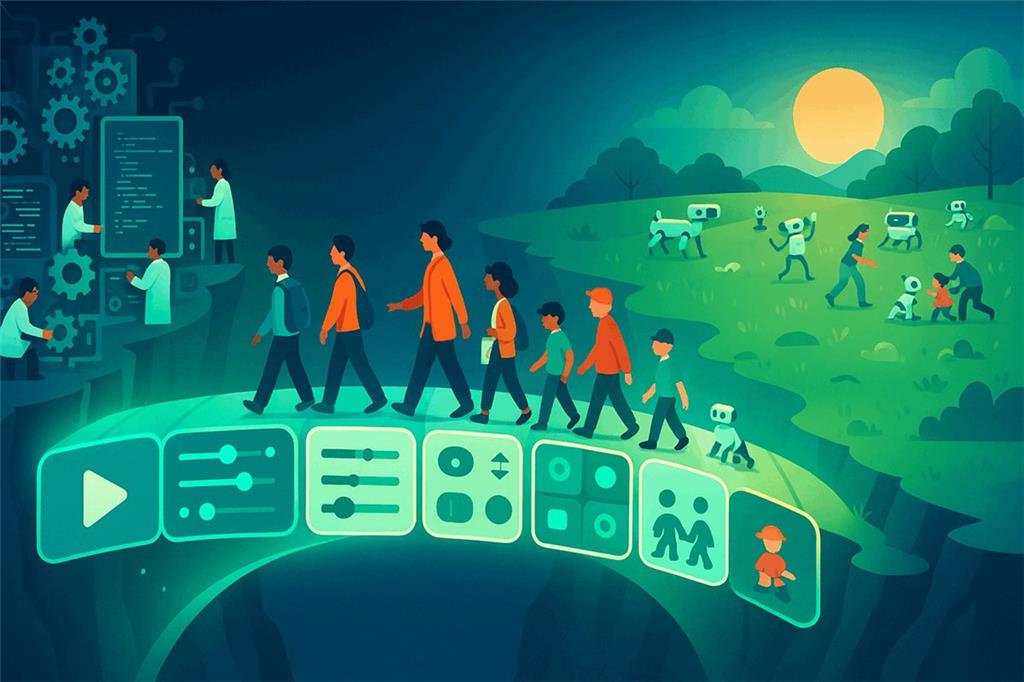
Synthiam's mandate is to make robotics accessible to everyone. A working ROS robot sitting in a cupboard because only one graduate student knew how to run it is exactly the problem we exist to solve.
With ARCx in front of it, a ROS 1 robot gets a modern, browser-based user interface. Teachers and students drive it with a joystick, program it with Blockly, JavaScript or Python, give it speech and vision, connect it to AI and build touch-screen control panels, without touching catkin or a launch file. The ROS 1 software keeps doing what it does well.
And ARCx is migration insurance. The same ROS Connector speaks to ROS 2. When the robot moves to ROS 2, turn off one switch and point it at the new rosbridge. Your ARCx project, its scripts, its screens and its robot skills stay exactly as they are. Users do not have to relearn anything.
How ARCx connects to ROS 1
ROS 1 has the same official bridge as ROS 2: rosbridge, which exposes topics and services as JSON over a WebSocket.
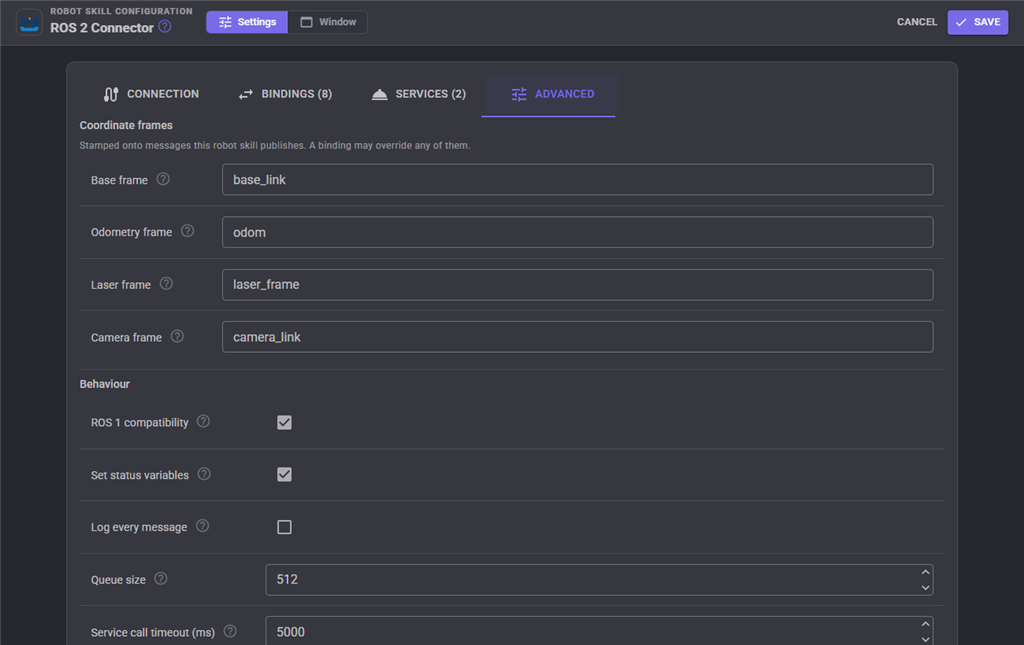
With ROS 1 compatibility turned on, the ARCx connector writes time fields the ROS 1 way (secs and nsecs) and uses ROS 1
message type names (package/Type). Nothing else changes.
Wire ARCx to your ROS topics
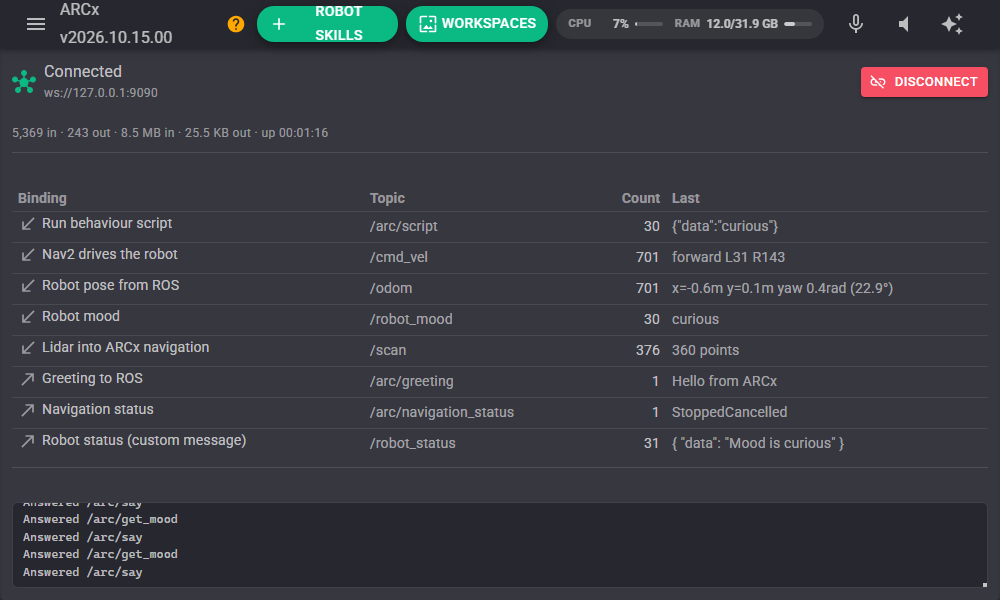
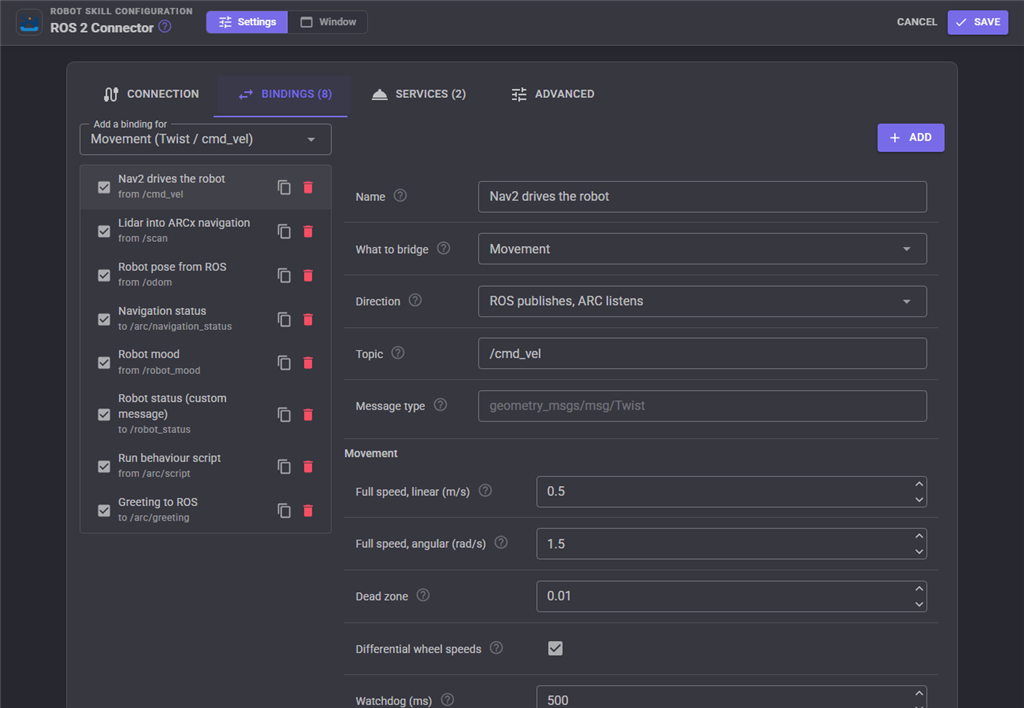
A binding is one wire between ARCx and one topic, in one direction. Choose what to bridge from a list, type the topic, and save.
🚗 Movement
Subscribe to /cmd_vel so the ROS navigation stack drives the robot through ARCx's movement panel, or publish what ARCx's joysticks and scripts ask for. A watchdog stops the robot when commands stop.
🦾 Servos and joints
Move ARCx servos from sensor_msgs/JointState, or publish servo positions back as joints.
📡 Lidar and pose
Laser scans and odometry pass between ROS and ARCx's navigation messaging system in both directions.
📷 Cameras and sensors
Publish ARCx cameras as compressed images, plus distance sensors, battery state and controller ports.
💬 Variables, commands, scripts
Map any topic to an ARCx variable, make a message trigger a robot skill, or run a script for every message.
🔧 Services and custom messages
Advertise services that ROS nodes call and wait on, and build any message type from a JSON template.
Why ARCx for ROS robots
No ROS on the ARCx side
ARCx talks to rosbridge over a WebSocket. It does not need ROS, catkin or a matching Ubuntu installed.
Runs anywhere
Windows 10 and 11 x64, Ubuntu 24.04 x64 and ARM64, Raspberry Pi. Use it from any browser on any device.
One project, ROS 1 or 2
The same connector and the same ARCx project work with ROS 1 today and ROS 2 tomorrow.
Modern features
Voice, vision tracking, AI agents through MCP, gamepads, Custom UI screens and remote access with Exosphere, all on a ROS 1 robot.
Connect a ROS 1 robot to ARCx
-
Install and start rosbridge on the ROS 1 machine (shown for Noetic).
sudo apt install ros-noetic-rosbridge-server roslaunch rosbridge_server rosbridge_websocket.launch - Install ARCx on any Windows or Ubuntu 24.04 computer on the same network. Download ARCx.
- Add the ROS 2 Connector robot skill from Robot Skills, Communication: ROS 2 Connector. It is the same skill for ROS 1 and ROS 2.
- Turn on ROS 1 compatibility on the Advanced tab, enter the robot's address and port 9090 on the Connection tab, and press Connect.
-
Add bindings, starting with Movement on
/cmd_veland LaserScan on/scan. - Add robot skills for joystick driving, cameras, speech, AI and Custom UI. Your ROS robot is ready for anyone to use.
Using Synthiam ARC? The ARC ROS2 Connector is built for ROS 2 (Humble and newer). For a robot that still runs ROS 1, use ARCx. If you are planning a move to ROS 2, see the ROS 2 hardware page.
Frequently asked questions
/cmd_vel, /scan, /odom are standard on both), the rest of the project carries over unchanged.
Bring your ROS robot back into everyday use
Install ARCx, add the ROS Connector, flip on ROS 1 compatibility, and give your robot an interface everyone can use.
