
ROS 2
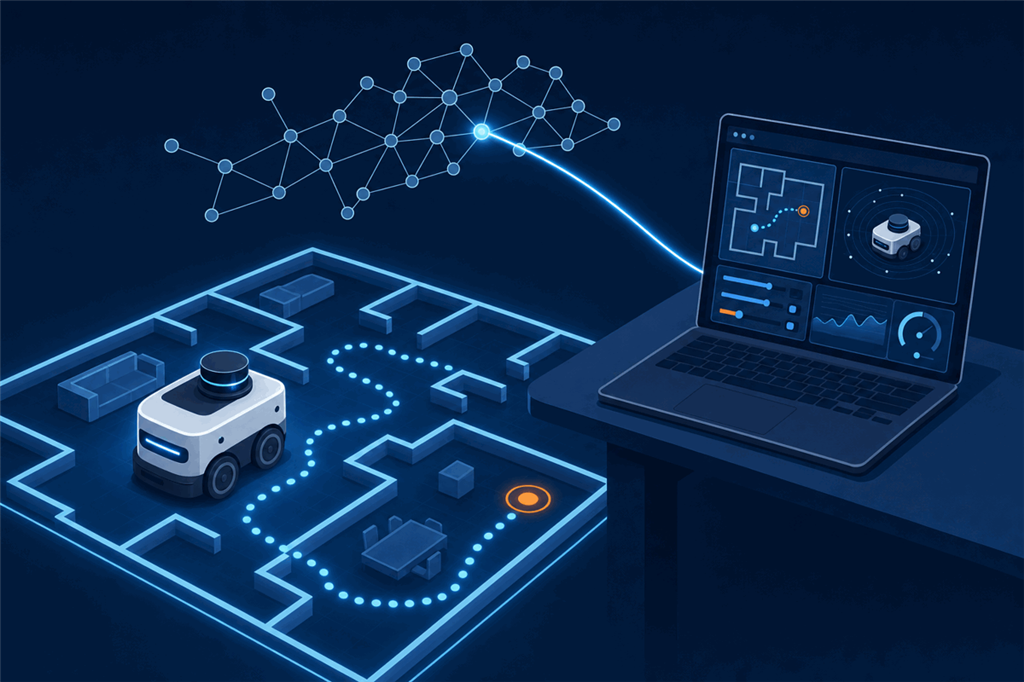
The ROS 2 Connector robot skill joins ARCx to a robot running ROS 2. ROS nodes can drive the robot and use its sensors, and ARCx can use what ROS publishes, so the two work as one robot. Keep your ROS navigation, perception and planning, and add ARCx's interface, robot skills, scripting and AI on top, or the other way round: build in ARCx and bring in one ROS package you need.
The full list of settings and options is in the robot skill's manual: https://synthiam.com/Support/Skills/Communication/ROS-2-Connector?id=23469
Contents
- Why use ROS 2 through ARCx
- How it connects
- What you need
- What you can do with it
- How a setup goes
- What to expect
- ROS and the Robot Bus
Why use ROS 2 through ARCx
ROS 2 is powerful, but it is made for advanced users. Working with it normally means a Linux computer, the command line, writing nodes in C++ or Python, building packages, editing launch and parameter files, and keeping library versions matched across machines. Its tools, such as RViz and rqt, are built for developers to inspect and debug a robot, not for someone to operate one. There is no point-and-click way to make a ROS robot speak, follow a face, run an animation or show a control screen on a tablet; each of those is more code to write.
That puts a ROS robot out of reach for most people who would use it: students, teachers, artists, researchers outside robotics, operators and customers.
ARCx changes that. Once the ROS 2 Connector joins the two, the ROS robot is driven from ARCx's interface: joysticks, camera views, servo sliders, touch screens built with Custom UI, and access from any browser. Behaviours come from robot skills added from the store, and scripts are written in Blockly, JavaScript or Python inside ARCx. The ROS side keeps running exactly as it does today, so the engineers who built it keep their tools, and everyone else gets a robot they can actually use.
How it connects
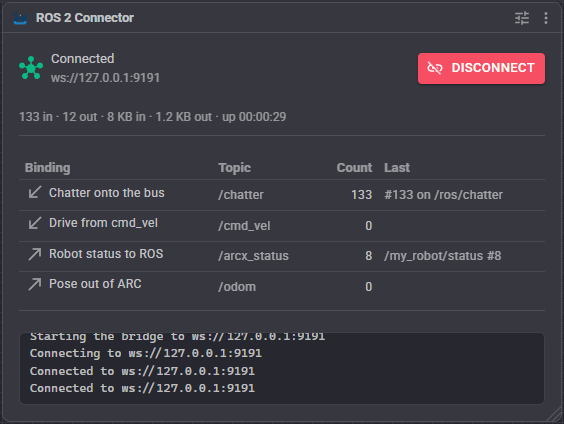
The skill talks to ROS through rosbridge, the standard ROS package that lets software outside ROS take part over a WebSocket. That has one big advantage: ARCx does not need ROS installed. ARCx can run on a Windows laptop, a Mac or a Linux computer and reach a ROS 2 robot across the network, with no ROS distribution, no matching library versions and no DDS configuration on the ARCx side.
What you need
- A ROS 2 machine (the robot, or a computer on its network) running
rosbridge_serverfrom therosbridge_suitepackage. One command starts it:ros2 launch rosbridge_server rosbridge_websocket_launch.xml. It listens on port 9090 by default. - A network path between that machine and the computer running ARCx.
- The ROS 2 Connector robot skill added to your ARCx project, pointed at the rosbridge address.
ROS 1 robots running rosbridge work too, with a compatibility switch in the skill.
What you can do with it
The skill is built around bindings. Each binding wires one part of ARCx to one ROS topic, in one direction, and you add as many as you need. Common ones come ready to use:
- Let ROS drive the robot. A movement binding on
/cmd_vellets a ROS 2 navigation stack, a teleop node or your own controller drive whatever movement panel the ARCx project has, from a hobby servo robot to a motor controller. - Share the lidar and the pose. A ROS lidar can feed ARCx's mapping and navigation robot skills, and ARCx's own lidar and odometry can be published to ROS in standard message types.
- Move servos from ROS. Joint states drive ARCx servos, and ARCx servo positions can be published back.
- Send the camera to ROS. ARCx video sources can be published as compressed images.
- Trigger anything in ARCx from a message. A ROS message can run a script, run a control command on any robot skill, or set an ARCx variable, so a ROS node can make the robot speak, play an animation or start tracking.
- Answer ROS service calls. ARCx can offer ROS services that nodes call and wait on, such as a behaviour tree node asking the robot to say something and waiting until it has.
- Any message type, including your own. Custom bindings build messages from a template or pick incoming messages apart, so you are not limited to the types the skill knows.
How a setup goes
- Start rosbridge on the ROS machine.
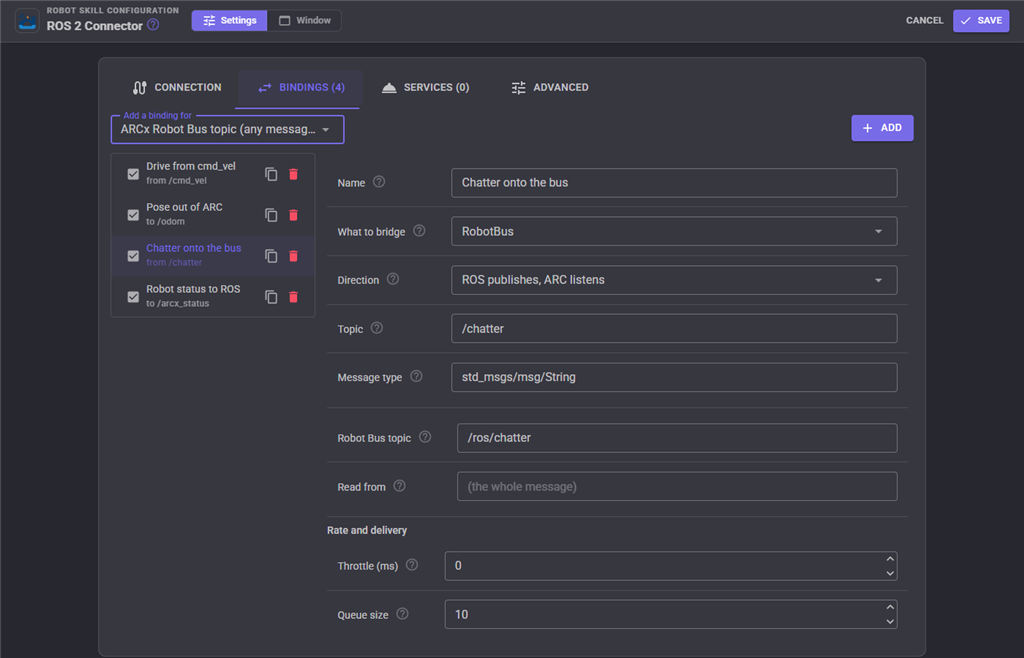
- Add the ROS 2 Connector robot skill and enter the rosbridge host and port. Press Connect: the skill's window shows the link and counts every message in and out.
- Add the bindings you need. Each starts with sensible defaults (a movement binding already points at
/cmd_vel, for example), so most need only a topic name checked. - Watch the counts move in the skill's window, and turn on Auto connect so the robot comes up connected by itself.
The skill can also list the ROS graph's topics, services and nodes, which helps when you are not sure what a robot publishes.
What to expect
- It is a bridge, not a ROS replacement. ROS keeps doing what ROS does well; the skill joins it to ARCx. You still write and run ROS nodes the normal ROS way.
- Everything travels as JSON. rosbridge carries messages as JSON over a WebSocket, which is simple and works across any network, but costs more than native DDS. Robot control, poses, lidar scans and compressed camera images at normal rates are comfortable. Very heavy streams, such as raw point clouds or uncompressed high resolution video at full frame rate, are better kept inside ROS.
- Safe by default. If the connection to ROS drops, the skill can stop the robot's movement, so a robot driven from ROS does not keep going when ROS goes away. It reconnects by itself when the link returns.
- Numbers that JSON cannot carry. JSON has no infinity or NaN, so a laser scan reading with no return is sent as just beyond the maximum range instead. The skill's manual explains where this matters.
ROS and the Robot Bus
The ROS 2 Connector also puts ROS on ARCx's Robot Bus. A Robot Bus binding carries a ROS topic onto the bus whole, in its own message shape, or sends a bus topic out to ROS. While connected, the skill also offers bus services that publish to any ROS topic, call any ROS service, mirror a ROS topic onto the bus on request, and list the ROS graph.
That means a Python program, a JavaScript dashboard or an AI assistant connected to the same ARCx can reach your ROS graph without knowing ROS is there, and ROS data can be recorded and replayed with the Robot Bus recorder like any other.
For every binding kind, setting and script command, see the ROS 2 Connector manual: https://synthiam.com/Support/Skills/Communication/ROS-2-Connector?id=23469