Viam by Viam
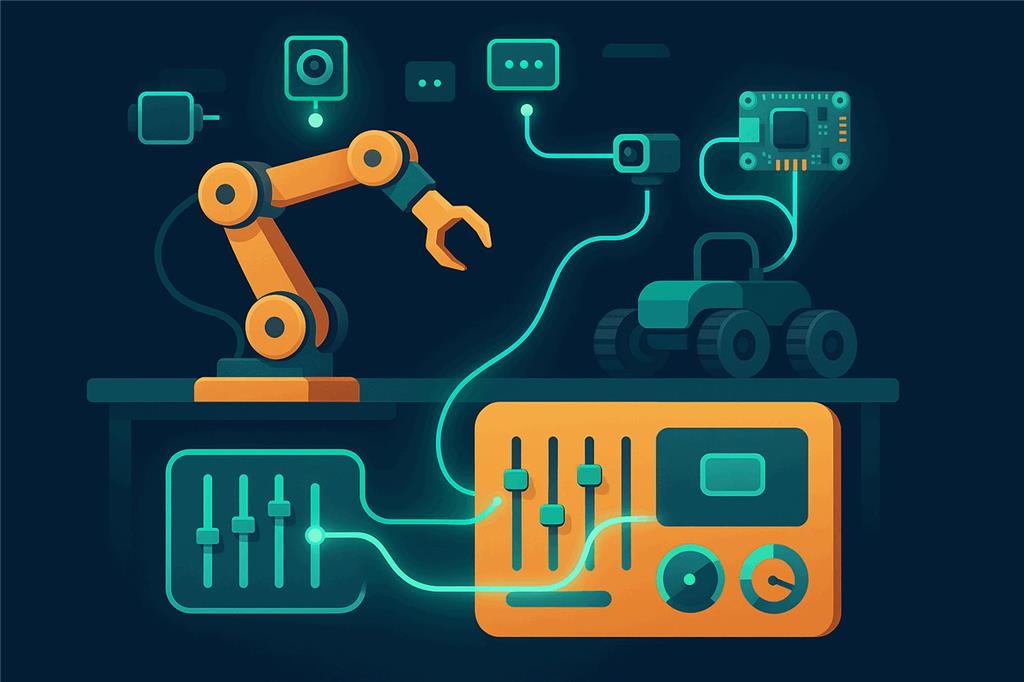
Every Viam machine, ready for everyone
Viam makes it fast for developers to wire up robot hardware and manage it from the cloud. Synthiam ARCx turns that hardware into a robot anyone can use: drive it, program it with blocks or scripts, give it a voice and vision, and put it on a touch screen, all from a web browser and without writing an SDK program.
Viam is not an EZB, so why is it on this list?
Because Synthiam makes it compatible. The Viam Robot Controller robot skill for ARCx
connects to viam-server, discovers every component on the machine and maps each one into ARCx. A Viam base becomes the movement panel, servos and motors become servo ports,
cameras become video sources and sensors become variables. Every Synthiam robot skill then works with Viam hardware. Viam support is exclusive to ARCx.
What is Viam?
Viam is a software platform for robotics and smart machines, founded in 2020 by Eliot Horowitz, co-founder and former CTO of MongoDB. Its goal is to bring modern software engineering to hardware: configure a machine instead of writing drivers, control it through clean APIs, and manage whole fleets from the cloud.
At the heart of every Viam machine is viam-server, an open-source program that runs on the robot's computer, from a Raspberry Pi to an NVIDIA Jetson. In the Viam web app you describe the machine as components (arms, bases, motors, servos, cameras, grippers, sensors, encoders, boards) and services (vision, motion planning, navigation, SLAM, machine learning, data capture). viam-server loads the matching drivers, many from Viam's module registry, and exposes every component through a common gRPC API.
Developers then write programs against that API with Viam's SDKs for Python, Go, TypeScript, C++ and Flutter. On top sit fleet tools: remote configuration, software updates, data sync and machine learning model training. For engineering teams, it is a very productive way to build a robot.
Viam at a glance
| Type | Robotics software platform and cloud service |
|---|---|
| Company | Viam Inc., New York, founded 2020 |
| On the robot | viam-server (open source) |
| API | gRPC, port 8080 by default |
| SDKs | Python, Go, TypeScript, C++, Flutter |
| Configuration | Viam web app (app.viam.com), stored as JSON |
| Synthiam connection | ARCx native gRPC client, API key, safety session |
| Website | viam.com |
Built for developers. Everyone else is left waiting.
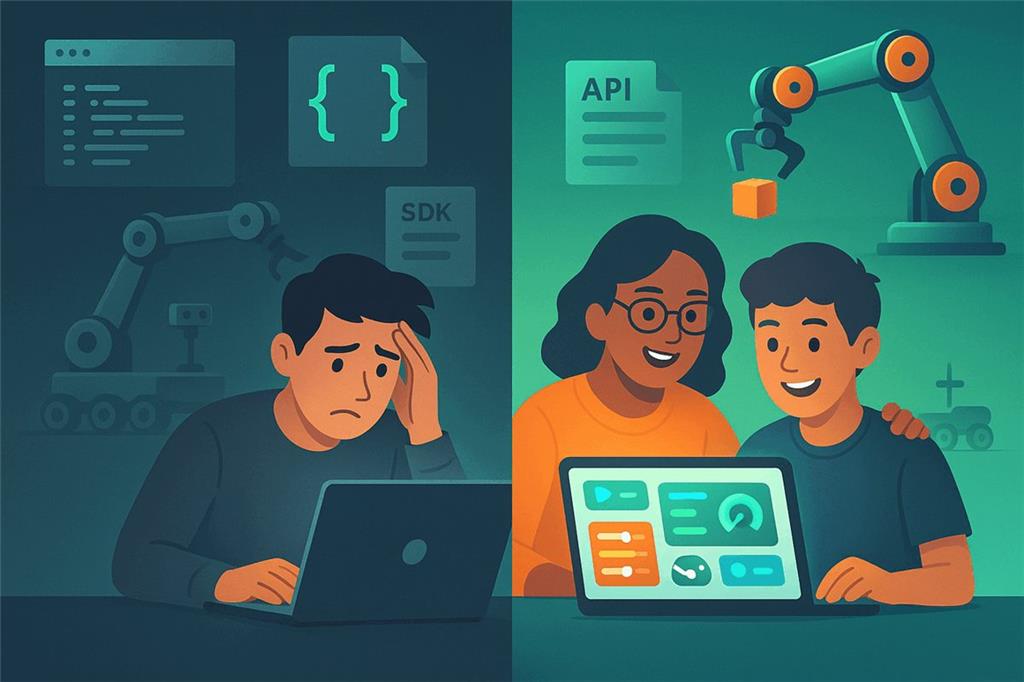
Viam removes much of the pain of drivers and wiring, but making a robot do something is still a software project. The platform assumes the person building the robot is a programmer, and most people who want to use a robot are not.
- Behavior means code. Driving to a person, reacting to a word, waving when someone smiles: each is a program written against an SDK, with connections, authentication and asynchronous code to manage.
- Configuration is technical. Component models, attributes, pins, board definitions and JSON, organized by organization, location, machine and part.
- The control panel is a test bench. The web app's control tab is excellent for checking that a motor turns. It is not designed as an operator interface for a student, a customer or a family member.
- A real interface is another app. A touch screen for the people who use the robot means building a web or mobile application with the TypeScript or Flutter SDK.
- Personality is up to you. Speech, conversation, face tracking, gamepad driving and animations are all projects of their own.
Synthiam brings Viam hardware to everyone
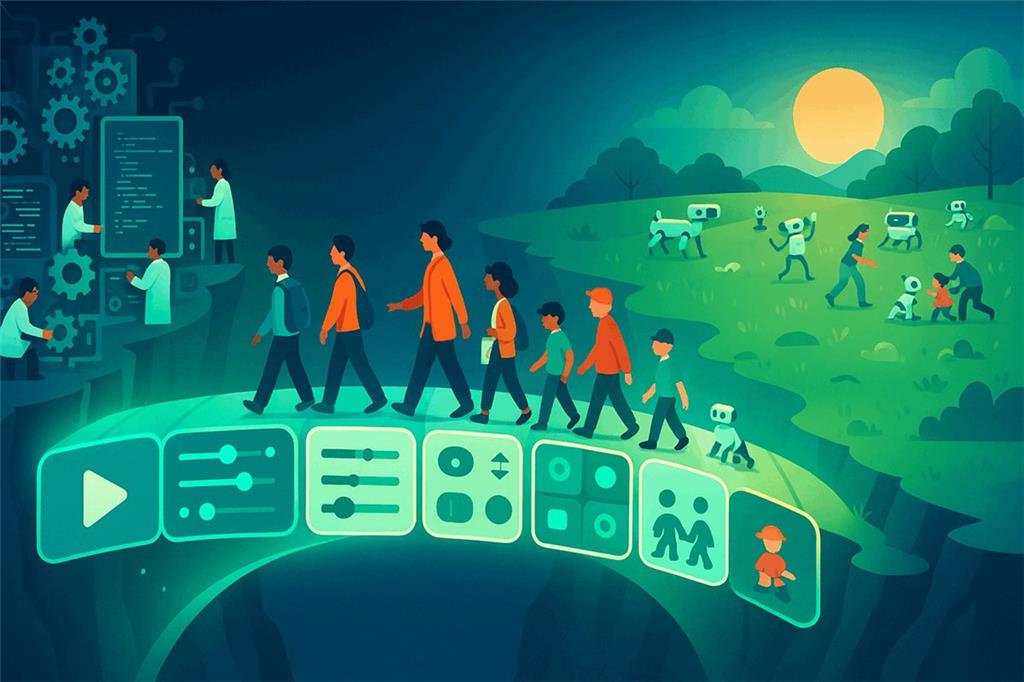
Synthiam's mandate is to make robotics accessible to everyone. Viam has done the hard work of making hardware talk through one clean API. ARCx does the other half: it makes that hardware usable by people who will never open an SDK.
Point ARCx at a Viam machine and it discovers every component and maps it to the part of ARCx that already knows what to do with it. No driver is written and nothing is installed on the robot. From that moment the machine works with the whole Synthiam library: joysticks and gamepads, Auto Position animations, Servo Pad, face and color tracking, speech recognition and synthesis, conversational AI, Blockly, JavaScript and Python, Custom UI touch screens and Exosphere remote control.
For Viam builders, that means a far bigger audience. A developer can configure a machine in Viam and hand it to a classroom, a client or a museum with a complete interface on day one. For everyone else, it means Viam hardware is no longer something you need a programmer to use.
Viam is the foundation. Synthiam is the front door. Keep configuring hardware, modules and fleets in Viam. Put ARCx in front of the machine for the people who use it.
Your whole Viam machine on one screen
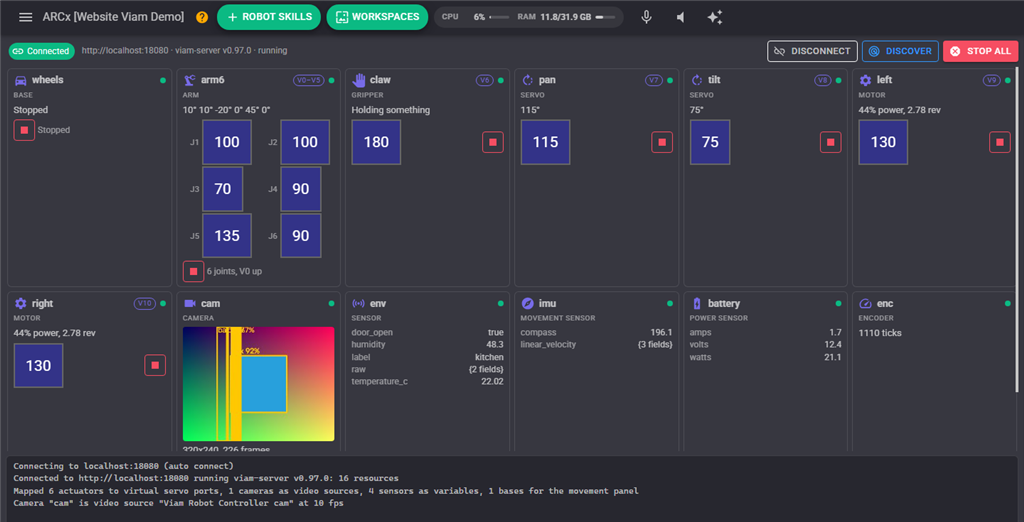
🔌 Connection strip
Address, viam-server version and machine state, with Connect, Discover and a red Stop all that stops every actuator on the machine at once.
🎛 A card per resource
Each component shows its kind, the ARCx port it answers to, a health dot from the machine's own status report, its live value, and a slider and stop button for actuators.
📝 Plain-language log
What was discovered, what it was mapped to, and what failed and why, in sentences rather than stack traces.
How Viam components become ARCx features
| On the Viam machine | In ARCx |
|---|---|
| Base | The project's movement panel. Joysticks, gamepads, scripts, camera tracking and the Movement Manager all drive it. |
| Servo | A virtual servo port (V0 to V255) that every servo robot skill can move. |
| Motor | A virtual port for power, RPM or position. Two motors can also be the movement panel as a differential drive. |
| Arm | One virtual port per joint, so Auto Position animations and Servo Pad poses move a Viam arm. |
| Gripper | A virtual port: one side opens, the other grabs. |
| Camera | An ARCx video source, so face, color, glyph and object tracking run on it. |
| Vision service | Detections are drawn on the camera and handed to ARCx's tracking skills as detected objects. |
| Sensors, movement sensors, power sensors, encoders | Global variables, one per reading, such as ViamEnvTemperatureC, for scripts, charts and screens. |
| Boards, switches, generic and anything else | Control commands, including DoCommand for any resource's own commands. |
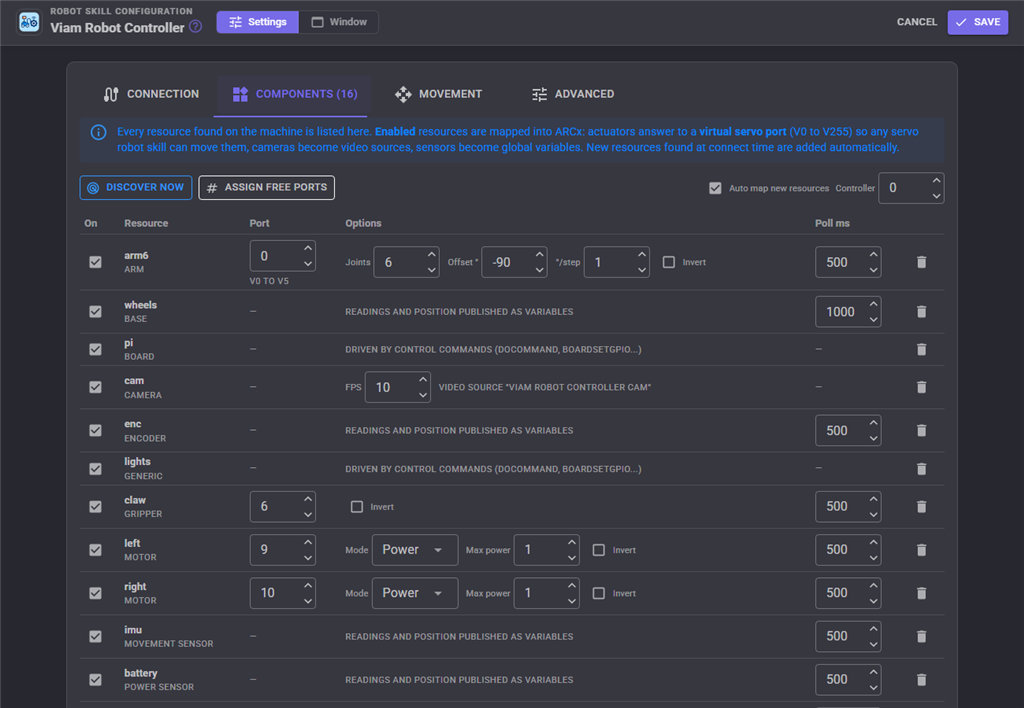
Why ARCx is the best interface for Viam
Zero code to start
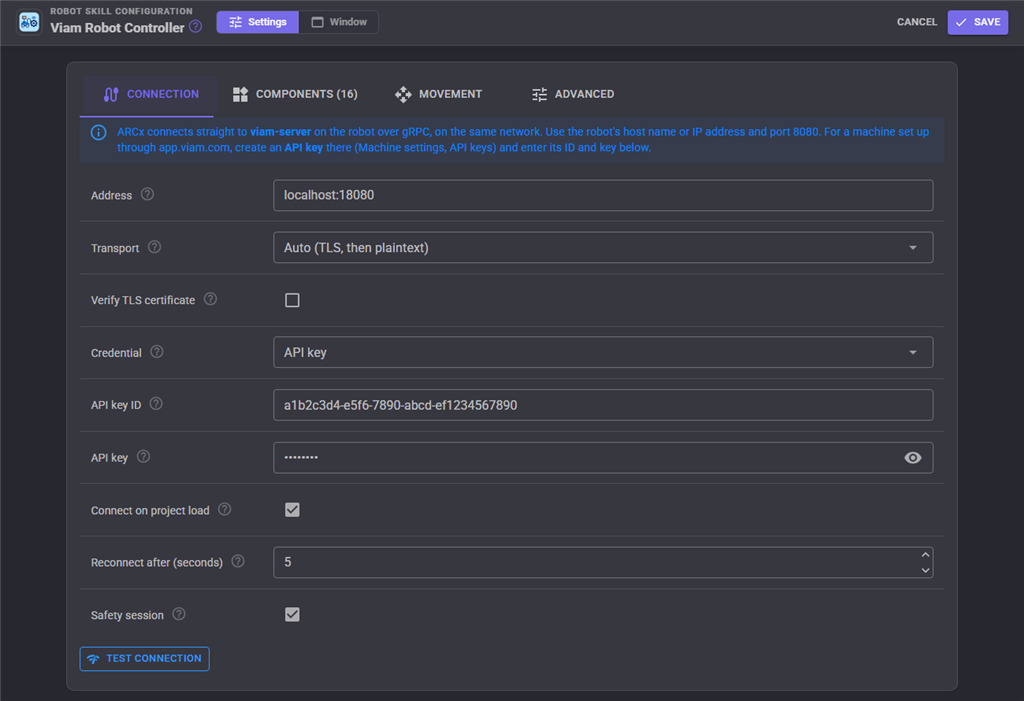
Enter the machine's address and an API key, press Connect. Discovery, port assignment and mapping happen on their own.
Safety built in
An optional Viam safety session means that if ARCx or the network goes away, viam-server stops every actuator ARCx commanded. A drive timeout and Stop all add more protection.
Runs beside viam-server
ARCx runs on Windows 10 and 11 and on Ubuntu 24.04 for x64 and ARM64, including Raspberry Pi. Run it on the robot or on any computer on the same network.
Programming for every level
Blockly for beginners, JavaScript and Python for everyone else, with ready-made control commands for every Viam resource. Motion uses meters and radians, the way robotics expects.
Screens people actually use
Drag-and-drop Custom UI screens, plus two ready-made widgets: Viam machine with Connect and Stop all, and Viam component showing any resource live.
AI ready
ARCx is an MCP server, so AI agents such as Claude can see through a Viam camera, drive a Viam base and move a Viam arm, alongside ARCx's own AI robot skills.
Connect a Viam machine to ARCx
- Have viam-server running on the robot, configured with its components in the Viam app as usual.
- Create an API key in the Viam app under the machine's settings. A viam-server started from a local config without authentication needs no key.
- Install ARCx on the robot or on a computer on the same network. Download ARCx.
- Add the Viam Robot Controller robot skill from Robot Skills, Communication: Viam Robot Controller.
-
Enter the address (for example
my-robot.local:8080) and the API key ID and key, press Test connection, then Save. - Use it. Every component appears in the window. Add a joystick, a camera tracking skill, speech or a Custom UI screen and they work with the Viam hardware straight away.
Good to know
- ARCx connects straight to viam-server on your network. It does not route through Viam's cloud, so ARCx and the robot must be able to reach each other.
- Auto transport tries TLS first and then plaintext, which covers both cloud-configured machines and local config files.
- Running two Viam machines? Add the robot skill twice, with its own variable prefix and separate ports.
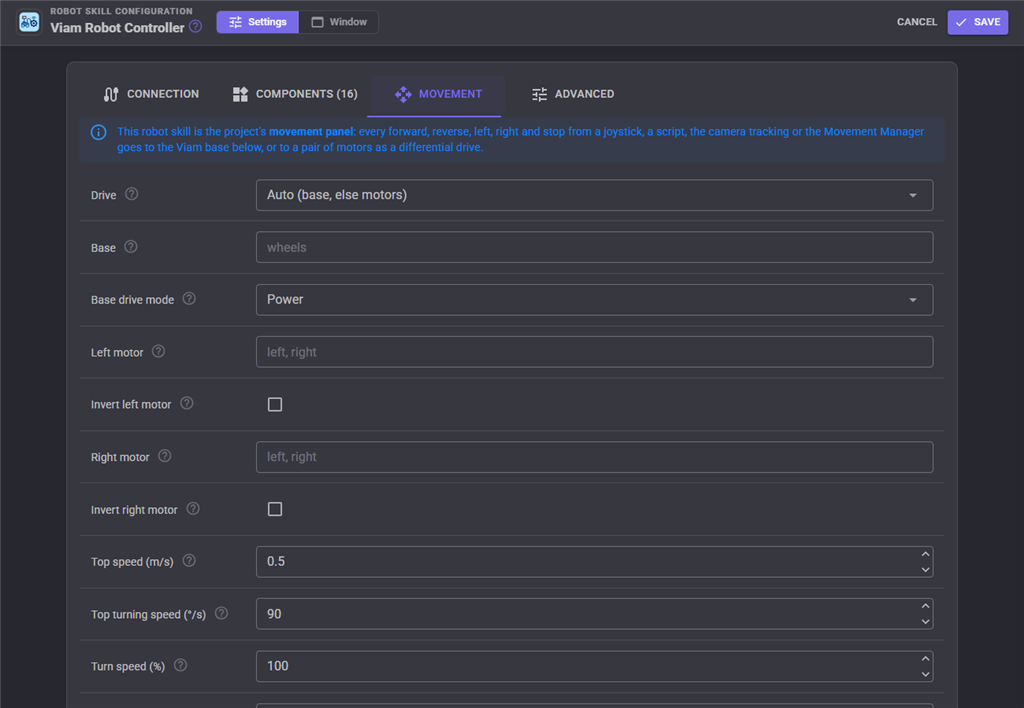
A Viam rover drives like any Synthiam robot
Because the Viam base becomes ARCx's movement panel, everything in Synthiam that moves a robot moves a Viam rover.
- On-screen joysticks, Xbox and PlayStation gamepads, keyboards and MIDI controllers.
- Camera tracking that steers the robot to follow a face, a color or an object.
- Voice commands, scripts and the AI robot skills.
- Exosphere, to drive the robot from anywhere in a web browser and share it with others.
- Power mode for any base, or velocity mode in meters and degrees per second for bases that measure their speed.
From a developer's bench to everyone's hands

- Viam developers deliver machines with a finished user interface, and prototype interactions in minutes instead of writing a new SDK program each time.
- Educators use Viam-configured robots in class with Blockly and on-screen controls, without asking students to set up SDKs and API keys in code.
- Makers mix Viam's hardware support with Synthiam's personality: speech, faces, animations, conversation.
- Businesses put a Viam machine on a touch screen for staff who need big buttons, not code.
- Researchers add voice, vision and AI interaction to a Viam platform for demos and user studies.
Frequently asked questions
DoCommand, which passes JSON straight to the resource's own commands.
That covers modules from the Viam registry that add their own behavior.
Give your Viam machine an interface everyone can use
Install ARCx, add the Viam Robot Controller, and your Viam hardware works with every Synthiam robot skill.
