Serial & I2C
Talk to other devices: serial ports on the computer ARCx runs on (COM), serial ports on an EZB (UART), and I2C devices on an EZB.
Where to find it: the Serial & I2C category of the toolbox, in any script editor set to Blockly or on Top bar → Workspaces → Blockly
Blocks
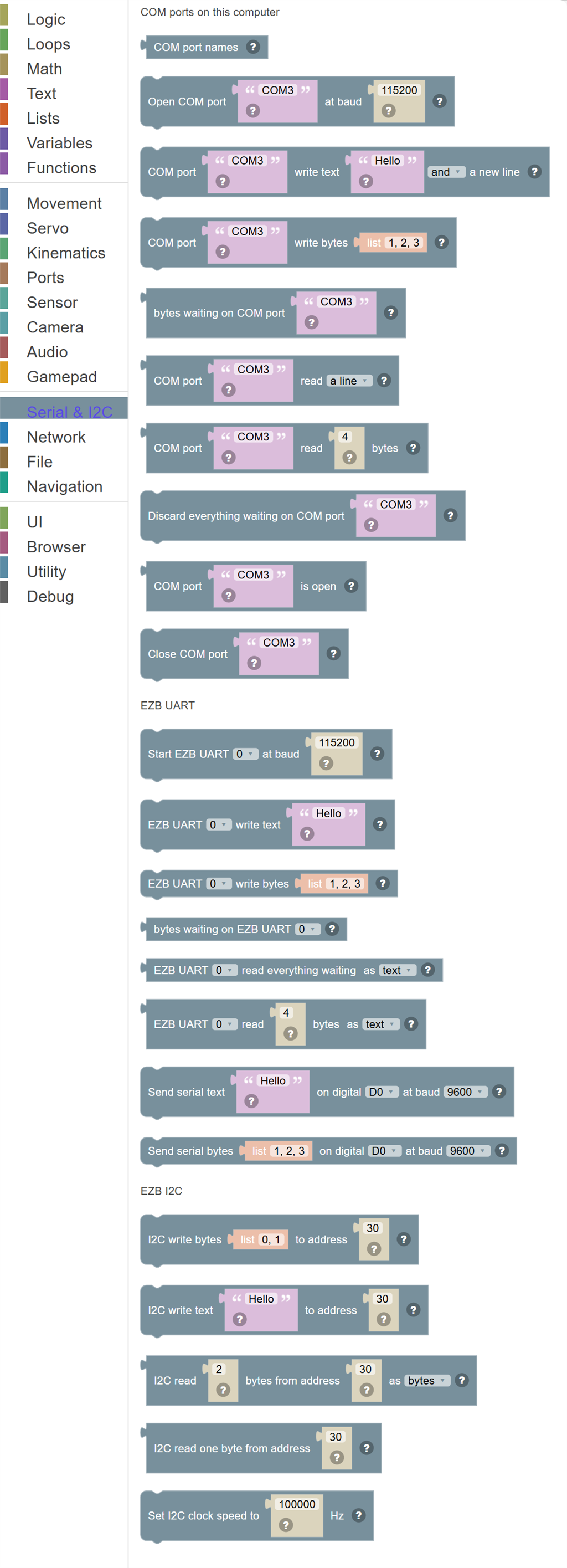
| Block | What it does |
|---|---|
| COM port names | The serial ports on this computer, such as COM3 on Windows or /dev/ttyUSB0 on Linux. |
| Open COM port … at baud … | Open a serial port on this computer so it can be read and written. |
| COM port … write text … … | Send text out of a serial port. |
| COM port … write bytes … | Send bytes (numbers 0 to 255) out of a serial port. |
| Bytes waiting on COM port … | How many bytes have arrived on a serial port and not been read yet. |
| COM port … read … | Read from a serial port: up to the next new line, everything that has arrived, or one byte as a number. |
| COM port … read … bytes | Read a number of bytes from a serial port, as a list. |
| Discard everything waiting on COM port … | Throw away whatever has arrived on a serial port and not been read, to start fresh. |
| COM port … is open | True when this script has the serial port open. |
| Close COM port … | Close a serial port so another program can use it. |
| Start EZB UART … at baud … | Turn on one of the EZB's hardware serial ports at a baud rate. |
| EZB UART … write text … | Send text out of an EZB hardware serial port. |
| EZB UART … write bytes … | Send bytes (numbers 0 to 255) out of an EZB hardware serial port. |
| Bytes waiting on EZB UART … | How many bytes have arrived on an EZB hardware serial port and not been read yet. |
| EZB UART … read everything waiting … | Read everything that has arrived on an EZB hardware serial port, as text or as a list of bytes. |
| EZB UART … read … bytes … | Read a number of bytes from an EZB hardware serial port, as text or as a list of bytes. |
| Send serial text … on digital … at baud … | Send text out of an EZB digital port as serial data, for a device that only needs to receive. |
| Send serial bytes … on digital … at baud … | Send bytes (numbers 0 to 255) out of an EZB digital port as serial data. |
| I2C write bytes … to address … | Send bytes (numbers 0 to 255) to the I2C device at a 7-bit address. |
| I2C write text … to address … | Send text to the I2C device at a 7-bit address. |
| I2C read … bytes from address … … | Read a number of bytes from the I2C device at a 7-bit address, as a list of bytes or as text. |
| I2C read one byte from address … | Read one byte from the I2C device at a 7-bit address. |
| Set I2C clock speed to … Hz | Set how fast the EZB talks on the I2C bus. |
Details
COM port names

The serial ports on this computer, such as COM3 on Windows or /dev/ttyUSB0 on Linux.
In JavaScript: this block gives back the value of
COM.availablePorts()
Open COM port … at baud …

Open a serial port on this computer so it can be read and written.
In JavaScript: this block runs
COM.open('COM3', 115200);
COM port … write text … …

Send text out of a serial port.
In JavaScript: this block runs
COM.writeStringNewLine('COM3', 'Hello');
COM port … write bytes …

Send bytes (numbers 0 to 255) out of a serial port.
In JavaScript: this block runs
COM.write('COM3', [1, 2, 3]);
Bytes waiting on COM port …
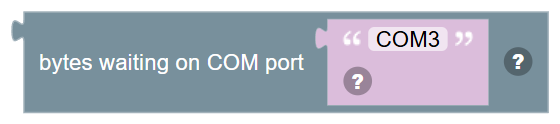
How many bytes have arrived on a serial port and not been read yet.
In JavaScript: this block gives back the value of
COM.available('COM3')
COM port … read …
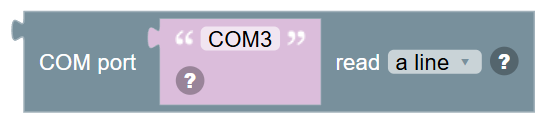
Read from a serial port: up to the next new line, everything that has arrived, or one byte as a number.
In JavaScript: this block gives back the value of
COM.readLine('COM3')
COM port … read … bytes
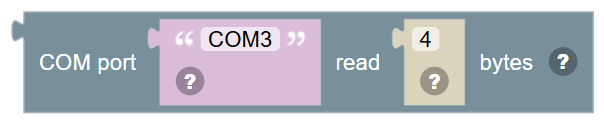
Read a number of bytes from a serial port, as a list.
In JavaScript: this block gives back the value of
COM.read('COM3', 4)
Discard everything waiting on COM port …

Throw away whatever has arrived on a serial port and not been read, to start fresh.
In JavaScript: this block runs
COM.clearInputBuffer('COM3');
COM port … is open
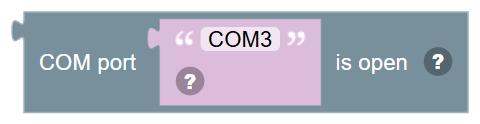
True when this script has the serial port open.
In JavaScript: this block gives back the value of
COM.isPortOpen('COM3')
Close COM port …
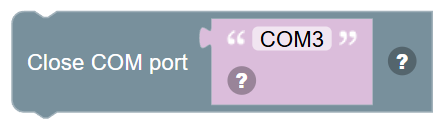
Close a serial port so another program can use it.
In JavaScript: this block runs
COM.close('COM3');
Start EZB UART … at baud …
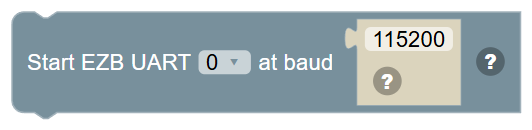
Turn on one of the EZB's hardware serial ports at a baud rate. Do this once before reading or writing it.
In JavaScript: this block runs
UART.initHardwareUart(0, 115200);
EZB UART … write text …
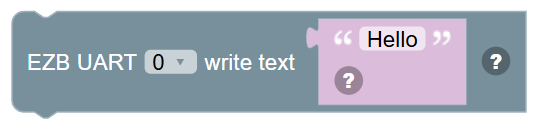
Send text out of an EZB hardware serial port.
In JavaScript: this block runs
UART.hardwareUartWriteString(0, 'Hello');
EZB UART … write bytes …

Send bytes (numbers 0 to 255) out of an EZB hardware serial port.
In JavaScript: this block runs
UART.hardwareUartWrite(0, [1, 2, 3]);
Bytes waiting on EZB UART …

How many bytes have arrived on an EZB hardware serial port and not been read yet.
In JavaScript: this block gives back the value of
UART.hardwareUartAvailable(0)
EZB UART … read everything waiting …

Read everything that has arrived on an EZB hardware serial port, as text or as a list of bytes.
In JavaScript: this block gives back the value of
UART.hardwareUartReadStringAvailable(0)
EZB UART … read … bytes …
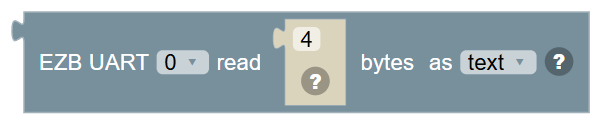
Read a number of bytes from an EZB hardware serial port, as text or as a list of bytes.
In JavaScript: this block gives back the value of
UART.hardwareUartReadString(0, 4)
Send serial text … on digital … at baud …

Send text out of an EZB digital port as serial data, for a device that only needs to receive.
In JavaScript: this block runs
UART.sendSerialString(d0, 1, 'Hello');
Send serial bytes … on digital … at baud …

Send bytes (numbers 0 to 255) out of an EZB digital port as serial data.
In JavaScript: this block runs
UART.sendSerial(d0, 1, [1, 2, 3]);
I2C write bytes … to address …
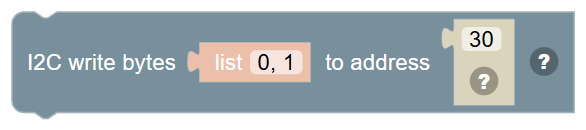
Send bytes (numbers 0 to 255) to the I2C device at a 7-bit address.
In JavaScript: this block runs
I2C.write(30, [0, 1]);
I2C write text … to address …
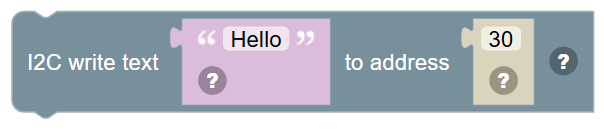
Send text to the I2C device at a 7-bit address.
In JavaScript: this block runs
I2C.writeString(30, 'Hello');
I2C read … bytes from address … …

Read a number of bytes from the I2C device at a 7-bit address, as a list of bytes or as text.
In JavaScript: this block gives back the value of
I2C.read(30, 2)
I2C read one byte from address …
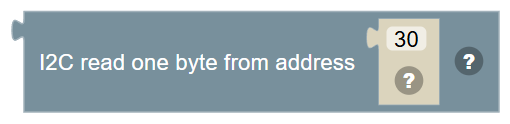
Read one byte from the I2C device at a 7-bit address.
In JavaScript: this block gives back the value of
I2C.readByte(30)
Set I2C clock speed to … Hz
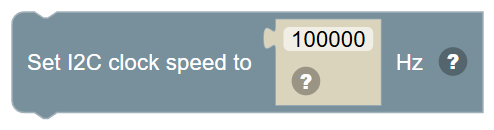
Set how fast the EZB talks on the I2C bus. 100000 is standard, 400000 is fast mode.
In JavaScript: this block runs
I2C.setClockSpeed(100000);