Up Board by Up
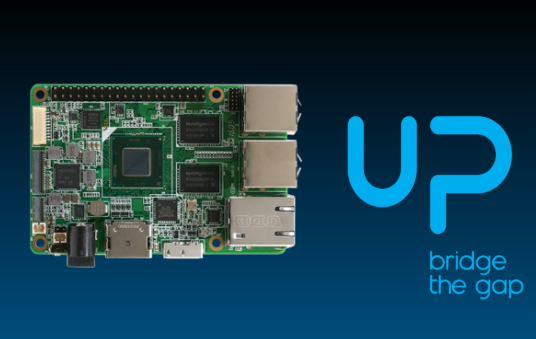
The Synthiam ARC Up Board (EZB) is a credit-card sized single-board computer (SBC) that runs Microsoft Windows on an Intel Cherry Trail processor. Think of it as a tiny Windows PC that can be mounted on a robot. It includes a 40-pin expansion header for connecting hardware, and it is in the same general category as the Rock Pi X and LattePanda.
What you need before you start
- Power supply recommended for the Up Board model you have
- HDMI monitor (or TV) and an HDMI cable
- USB keyboard and mouse for initial setup
- Internet connection (Ethernet or WiFi, depending on your setup)
- Windows 10 (64-bit) installed (or ready to install)
Windows 10 Drivers
After installing Windows 10, you should install the Up Board driver package so Windows can properly use the built-in hardware (chipset, GPIO devices, etc.). Download the official Windows 10 (64-bit) drivers here: https://downloads.up-community.org/download/up-board-windows-10-64-bit-drivers/
Driver installation overview (beginner-friendly)
- Boot into Windows 10.
- Download the driver package from the link above.
- Extract the ZIP file (right-click → Extract All).
- Run the included installer(s) or install drivers as instructed in the package.
- Reboot when prompted.
When installing the Windows 10 driver package, some devices may show up as AAEON DEV (often referenced from the "Windows Dummy" folder). These drivers may require Windows to temporarily allow unsigned drivers.
The instructions in that folder mention using
bcdedit to disable driver signing; however, that method may not work on some systems.
The reliable method is to use Advanced Startup and disable driver signature enforcement for the next boot.
How to disable Driver Signature Enforcement (one-time boot)
- Save your work and close programs.
- Open Settings → Update & Security → Recovery.
- Under Advanced startup, click Restart now.
- When the blue menu appears, select: Troubleshoot → Advanced options → Startup Settings.
- Click Restart.
- After reboot, you’ll see a list of options. Press the key for Disable driver signature enforcement (commonly 7 or F7).
- Once Windows starts, install the required AAEON/“Windows Dummy” drivers, then reboot normally.
Running ARC on the Up Board
Since the Up Board runs full Windows, you can install ARC the same way you would on a desktop PC. Once installed, ARC can access your robot’s hardware, run skills, connect to cameras, play audio, and display video through HDMI.
Installation Tips & Performance for SBCs
Single-board computers usually have limited storage and can run faster with a few setup tweaks. We have a step-by-step guide that covers: freeing disk space, improving performance, power considerations, and running headless using Remote Desktop software. View the guide here: /Support/Tips%20to%20Make%20a%20Robot/Overview.
