Math
Numbers, arithmetic, random numbers, rounding, and converting a value from one range to another, such as a 0 to 255 sensor reading into a 1 to 180 servo position.
Where to find it: the Math category of the toolbox, in any script editor set to Blockly or on Top bar → Workspaces → Blockly
Blocks
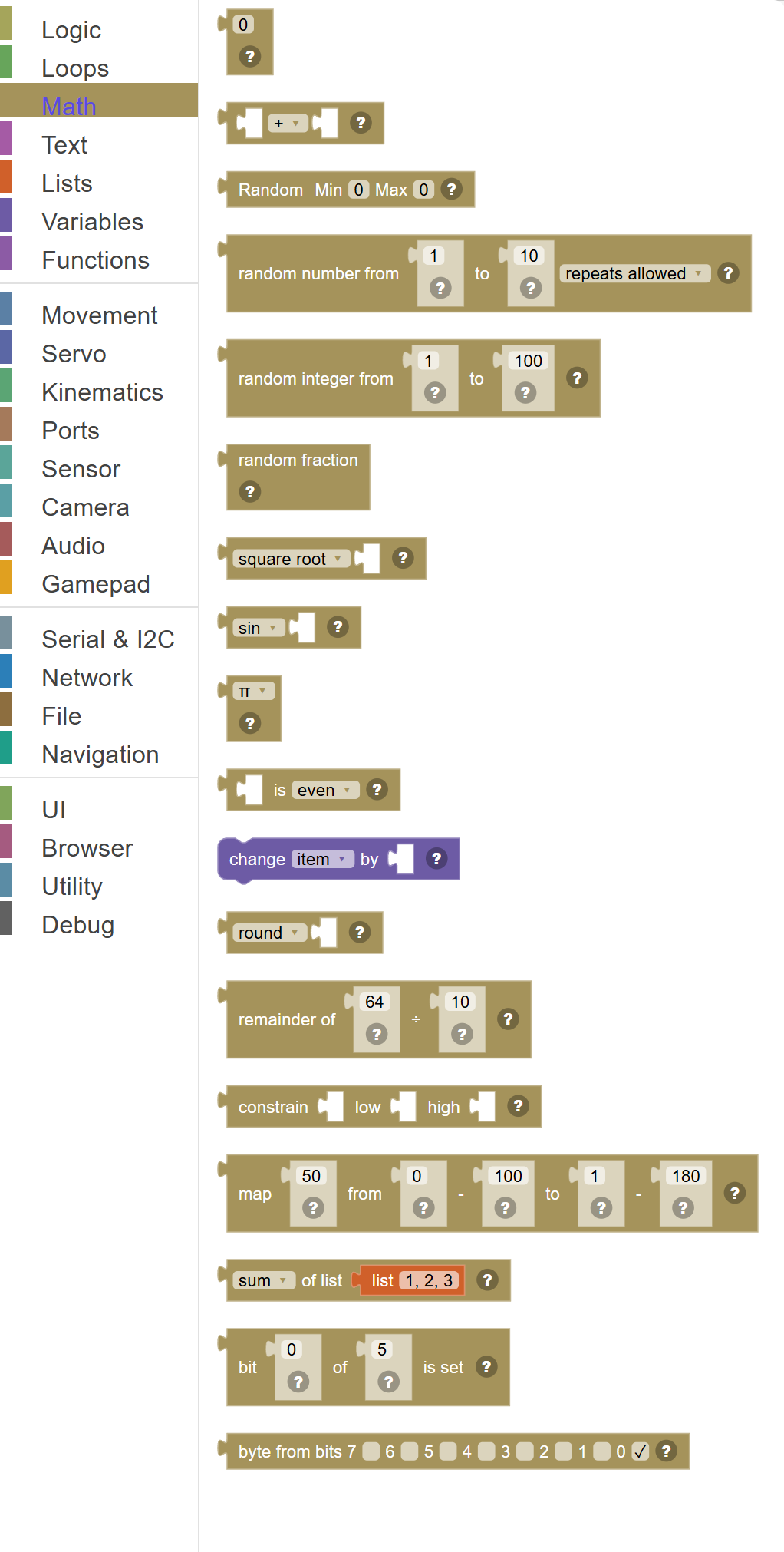
| Block | What it does |
|---|---|
| Number | A single number value that you type in. |
| Math: + − × ÷ ^ | Does basic math on two numbers. |
| Random (Min to Max) | Returns a random whole number between the Min and Max values you enter directly in the block. |
| Random number from … to … … | A random whole number between the two limits. |
| Random Integer | Picks a random whole number between the two numbers you specify (including both endpoints). |
| Random Decimal (0–1) | Returns a random decimal number between 0 and 1, such as 0.42 or 0.987. |
| Math Functions | Advanced math operations on a single number. |
| Trigonometry | Trigonometric functions used in geometry and robotics. |
| Math Constant | Provides a famous mathematical constant. |
| Number Property Check | Checks a special property of a number and returns true or false. |
| Change Variable By | Adds a number to an existing variable and saves the result back into that same variable. |
| Round Number | Rounds a decimal number to a whole number. |
| Remainder (Modulo) | Divides one number by another and gives you the leftover remainder, not the result of the division. |
| Constrain | Keeps a number within a minimum and maximum range. |
| Map … from … - … to … - … | Scale a value from one range to another - a 0 to 100 slider to a 1 to 180 servo position, for example. |
| List Math | Performs a mathematical operation on a whole list of numbers at once. |
| Bit … of … is set | True when a bit of a number is 1. |
| Byte from bits 7 … 6 … 5 … 4 … 3 … 2 … 1 … 0 … | Build a byte (0 to 255) from eight bits. |
Details
Number
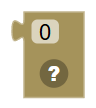
A single number value that you type in. It can be any number — positive, negative, or a decimal.
When to use it: Use this to provide a fixed number to other blocks, like setting a servo to position 90, or sleeping for 1000 milliseconds.
Example: Sleep for [1000] milliseconds → the 1000 comes from a Number block.
Tips:
- Type the number you want directly into the white box.
- Decimal numbers like 3.14 are fine.
- Negative numbers like -5 work too.
In JavaScript: this block gives back the value of
0
Math: + − × ÷ ^

Does basic math on two numbers. Choose from: add (+), subtract (−), multiply (×), divide (÷), or power (^, which means "to the power of").
When to use it: Use this to calculate new values from existing ones — like adding two sensor readings, or dividing a number in half.
Example: Servo position + 10 → moves the servo 10 degrees more than its current position.
Tips:
- Use power (^) when you want to multiply a number by itself several times — like 2^8 = 256.
- Division can produce decimals — use Round if you need a whole number.
- You can chain arithmetic blocks together: (A + B) × C.
In JavaScript: this block gives back the value of
(0 + 0)
Random (Min to Max)

Returns a random whole number between the Min and Max values you enter directly in the block.
When to use it: A quick way to get a random number in a specific range without connecting separate number blocks.
Example: Random Min 10 Max 50 → gives a random number like 27 or 43 each time it runs.
Tips:
- Both Min and Max are included — so Min 10 Max 10 always returns 10.
- Great for randomizing servo positions, wait times, or speeds.
- Set Min to 0 if you want the result to possibly be zero.
In JavaScript: this block gives back the value of
Utility.getRandom(0, 10)
Random number from … to … …

A random whole number between the two limits. "No repeats" tries hard not to give the same number twice in a row.
In JavaScript: this block gives back the value of
Utility.getRandom(1, 10)
Random Integer
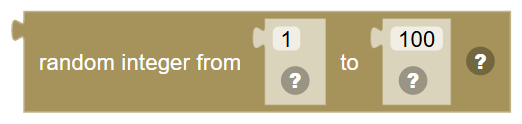
Picks a random whole number between the two numbers you specify (including both endpoints). Every time this block runs, you may get a different number.
When to use it: Use this to add unpredictability to your robot — like picking a random servo position, or choosing a random wait time.
Example: Random integer from 1 to 6 → simulates rolling a six-sided die!
Tips:
- Both the "from" and "to" values can be included in the result.
- For a coin flip, use random 0 to 1.
- For random robot behavior, randomize speeds or delays.
In JavaScript: this block gives back the value of
mathRandomInt(1, 100)
Random Decimal (0–1)
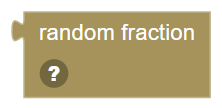
Returns a random decimal number between 0 and 1, such as 0.42 or 0.987. Multiply it to get any range you need.
When to use it: Use this for probability checks — like "if a random number is less than 0.3, do something rare" (30% chance).
Example: Random × 180 → gives a random servo position between 0 and 180 degrees.
Tips:
- Multiply by any number to get a random value in that range.
- Compare to a threshold for probability: less than 0.5 = 50% chance.
- The result is never exactly 0 or exactly 1.
In JavaScript: this block gives back the value of
Math.random()
Math Functions
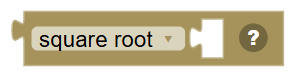
Advanced math operations on a single number. Includes square root, absolute value (removes negative sign), negation (flips the sign), natural log (ln), log base 10, e to the power, and 10 to the power.
When to use it: Use these for scientific calculations — like finding a square root, or making sure a number is always positive with absolute value.
Example: Absolute value of −50 → gives you 50 (removes the negative sign).
Tips:
- Absolute value is great for working with sensor differences where direction doesn't matter.
- Square root (√) finds a number which, when multiplied by itself, gives the original.
- Logarithms and exponentials are useful in science and signal processing.
In JavaScript: this block gives back the value of
Math.sqrt(0)
Trigonometry
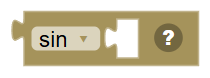
Trigonometric functions used in geometry and robotics. Includes sine (sin), cosine (cos), tangent (tan), and their inverses: arcsine (asin), arccosine (acos), and arctangent (atan).
When to use it: Use these when calculating angles, directions, or circular motion. Very useful for controlling robot movement in a curved path.
Example: Sin(90) = 1 — the sine of a 90-degree angle is always 1.
Tips:
- In Blockly, angles are typically in degrees, not radians.
- sin and cos always return values between -1 and 1.
- atan (arctangent) can be used to calculate the angle between two points.
In JavaScript: this block gives back the value of
Math.sin(0 / 180 * Math.PI)
Math Constant
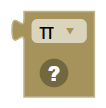
Provides a famous mathematical constant. Choose from: π (pi ≈ 3.14159), e (Euler's number ≈ 2.71828), φ (golden ratio ≈ 1.618), √2 (square root of 2 ≈ 1.414), √½ (≈ 0.707), or ∞ (infinity).
When to use it: Use these when you need exact mathematical constants without having to type them out.
Example: Circumference = 2 × π × radius — use the π constant block here.
Tips:
- π is used in any calculation involving circles or rotation.
- Infinity (∞) is useful as a starting point when finding a minimum value.
- These constants are exact — much more precise than typing the number yourself.
In JavaScript: this block gives back the value of
Math.PI
Number Property Check

Checks a special property of a number and returns true or false. Options include: even, odd, prime, whole number, positive, negative, or divisible by a specific number.
When to use it: Use this to test if a number meets certain conditions — like only running code on even steps of a loop, or checking if a score is a whole number.
Example: Counter is even → do something every other loop step.
Tips:
- Use "divisible by" to check if something divides evenly — great for timing patterns.
- Combine with an If block to take different actions for odd vs even numbers.
- "Whole number" checks if there are no decimals — useful after division.
In JavaScript: this block gives back the value of
0 % 2 == 0
Change Variable By
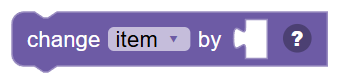
Adds a number to an existing variable and saves the result back into that same variable. This is a shortcut for "variable = variable + amount".
When to use it: Use this to count up (or down) — like keeping score, counting loop steps, or gradually increasing a servo position.
Example: Change "score" by 1 → every time this block runs, score goes up by one point.
Tips:
- Use a negative number to count down or subtract.
- This block reads the old value, adds to it, and saves the new value — all in one step.
- Make sure the variable is set to a number first, or the result may be unexpected.
In JavaScript: this block runs
[Mdblpp5_R+vg]C?vl4~ = (typeof [Mdblpp5_R+vg]C?vl4~ == 'number' ? [Mdblpp5_R+vg]C?vl4~ : 0) + 0;
Round Number
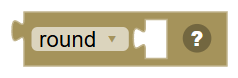
Rounds a decimal number to a whole number. Choose from: round (nearest whole number), round up (always goes higher), or round down (always goes lower, also called floor).
When to use it: Use this after division or other math that produces decimals, when you need a clean whole number — like for a servo position or a display value.
Example: Round 3.7 → gives 4. Round down 3.9 → gives 3.
Tips:
- "Round up" is also called ceiling — it always goes to the next whole number.
- "Round down" is also called floor — it always chops off the decimal.
- Standard "round" follows the usual rule: .5 and above rounds up, below .5 rounds down.
In JavaScript: this block gives back the value of
Math.round(0)
Remainder (Modulo)
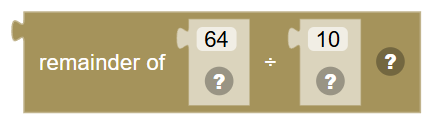
Divides one number by another and gives you the leftover remainder, not the result of the division. For example, 10 divided by 3 is 3 with a remainder of 1, so this block returns 1.
When to use it: Use this to create repeating patterns, check if a number is even or odd, or cycle through a limited range of values.
Example: Loop counter remainder 4 → gives 0, 1, 2, 3, 0, 1, 2, 3... as the counter goes up — perfect for cycling through 4 colors.
Tips:
- If remainder is 0, the first number divides evenly by the second.
- Number remainder 2 tells you if something is even (0) or odd (1).
- Remainder is always less than the divisor — it's the leftover after even division.
In JavaScript: this block gives back the value of
64 % 10
Constrain

Keeps a number within a minimum and maximum range. If the number is too low, it returns the minimum. If it's too high, it returns the maximum. Otherwise, it returns the number unchanged.
When to use it: Use this to make sure a value stays within safe limits — like keeping a servo position between 0 and 180, or a speed between 0 and 100.
Example: Constrain speed between 0 and 100 → if speed becomes -5 or 150, this block safely returns 0 or 100.
Tips:
- This is also called "clamping" a value.
- Very useful for servo positions — servos can be damaged if sent out-of-range values.
- Combine with a math calculation to clamp the result before using it.
In JavaScript: this block gives back the value of
Math.min(Math.max(0, 0), Infinity)
Map … from … - … to … - …

Scale a value from one range to another - a 0 to 100 slider to a 1 to 180 servo position, for example.
In JavaScript: this block gives back the value of
Utility.map(50, 0, 100, 1, 180)
List Math

Performs a mathematical operation on a whole list of numbers at once. Options include: sum (add them all), min, max, average, median, mode (most common), standard deviation, or pick a random item.
When to use it: Use this when you have a collection of sensor readings or scores and want to analyze them — like finding the highest reading or the average.
Example: Max of [20, 35, 18, 42, 29] → gives 42, the largest value in the list.
Tips:
- Average gives the mean — add all numbers, then divide by how many there are.
- Mode returns a list of the most common values — there may be more than one.
- Random picks a random item from the list — great for random choices!
In JavaScript: this block gives back the value of
[1, 2, 3].reduce(function(x, y) {return x + y;})
Bit … of … is set
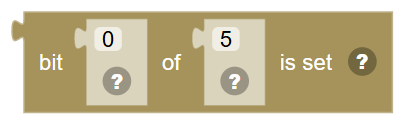
True when a bit of a number is 1. Bit 0 is the lowest.
In JavaScript: this block gives back the value of
Utility.getBit(5, 0)
Byte from bits 7 … 6 … 5 … 4 … 3 … 2 … 1 … 0 …

Build a byte (0 to 255) from eight bits. Bit 7 is the highest.
In JavaScript: this block gives back the value of
Utility.setBits(false, false, false, false, false, false, false, true)