
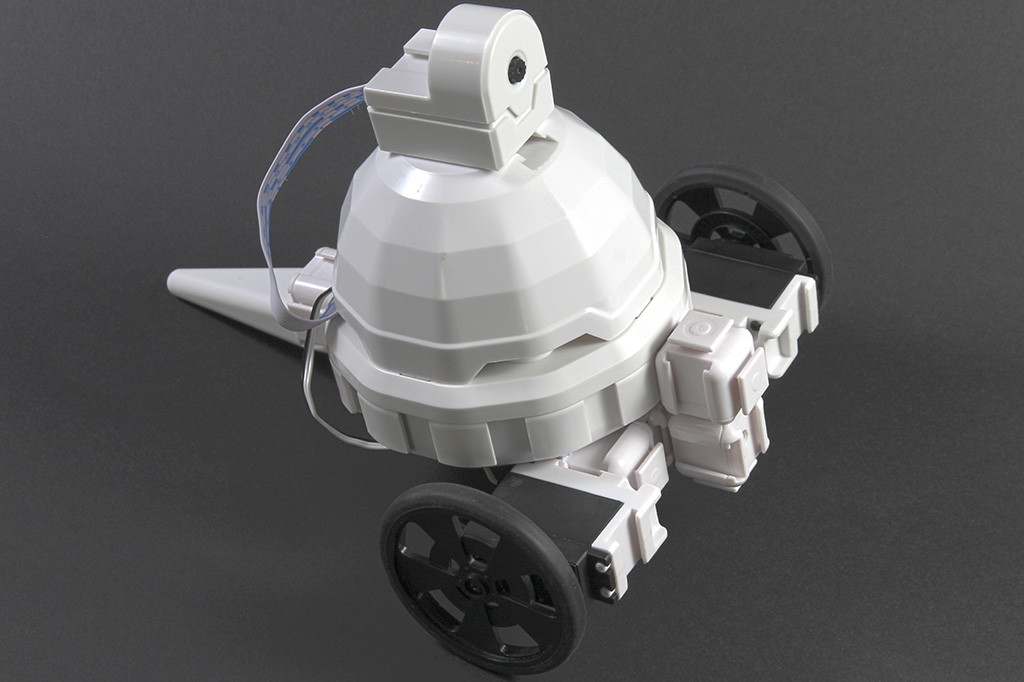
Adventurebot by EZ-Robot
Two-wheeled WiFi robot with camera using EZ-B v4 brain-affordable, expandable AdventureBot kit built from EZ-Bits, sold by EZ-Robot.
Connection Type
Wi-Fi / USB
Number of Servos
24
Audio Support
Yes
Camera Support
Yes
UARTs
3
I2C Support
Yes
ADC Ports
8
Digital Ports
24
Available for purchase from:


AdventureBot is a beginner-friendly, two-wheeled robot kit that connects over WiFi and includes a camera. It’s built using EZ-Bits (snap-together robot parts), so you can start simple and upgrade later. AdventureBot uses the same EZ-B v4 “brain” found in more advanced Revolution robots—making it a great low-cost starting point that still supports lots of expansion.
What You Can Do With AdventureBot
- Drive around on two wheels (forward, reverse, turn left/right).
- See through the camera in the ARC software (great for “first-person view” driving).
- Control it over WiFi from a computer on the same network.
- Add upgrades later (servos, sensors, arms, grippers, lights, and more EZ-Bits).
Beginner Notes (Quick Explanations)
-
What is the EZ-B v4?
It’s the robot’s main controller (microcontroller + WiFi). Think of it as the robot’s “brain” that connects to motors, servos, sensors, and the camera. -
What is ARC?
ARC (Synthiam’s software) is what you use on your computer to connect to the robot, see the camera, and run actions like driving or scripts. -
Why WiFi matters
WiFi lets you control the robot without a USB cable. You connect to the EZ-B v4 and then send commands from ARC.
Where to Buy
EZ-Robot products are sold on the EZ-Robot online store and may also be available through other online or local retailers. Use the link below to view the AdventureBot product page:
Tip for first-time builders: Start by getting basic driving working first, then add the camera view, and only then begin adding extra sensors or upgrades. That way you can test one feature at a time.
