
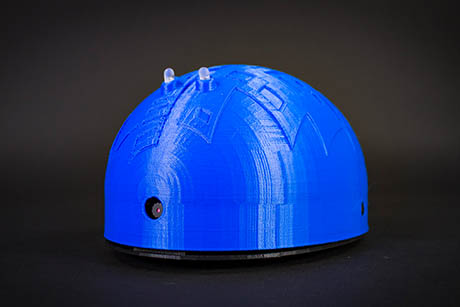
Shell-E by EZ-Robot
The Shell-E Innovation Kit is a hands-on robotics project where you 3D print a robot body, install electronics, and then use Synthiam ARC (robot control software) to make your robot move, see, and respond. It is designed for true beginners—no previous robotics experience required—while still supporting advanced features for bigger projects.
At the heart of Shell‑E is the EZ‑B IoTiny robot controller (a small microcontroller board). Think of the IoTiny as the robot’s “brain connector”: it links your computer/tablet running ARC to the robot’s motors, LEDs, sensors, and other parts so ARC can control them.
What you can build and learn
- Design & 3D printing: Create or customize a robot chassis, mounts, and accessories.
- Electronics basics: Safely connect servos, sensors, LEDs, and power.
- Coding & logic: Use ARC’s visual tools and scripting to define behavior.
- Computer vision: Use the camera to track objects, recognize colors/shapes, and react.
- Human interaction: Add speech recognition and speech synthesis (talking).
- Modern AI tools: Explore machine learning features supported in ARC.
- Immersive projects: Add virtual reality (VR) experiences when appropriate.
How it works (simple overview)
- 3D print the Shell‑E body parts (or use the provided design).
- Assemble the chassis and mount your electronics (servos, camera, etc.).
- Connect motors/sensors to the EZ‑B IoTiny ports.
- Power the robot (battery) and turn on the controller.
- Run Synthiam ARC on your PC/tablet and connect to the IoTiny.
- Add ARC skills (controls) like camera tracking, speech, or movement panels.
- Test, adjust, and customize until your robot behaves the way you want.
Classroom-ready learning outcomes (STEAM)
Video tip: Watch once to see what Shell‑E can do, then watch again while you build so you can pause and compare your setup step-by-step.
