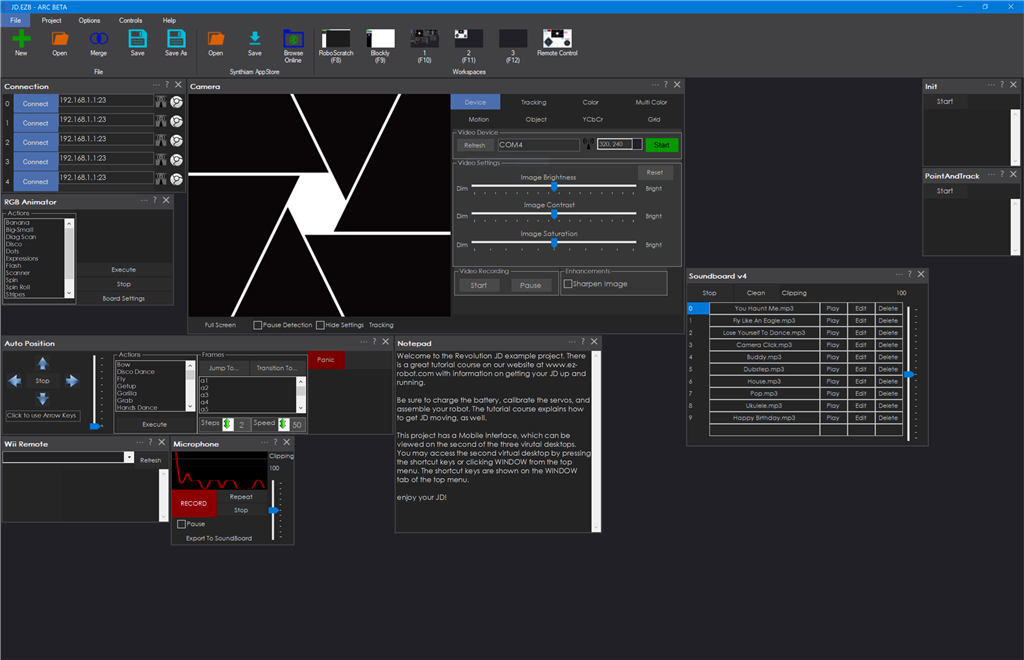
1. Download ARC
About ARC
ARC is the software platform that hosts your robot skill plugin. A skill plugin is a graphical library that runs inside ARC's open framework. By building your functionality as a plugin, you can call ARC's pre-built functions instead of writing an entire program from scratch. This reduces development time and makes it easier for robot builders to add your features.
What is a skill plugin?
A skill plugin integrates directly with ARC and provides reusable functionality that other users can install from the Skill Store. Key benefits include:
- Reuse of ARC's built-in functions and services.
- Faster development because you don't need to implement core features yourself.
- Simple distribution—users can install your skill through the Skill Store to extend their robots.
Install ARC
Download and install the latest version of ARC (Pro is recommended) from the ARC downloads page: /Products/ARC. After installing ARC, you can develop, test, and package your skill plugin for distribution.
General steps:
- Visit the ARC downloads page linked above.
- Download the latest release (Pro recommended for full feature access).
- Install ARC and verify it launches correctly before developing your plugin.
Reference
The image below shows the ARC interface. Click the image to open it in a new tab.