Viam
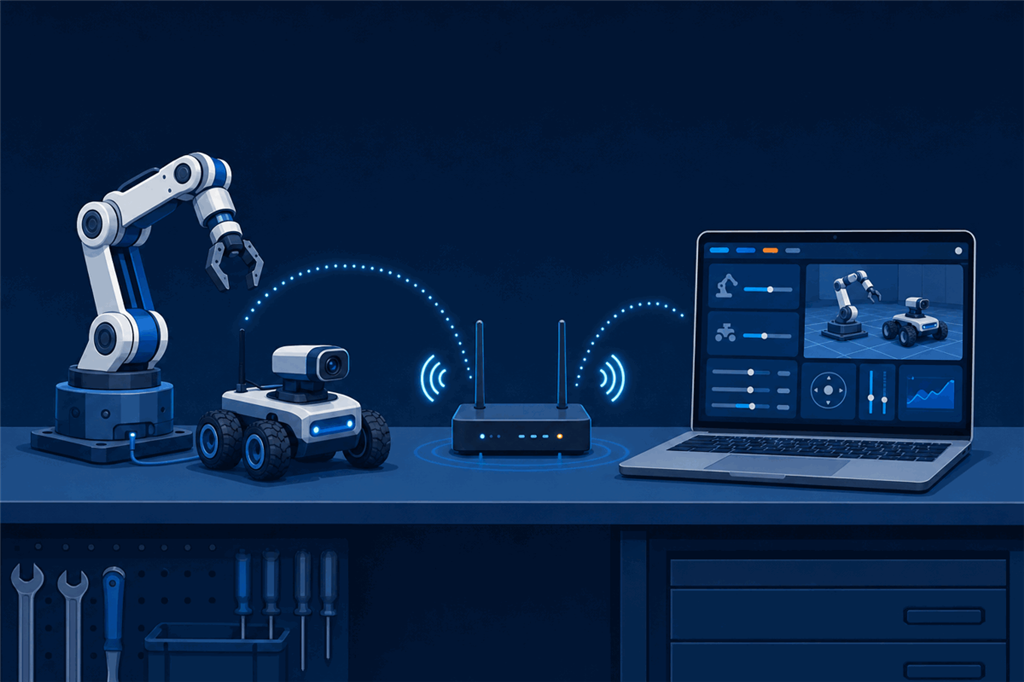
The Viam Robot Controller robot skill makes ARCx the interface for a machine running Viam. It connects to viam-server on the robot, finds every component and service the machine is configured with, and puts each one into the part of ARCx that already knows what to do with it. Your Viam machine keeps its configuration, its modules and its drivers; ARCx adds its interface, robot skills, scripting and AI on top.
The full list of settings and options is in the robot skill's manual: https://synthiam.com/Support/Skills/Communication/Viam-Robot-Controller?id=23598
Contents
- Why use Viam through ARCx
- How it connects
- What you need
- What the machine becomes in ARCx
- How a setup goes
- What to expect
- Viam and the Robot Bus
Why use Viam through ARCx
Viam is made for advanced users. A machine is described in JSON configuration, and making it do anything useful normally means writing a program with one of Viam's SDKs in Python, Go, TypeScript or C++. The control panel in Viam's app is built for engineers to test components one at a time, not for someone to operate a robot day to day. There is no point-and-click way to make a Viam robot follow a face, respond to speech, run an animation or show its own control screen on a tablet; each of those is more code to write.
That puts a Viam machine out of reach for most people who would use it: students, teachers, artists, operators and customers.
ARCx changes that. Once the Viam Robot Controller connects, the machine is driven from ARCx's interface: joysticks, camera views, servo sliders, touch screens built with Custom UI, and access from any browser. Behaviours come from robot skills added from the store, and scripts are written in Blockly, JavaScript or Python inside ARCx. The machine keeps its Viam configuration exactly as it is, so the engineers who built it keep their tools, and everyone else gets a robot they can actually use.
How it connects
The skill speaks Viam's own API, the same gRPC interface Viam's SDKs use, directly to viam-server on the robot. Nothing is installed on the robot and no driver is written: if the machine works in Viam, its components are available to ARCx.
The connection is direct, over your network, from the ARCx computer to the robot's address and port. It does not go through Viam's cloud, so ARCx and the robot need to be on the same network, or routed to each other.
What you need
- A machine running
viam-server, reachable from the ARCx computer. Its default port is 8080. - For a machine set up through app.viam.com: an API key for the machine, created in the machine's settings. A
viam-serverstarted from a local configuration without authentication needs no key. - The Viam Robot Controller robot skill added to your ARCx project, with the machine's address and key.
What the machine becomes in ARCx
When the skill connects, it lists every resource on the machine and maps each one:
| On the Viam machine | In ARCx |
|---|---|
| A base | The project's movement panel, so joysticks, movement scripts, tracking skills and navigation drive it |
| Servos, motors, grippers, arms | Servo ports, so any servo robot skill, animation or script moves them |
| Cameras | ARCx video sources, so face, colour, glyph and object tracking work on them |
| Vision services | Their detections drawn on the camera and handed to the tracking skills |
| Sensors, movement sensors, power sensors, encoders | Variables that scripts and robot skills read |
| Boards and anything else | Commands, including DoCommand to reach any resource's own commands |
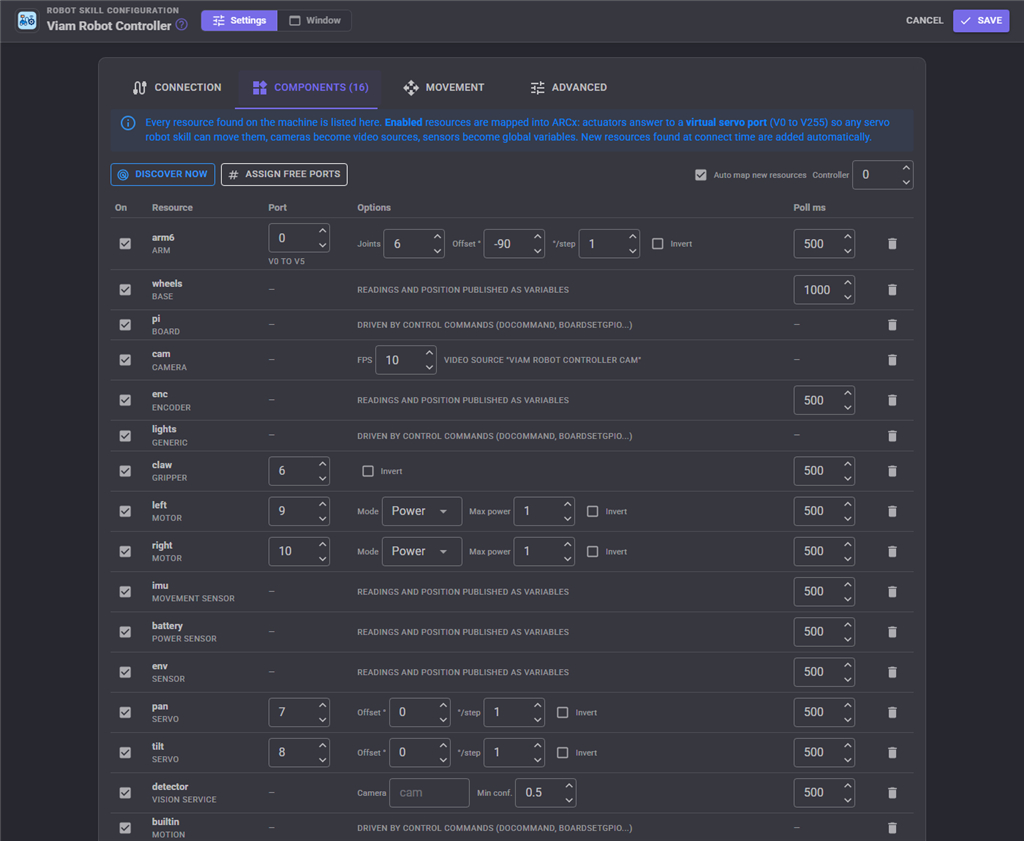
New resources found on the machine are added automatically, and you choose which are enabled and which servo port each actuator answers to.
How a setup goes
- Make sure
viam-serveris running on the robot and note its address and API key. - Add the Viam Robot Controller robot skill, enter the address and key, and use Test connection to confirm ARCx can reach the machine and see what it found.
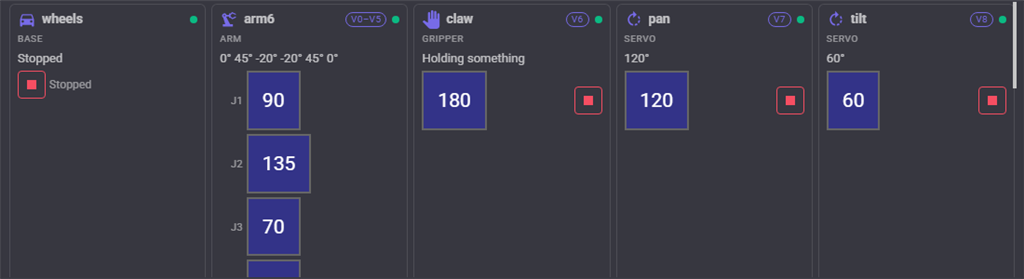
- Connect. The skill's window shows one live card per resource: a servo's angle, a motor's power, an arm's joints, a camera's picture, a sensor's readings.
- Choose what the movement panel drives (a Viam base, or a pair of motors), and from then on every ARCx way of driving the robot works.
What to expect
- The machine stays the source of truth. Configuration, modules and drivers stay in Viam. ARCx reads what the machine offers and sends it commands; change the machine in Viam, press Discover, and ARCx follows.
- Safety sessions. The skill can open a Viam safety session, so if ARCx or the network drops,
viam-serverstops every actuator ARCx was commanding. A Stop all button stops everything on the machine at once. - Network speed matters for cameras. Each camera frame is a call over the network. A handful of frames per second is plenty for tracking, and the rate is set per camera.
- Local network, not the cloud. Reaching a machine only through Viam's cloud connection is not supported; ARCx needs a network route to the machine's address.
Viam and the Robot Bus
Everything the skill reads from the machine is also published on ARCx's Robot Bus, whole and structured: each resource's readings on its own topic, and the machine's health on a status topic. While connected, the skill also offers bus services that list the machine's resources and send DoCommand to any of them.
That means a Python program, a JavaScript dashboard or an AI assistant connected to the same ARCx can use the Viam machine without a Viam SDK, and its sensor data can be recorded and replayed with the Robot Bus recorder like any other.
For every setting, option and control command, see the Viam Robot Controller manual: https://synthiam.com/Support/Skills/Communication/Viam-Robot-Controller?id=23598