
File Monitor
File Monitor lists the files that scripts in your project are holding open. When a script reads a file line by line, ARCx keeps that file open between reads so the next read carries on where the last one stopped. This screen shows which files are in that state.
Use it when a script that reads a file is not behaving as expected, when another program says a file is in use, or when you want to check that your scripts close the files they read.
Where to find it: Side menu → Views → File Monitor
The file list
The page shows a single table with one column.
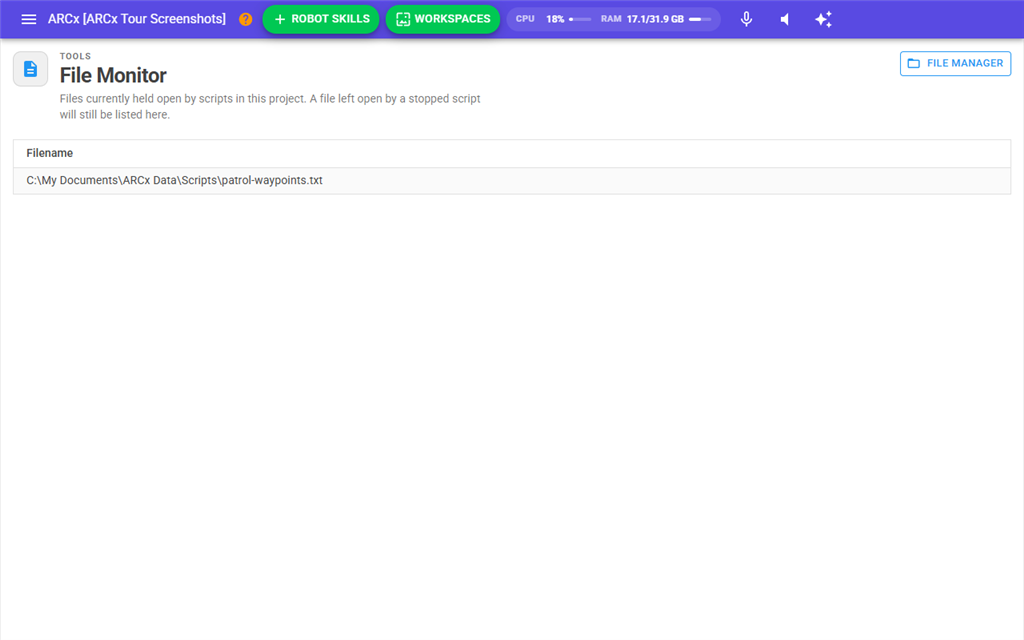
| Column | What it shows |
|---|---|
| Filename | The file exactly as the script named it, which is usually a full path. The list is sorted alphabetically. |
When nothing is open, the page says No files are open instead.
The File Manager button at the top of the page opens File → File Manager, where you can browse, upload and download the project's files.
Which files appear here
A file is added to the list the first time a script reads from it with one of the File read commands, for example File.ReadLine(), File.ReadByte(), File.ReadChar(), File.ReadAllText(), File.IsReadEnd(), File.GetLength() or the read position commands. It stays on the list until one of these happens:
- A script calls File.ReadClose() or File.ReadReset() for that file.
- A script deletes the file with File.Delete().
- The project is closed, or another project is opened or created. Every open file is closed at that point.
Files that scripts write to are not listed. The append commands open the file, write, and close it again straight away. File.ReadRandomLine() also reads the whole file without keeping it open.
Notes
- A stopped script does not close its files. If a script reads part of a file and then stops, the file stays open and stays on this list. Call File.ReadClose() at the end of your script when you are finished with a file.
- The list does not update by itself. It is read when the page opens. Open the page again to see files opened or closed since.
- Reading a file that does not exist creates it. The read commands open the file for reading and writing, and create an empty file if it is missing, so a mistyped name shows up here as a new empty file. Use File.Exists() first if the file may be missing.
- After File.ReadAllText() the file still appears in the list, but further reads of that file fail until it is closed with File.ReadClose() or File.ReadReset(). Close or reset the file before reading it again.
- File.ReadLine() raises an "End of file" error when there is nothing left to read. Check File.IsReadEnd() before each read in a loop.