Stop Speaking
Stop Speaking silences the robot's voice. Any text to speech that is playing stops, and any speech waiting its turn is thrown away. Use it when the robot is reading out something long, or repeating itself, and you want it quiet now.
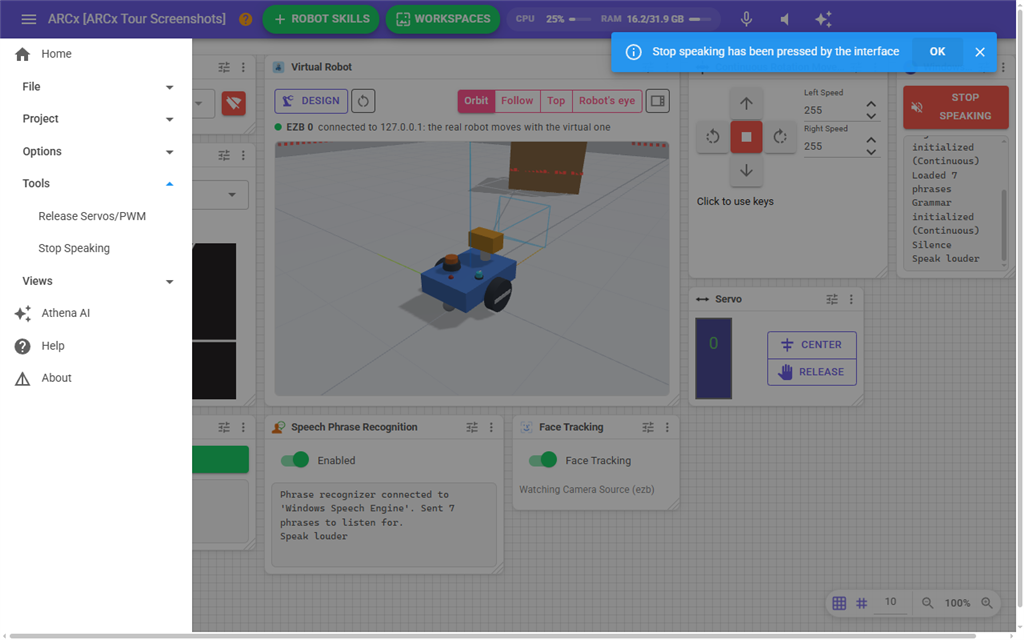
Where to find it: Side menu → Tools → Stop Speaking
This is a command, not a screen. Clicking it acts straight away and nothing opens. A message appears at the bottom of the page: "Stop speaking has been pressed by the interface."
What it does
- The speech that is playing stops, wherever the project's speaker is: the computer's speaker, the robot controller's speaker or a web browser.
- Speech that has been queued but not started yet is removed, so the robot does not carry on with the next sentence.
- Sound that has already been sent to a robot controller or a web browser but not played yet is discarded too. Without this, the robot would keep talking for up to a second after you pressed it.
Notes
- Only speech is stopped. Music, sound effects and other audio played by robot skills keep playing, unless they were going to a robot controller or a web browser at the same moment. That audio is mixed together on its way out, so anything already in flight to that speaker is cut short along with the speech.
- It does not stop the robot from speaking again. If a script or robot skill says something new afterwards, the robot speaks it. Stop that script or robot skill if you want it to stay quiet.
- The speaker used for speech is chosen in Options → Preferences.