Gamepad
Read gamepads and joysticks plugged into the computer: sticks, triggers, buttons, motion and battery, and make them rumble. Controller 0 is the first one plugged in.
Where to find it: the Gamepad category of the toolbox, in any script editor set to Blockly or on Top bar → Workspaces → Blockly
Blocks
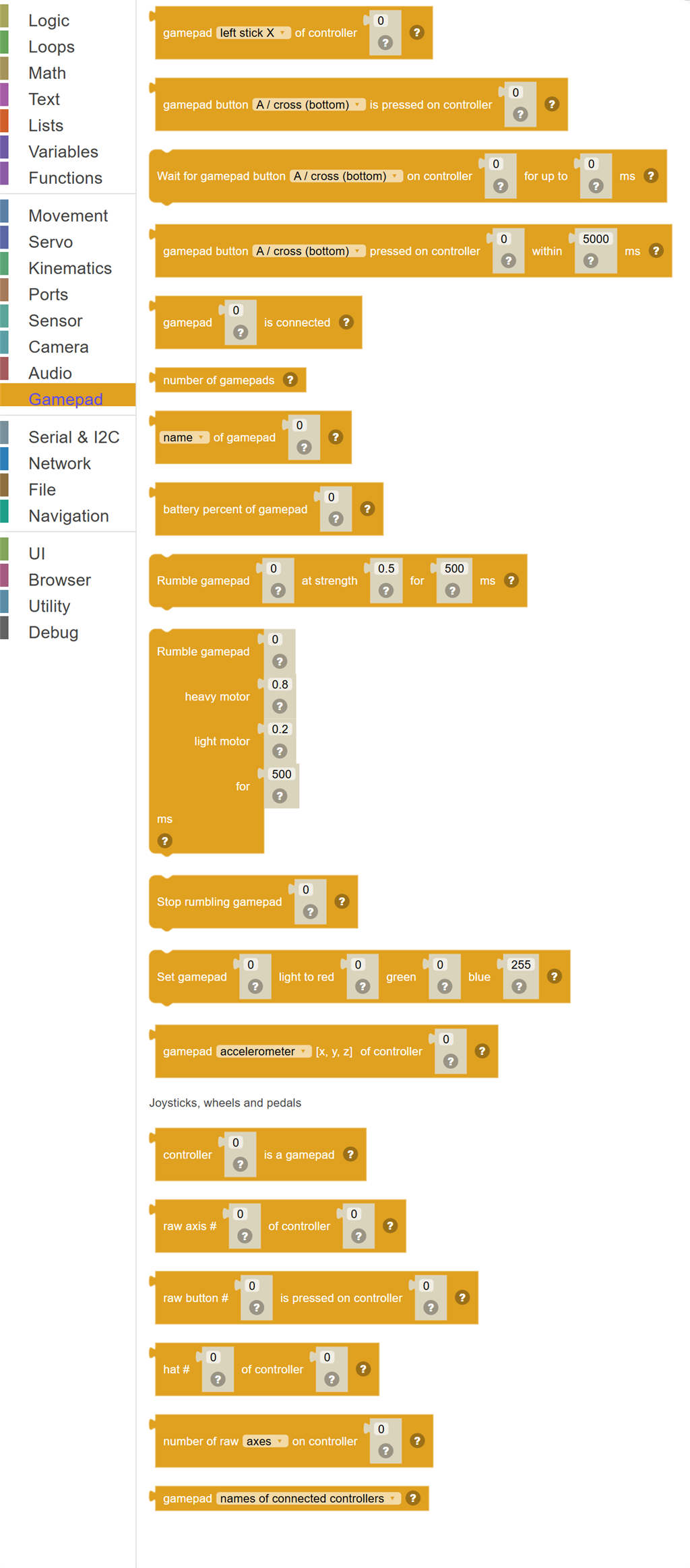
| Block | What it does |
|---|---|
| Gamepad … of controller … | Where a stick is, -1 to 1 (up and left are negative), or how far a trigger is pulled, 0 to 1. |
| Gamepad button … is pressed on controller … | True while the button is held down. |
| Wait for gamepad button … on controller … for up to … ms | Pause the script until the button is pressed. |
| Gamepad button … pressed on controller … within … ms | Wait for the button to be pressed. |
| Gamepad … is connected | True when a controller is plugged in at this number. |
| Number of gamepads | How many gamepads and joysticks are connected. |
| … of gamepad … | The name of a controller, or its type: "Xbox", "PS5", "Switch Pro", "Joystick" and so on. |
| Battery percent of gamepad … | How charged a wireless controller is, 0 to 100, or -1 when it does not say. |
| Rumble gamepad … at strength … for … ms | Shake a controller. |
| Rumble gamepad … heavy motor … light motor … for … ms | Shake a controller with its heavy (low) and light (high) motors set separately, 0 to 1 each. |
| Stop rumbling gamepad … | Stop a controller shaking. |
| Set gamepad … light to red … green … blue … | Colour the light bar of a controller that has one. |
| Gamepad … of controller … | The motion sensors of a controller that has them, as a list of x, y and z. |
| Controller … is a gamepad | True for a recognized gamepad, with named sticks and buttons. |
| Raw axis # … of controller … | An axis by number, -1 to 1, for joysticks, wheels and pedals that are not gamepads. |
| Raw button # … is pressed on controller … | A button by number, for joysticks that are not gamepads. |
| Hat # … of controller … | Which way a hat switch is pushed: "Centered", "Up", "UpRight", "Right", "DownRight", "Down", "DownLeft", "Left" or "UpLeft". |
| Number of raw … on controller … | How many axes, buttons or hats (the eight way switch on a flight stick) a controller has, counted the raw way. |
| Gamepad … | A list of the connected controllers' names, or of the button and axis names the other gamepad blocks understand. |
Details
Gamepad … of controller …
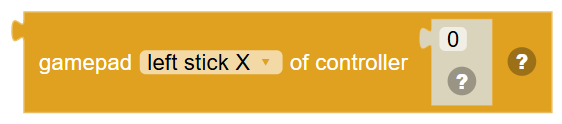
Where a stick is, -1 to 1 (up and left are negative), or how far a trigger is pulled, 0 to 1.
In JavaScript: this block gives back the value of
Gamepad.getAxis("LeftX", 0)
Gamepad button … is pressed on controller …

True while the button is held down.
In JavaScript: this block gives back the value of
Gamepad.getButton("South", 0)
Wait for gamepad button … on controller … for up to … ms

Pause the script until the button is pressed. A timeout of 0 waits for ever. A button already held down does not count until it is pressed again. Carries straight on when no controller is connected at that number.
In JavaScript: this block runs
Gamepad.waitForButton("South", 0, 0);
Gamepad button … pressed on controller … within … ms

Wait for the button to be pressed. True when it was, false when the time ran out or the controller was unplugged.
In JavaScript: this block gives back the value of
Gamepad.waitForButton("South", 5000, 0)
Gamepad … is connected
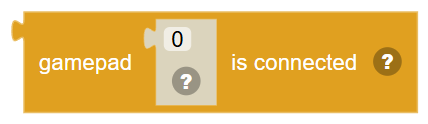
True when a controller is plugged in at this number. 0 is the first.
In JavaScript: this block gives back the value of
Gamepad.isConnected(0)
Number of gamepads
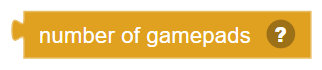
How many gamepads and joysticks are connected.
In JavaScript: this block gives back the value of
Gamepad.getCount()
… of gamepad …
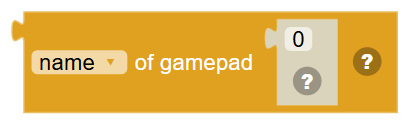
The name of a controller, or its type: "Xbox", "PS5", "Switch Pro", "Joystick" and so on.
In JavaScript: this block gives back the value of
Gamepad.getName(0)
Battery percent of gamepad …
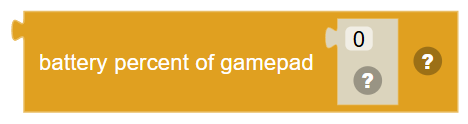
How charged a wireless controller is, 0 to 100, or -1 when it does not say.
In JavaScript: this block gives back the value of
Gamepad.getBattery(0)
Rumble gamepad … at strength … for … ms

Shake a controller. Strength is 0 to 1.
In JavaScript: this block runs
Gamepad.rumble(0.5, 500, 0);
Rumble gamepad … heavy motor … light motor … for … ms
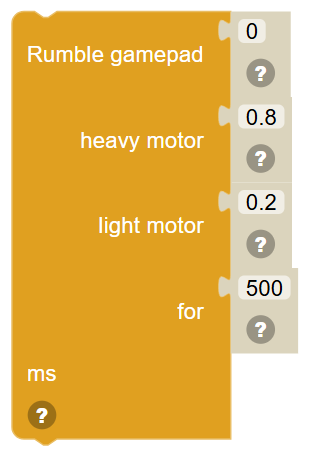
Shake a controller with its heavy (low) and light (high) motors set separately, 0 to 1 each.
In JavaScript: this block runs
Gamepad.rumbleMotors(0.8, 0.2, 500, 0);
Stop rumbling gamepad …
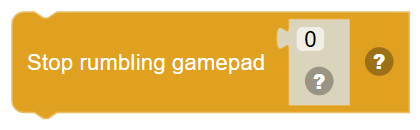
Stop a controller shaking.
In JavaScript: this block runs
Gamepad.stopRumble(0);
Set gamepad … light to red … green … blue …

Colour the light bar of a controller that has one. Each colour is 0 to 255.
In JavaScript: this block runs
Gamepad.setLED(0, 0, 255, 0);
Gamepad … of controller …

The motion sensors of a controller that has them, as a list of x, y and z. The accelerometer is in m/s² with gravity included; the gyro is in radians per second.
In JavaScript: this block gives back the value of
Gamepad.getAccelerometer(0)
Controller … is a gamepad
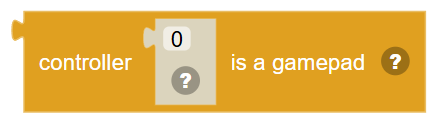
True for a recognized gamepad, with named sticks and buttons. False for flight sticks, wheels and other joysticks, which only have raw axes and buttons.
In JavaScript: this block gives back the value of
Gamepad.isGamepad(0)
Raw axis # … of controller …
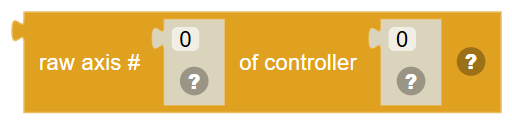
An axis by number, -1 to 1, for joysticks, wheels and pedals that are not gamepads.
In JavaScript: this block gives back the value of
Gamepad.getRawAxis(0, 0)
Raw button # … is pressed on controller …

A button by number, for joysticks that are not gamepads. True while it is held.
In JavaScript: this block gives back the value of
Gamepad.getRawButton(0, 0)
Hat # … of controller …
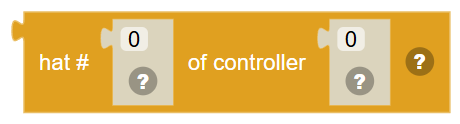
Which way a hat switch is pushed: "Centered", "Up", "UpRight", "Right", "DownRight", "Down", "DownLeft", "Left" or "UpLeft".
In JavaScript: this block gives back the value of
Gamepad.getHat(0, 0)
Number of raw … on controller …
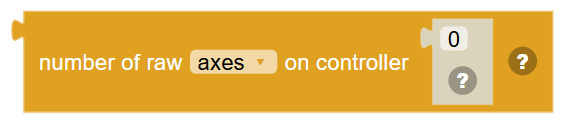
How many axes, buttons or hats (the eight way switch on a flight stick) a controller has, counted the raw way.
In JavaScript: this block gives back the value of
Gamepad.getRawAxisCount(0)
Gamepad …

A list of the connected controllers' names, or of the button and axis names the other gamepad blocks understand.
In JavaScript: this block gives back the value of
Gamepad.getNames()