
Variables
Values with names. The first three blocks are this script's own variables: pick one from the drop-down, or choose Rename variable to name it. A name that starts with $ makes it a global variable instead. The global variable blocks below them read and write the values every script and robot skill in ARCx shares.
Where to find it: the Variables category of the toolbox, in any script editor set to Blockly or on Top bar → Workspaces → Blockly
Blocks
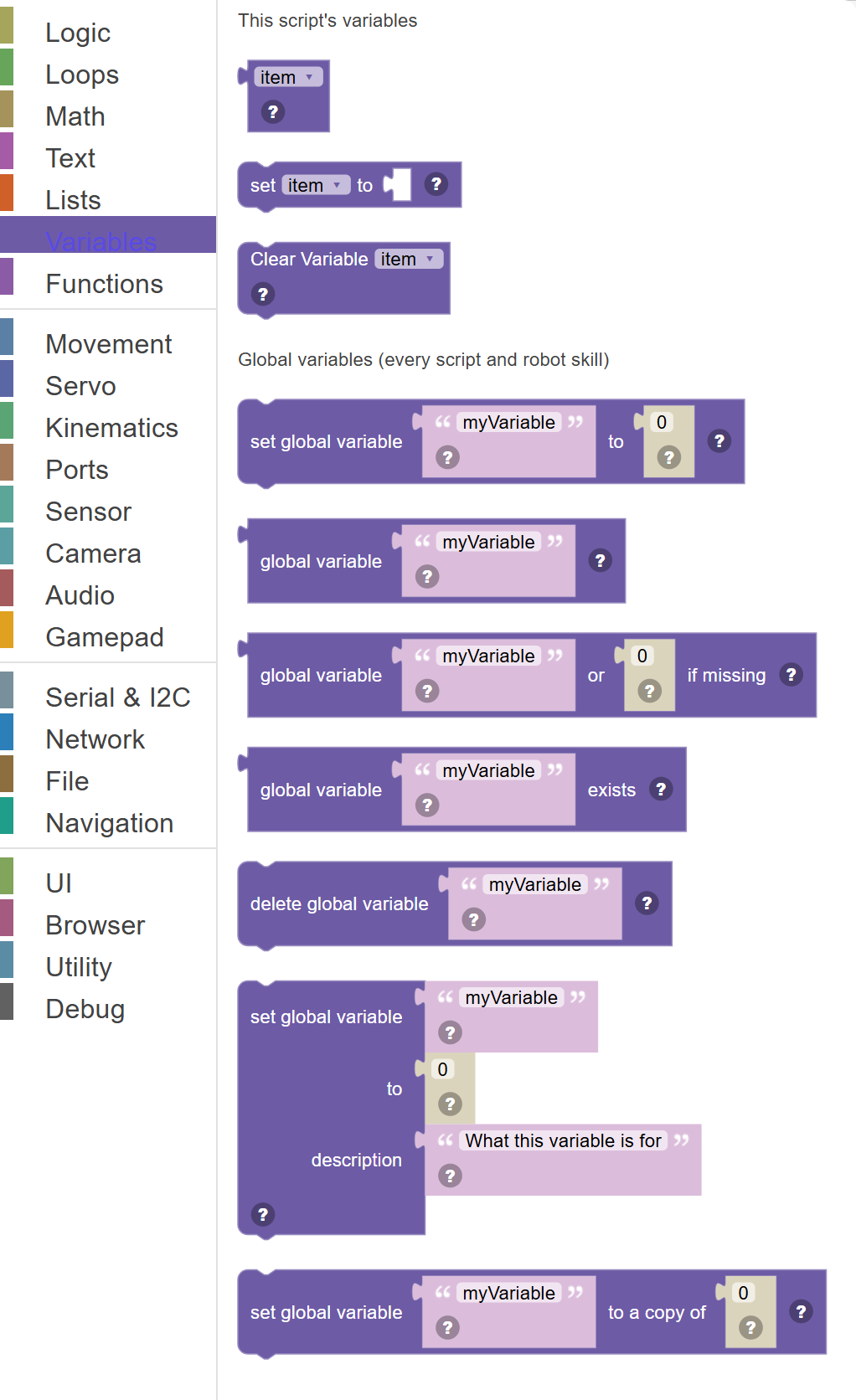
| Block | What it does |
|---|---|
| Get Variable | Reads the current value stored inside a variable and makes it available to connect to other blocks. |
| Set Variable | Saves a value into a named variable so you can use it later. |
| Clear Variable | Resets a variable by clearing its value, setting it back to undefined (empty/nothing). |
| Set global variable … to … | Store a value in a global variable with setVar(). |
| Global variable … | The value of a global variable, with getVar(). |
| Global variable … or … if missing | The value of a global variable, or the value given here when the variable does not exist. |
| Global variable … exists | True when a global variable with this name has been set, with varExists(). |
| Delete global variable … | Remove a global variable, with deleteVar(). |
| Set global variable … to … description … | Store a value in a global variable with setVar(), and describe what it is for. |
| Set global variable … to a copy of … | Store a snapshot of a list or object in a global variable with setVarObject(). |
Details
Get Variable
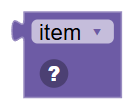
Reads the current value stored inside a variable and makes it available to connect to other blocks. Variables are like labelled boxes that store information.
When to use it: Use this whenever you need to use a value that was stored earlier — like using a saved sensor reading, or displaying a score.
Example: Get variable "speed" → gives you the current speed value so you can use it in a Move block.
Tips:
- Click the dropdown to choose which variable to get.
- You can use the same variable in many places throughout your script.
- If the variable hasn't been set yet, it will be undefined — always set it first.
In JavaScript: this block gives back the value of
.yyAXoJkn;v)tiTn+y_/
Set Variable
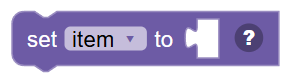
Saves a value into a named variable so you can use it later. Whatever was in the variable before is replaced with the new value.
When to use it: Use this to remember important values — like saving a sensor reading, keeping score, or storing the result of a calculation.
Example: Set "distance" to Get Ping → reads the sensor and saves the distance in a variable for later use.
Tips:
- Create new variables by clicking the dropdown and selecting "New variable..."
- Variable names should describe what they hold — like "speed" or "playerScore".
- A variable holds just one value at a time — setting it again replaces the old value.
In JavaScript: this block runs
.yyAXoJkn;v)tiTn+y_/ = 0;
Clear Variable
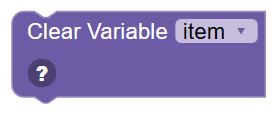
Resets a variable by clearing its value, setting it back to undefined (empty/nothing). This is different from setting it to 0 or "" — it truly has no value.
When to use it: Use this when you want to "reset" a variable to its starting state, or signal that it hasn't been assigned a real value yet.
Example: Clear "lastDetectedColor" → the variable is now empty, and you can check for null to know it hasn't been set.
Tips:
- After clearing, comparing the variable to null returns true.
- Use this at the start of a loop to reset values from the previous run.
- Clearing is not the same as setting to 0 — null means "no value", not "zero".
In JavaScript: this block runs
delete .yyAXoJkn;v)tiTn+y_/;
Set global variable … to …
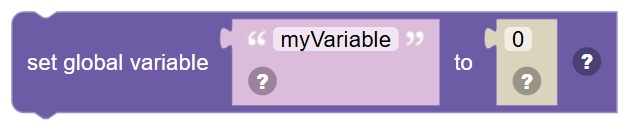
Store a value in a global variable with setVar(). Every script and robot skill in the project can read it, and it shows in the Variable Watcher.
In JavaScript: this block runs
setVar('myVariable', 0);
Global variable …
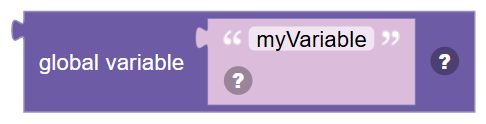
The value of a global variable, with getVar(). The script stops with an error if the variable does not exist - use the "or if missing" block when it might not.
In JavaScript: this block gives back the value of
getVar('myVariable')
Global variable … or … if missing

The value of a global variable, or the value given here when the variable does not exist.
In JavaScript: this block gives back the value of
getVar('myVariable', 0)
Global variable … exists
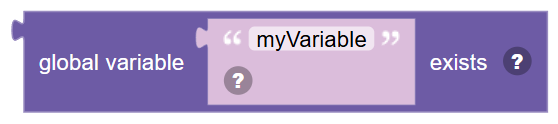
True when a global variable with this name has been set, with varExists().
In JavaScript: this block gives back the value of
varExists('myVariable')
Delete global variable …
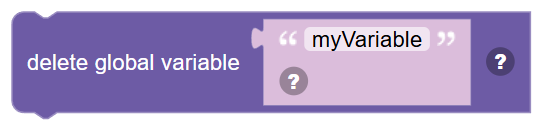
Remove a global variable, with deleteVar(). Reading it afterwards is an error until it is set again.
In JavaScript: this block runs
deleteVar('myVariable');
Set global variable … to … description …
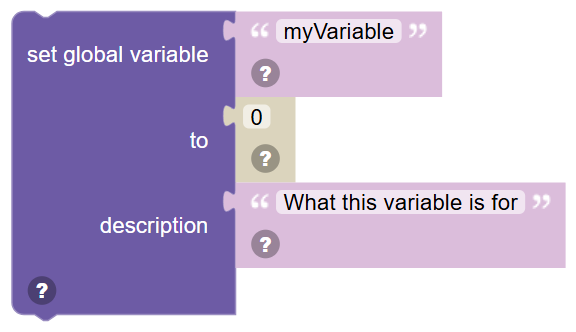
Store a value in a global variable with setVar(), and describe what it is for. The description shows in the Variable Watcher. Leave it empty to keep the one the variable already has.
In JavaScript: this block runs
setVar('myVariable', 0, 'What this variable is for');
Set global variable … to a copy of …

Store a snapshot of a list or object in a global variable with setVarObject(). Unlike set, changing the original afterwards does not change what was stored.
In JavaScript: this block runs
setVarObject('myVariable', 0);