Atomic Pi by Team IoT
A tiny Intel computer you can bolt into a robot
The Atomic Pi is a low-cost x86 single-board computer with Wi-Fi, Ethernet and built-in storage. Install ARCx on Windows or Ubuntu 24.04 and it becomes your robot's brain, controlled from a web browser on any device.
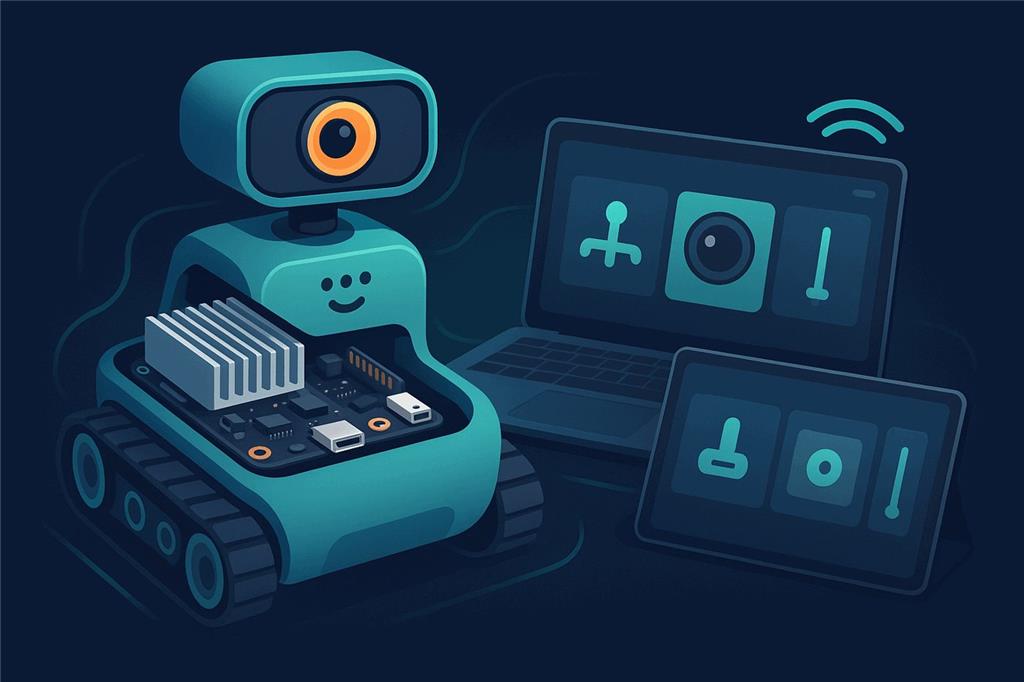
How the Atomic Pi works with Synthiam. Unlike a microcontroller board, the Atomic Pi runs a full operating system, so it runs Synthiam software on the robot: ARCx on 64-bit Windows 10/11 or Ubuntu 24.04 LTS, or ARC on Windows. Think of it as the "brain computer", while an EZB controller (an EZ-B v4, IoTiny, or an Arduino or ESP32 with EZB firmware) handles servos and sensors. We recommend ARCx: headless on the robot, used from any browser.
What is the Atomic Pi?
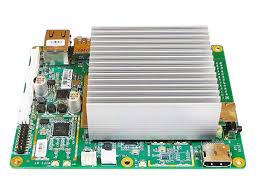
The Atomic Pi is a small single-board computer (SBC) built around an Intel Atom processor. Because it is an x86 PC on a board, it runs Windows and Linux, and with them more advanced software than a microcontroller can: Synthiam ARCx, computer vision, speech recognition and other PC-like tasks, directly on the robot.
What you get
- Intel processor: PC-style performance in a small board
- 16 GB eMMC built-in storage, plus an SD card slot
- Wi-Fi and Bluetooth built in
- Gigabit Ethernet for reliable wired networking
- USB 3.0 for faster peripherals
- Real-time clock for logs and schedules
Robot-friendly extras
- Full HDMI port with audio
- A second audio output with an on-board class-D amplifier for speakers
- A 9-axis inertial sensor with compass (BNO055)
- A 26-pin header for power and GPIO
Atomic Pi at a glance
| Type | x86 single-board computer |
|---|---|
| Maker | Team IoT (sold by Ameridroid) |
| Processor | Intel Atom x5-Z8350 quad-core, up to 1.92 GHz |
| Memory / storage | 2 GB DDR3L; 16 GB eMMC and an SD slot |
| Connectivity | Dual-band 802.11ac Wi-Fi, Bluetooth 4.0, Gigabit Ethernet, USB 3.0, HDMI |
| Power | 5 V (typically 4-15 W) through the 26-pin header; no supply included |
| Synthiam uses it for | Running ARCx or ARC on board the robot |
| Website | ameridroid.com |
What you can do with it in Synthiam
Control from any browser
ARCx runs on the Atomic Pi; you use it from a phone, tablet or laptop on the network, several people at once.
Servos and sensors
An EZB controller over USB or Wi-Fi adds servos, PWM, digital and analog ports, I2C and UARTs.
Camera and vision
A USB camera with Camera Source (usb) for face, color, glyph and object tracking.
Voice and sound
Speech recognition and text to speech; the on-board amplifier can drive the robot's speakers.
AI agents
ARCx is an MCP server, so AI agents can see, drive and program the robot.
Scripts, Custom UI, remote
Blockly, JavaScript and Python; Custom UI control screens; and Exosphere for remote control and telepresence.
Set up ARCx on the Atomic Pi
- Install a 64-bit operating system. Windows 10 or 11 (64-bit) with the Atomic Pi drivers below, or Ubuntu 24.04 LTS (64-bit). With 2 GB of memory and 16 GB of storage, Ubuntu 24.04 Server leaves the most room for your project. ARC needs Windows.
- Install ARCx. Follow Install ARCx on Windows 64 or Install ARCx on Linux x64.
-
Open ARCx from another device. Start ARCx Server (Bind Any) on Windows, or on Ubuntu:
Then browse to./ARCx -b http://0.0.0.0:5000http://<atomic-pi-address>:5000. Browsing from another device, rather than opening a browser on the Atomic Pi, saves its memory for the robot. -
Connect an EZB controller. Add the Ezb Connection robot skill, enter the controller's port
(
COM3,/dev/ttyUSB0) or IP address and connect. On Ubuntu, add your user to thedialoutgroup first. - First test. Move a servo or drive with a movement panel, then add a camera and speech.
-
Run headless. Open the project at start-up (the Windows shortcut
-foption, or asystemdservice on Ubuntu) so the robot is ready when it powers on.
Atomic Pi drivers for Windows 10
After installing or reinstalling Windows 10 64-bit, some hardware, commonly Wi-Fi and audio, may not work right away because Windows does not find the Atomic Pi drivers by itself. These drivers are for Windows 10 x64 and may not work on other versions of Windows.
- On another computer, download the driver ZIP files and copy them to a USB thumb drive.
- Plug the thumb drive into the Atomic Pi.
- Unzip the files to a folder, for example
C:\AtomicPiDrivers\. - Run the included installer(s). If there is none, open Device Manager, right-click each device with a yellow warning icon, choose Update driver and point it at the unzipped folder.
- Restart Windows when finished, even if you are not prompted.
Both run on it; ARCx is recommended
ARCx Recommended
- 64-bit Windows 10/11 or Ubuntu 24.04 LTS.
- Headless; used from any web browser by several people at once.
- MCP for AI agents; robot skills from the Synthiam store.
ARC
- Windows desktop application.
- Viewed on an HDMI monitor or through remote desktop software.
- A good choice if you already have ARC projects.
On Windows, 16 GB is enough for a basic setup but fills quickly. Our Tips to Make a Robot guide covers freeing storage space, improving performance, powering the board correctly (robots often need a stable regulator or battery setup) and running headless with Remote Desktop or similar tools.
When something does not work
-b http://0.0.0.0:5000 (Ubuntu), browse to the board's IP address rather than 127.0.0.1, and allow port 5000 through the firewall.
Frequently asked questions
Make the Atomic Pi your robot's brain
Install ARCx on Windows or Ubuntu, connect an EZB controller, and control your robot from any browser.
Wow, with the rising chip prices, Amazon has this Atomic Pi on for an excellent deal right now. Only $87 CAD.
https://www.amazon.ca/dp/B07N298F2B
I ordered three of them from amazon some weeks ago. They were 38.99 with free shipping here in the USA. I have some power adapters and usb hubs on the way to get these working. Hopefully they jive well with Synthiam and EZBs. I am downloading all the drivers and recommended ISO files tonight to load on thumb drives.
https://www.amazon.com/dp/B08CGFM2B1?psc=1&ref=ppx_yo2ov_dt_b_product_details
Dang, Amazon updated the price to 49.99 now! I just checked the link. Maybe their algorithm raised it specifically because I ordered those three. Well, anyways it is still cheap and better value than a base level panda and rock pi with the same Intel Atom X5- 8350 CPU
Do you think this Atomic Pi SBC is faster and stronger then the Rock Pi X?
It takes my onboard Rock Pi X forever to boot into windows and start up ARC. About 2.5 minutes. I'm running it headless and connect to it remotely. Then once running the visual interface lags. I'll click on something in ARC (like a menu item or a skill setting menu) and it will hesitate. However Commands sent to the robot through connected USB EZB's seem to be fast enough. But I haven't yet really sent a lot of commands from complex scripts running at the same time.
I was thinking about going to a faster and more powerful SBC the the Rock Pi if there is one.
I don’t have a Rock pi X to compare to. I will say this, if you set the cpu to turbo all the time then Atomic Pi should handle it better because of the massive heatsink. I also plan to add a high flow fan over mine too. The Rock Pi X has a couple of advantages, one being it is very small and the next that you can get a variation with 4 or even 8 gb ram. In my mind I am thinking of cost first as I will not be mad if I waste 40 bucks on a board that was not as fast as I needed. The rock pi x cost is so high you might as well buy a full fledged mini pc and just pop it out of the case. You can get mini PCs now with Intel N5000 series chips for 140-180 that walk all over the atom x5-8350. Booting up I imagine is always going to take a minute or so because your running from a usb or slower emmc on these maker grade boards.
Thanks for the insight jstarne. That makes sense.
Being a user of both the Atomic Pi and the Rock Pi X, I can say that the 4GB on the Rock Pi X versus the 2GB does make a performance difference. It's much faster navigating around windows on the Rock Pi X. It's still doable on the Atomic Pi but more patience is needed.
@Jeremie, That's good to know. I actually have the Rock Pi X with the 4GB ram option. I can deal with the slight delays in the Windows interface when I'm working in ARC or Win it's self. I am manly worried about the timing between this SBC and the EZB's on the robot. I have a lot of commands going to the robot through several EZB's. Most of the scripts and commands are timing sensitive. I notice I've already had to increase some sleep() commands in some of my scripts so they run properly or at all.
Time will tell. It won't be too hard to pull the Rock Pi X and replace it with a faster computer using the same USB connection to the EZB's or just go back to all WIFI connection.
I have been working with this Atomic Pi a few hours trying different things like reinstalling, checking for corrupted files ect. I install the win 10 lite from the ISO file on this synthiam website, and then WiFi driver. The WiFi is working fine, but the resolution is stuck on 800x600 no sound through HDMI. I tried downloading the full driver pack and click DrvBK.exe and I get the error in the above picture. I have tried DISM and scan commands for corrupted files. I tried reinstall clean twice. Now I am suspecting the ISO was corrupted while burning to the usb drive. I installed Rufus USB imager and I am starting over again. Any ideas?