
Release Servos
Release Servos/PWM lets go of every servo on the robot at once. A servo that has been moved holds its position with force until it is told to release. Releasing it stops the holding signal, so the servo goes limp and can be turned by hand. Use it when a servo is straining, buzzing or hot, before you handle the robot, or any time you want everything to stop holding.
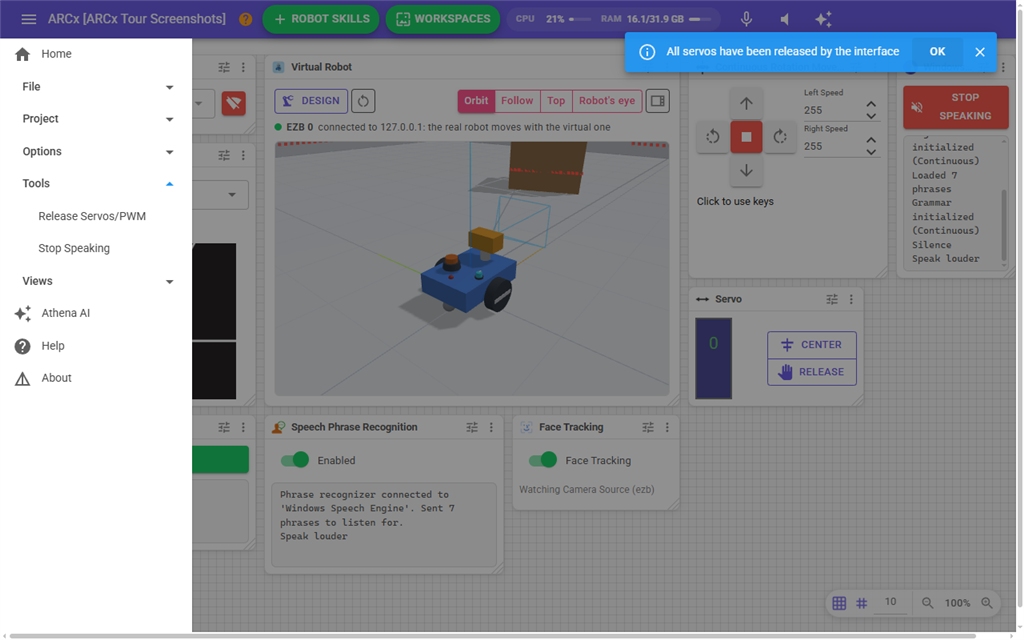
Where to find it: Side menu → Tools → Release Servos/PWM
This is a command, not a screen. Clicking it acts straight away and nothing opens. A message appears at the bottom of the page: "All servos have been released by the interface."
What it does
- Every connected controller is told to release all of its servos, not only the one shown on the current page.
- On each controller, every digital servo port (D0 to D255) is released.
- Every virtual servo port (V0 to V255) is released as well. Robot skills that drive servos on virtual ports, such as servo bus drivers, hear about the release and let go of their servos if they support it.
- Each released port is marked as released in ARCx. Robot skills and scripts that check whether a servo is released see it as released.
Notes
- Releasing does not lock the servos. The next time a robot skill, script or slider moves a servo, it moves and holds again. If something keeps moving servos, stop that robot skill or script too.
- Releasing does not stop a movement panel or drive motors. It only affects servos.
- If a controller's firmware does not support releasing servos, ARCx still marks its ports as released but sends nothing to that controller, so its servos keep holding until the controller's power is turned off.
- A controller that is not connected is not affected.
- A script can release servos with
Servo.releaseAll(). That releases the servos of one controller (the first one unless the script names another), not every controller like this menu item does.