
 Download ARC Free
Looking for a ROS alternative?
Synthiam ARC is an option for DIY builders, hobbyists and educators who want a visual robot programming environment on Windows. Synthiam ARCx is the option for robot builders, enterprise and industrial teams: it runs on the robot itself on Linux, Raspberry Pi or Windows, is programmed from a web browser, talks to industrial PLCs and bridges to ROS 2. Add Robot Skills for vision, speech, navigation and AI, then write scripts to coordinate them. Check the available skills and supported hardware against your project requirements before choosing a platform.
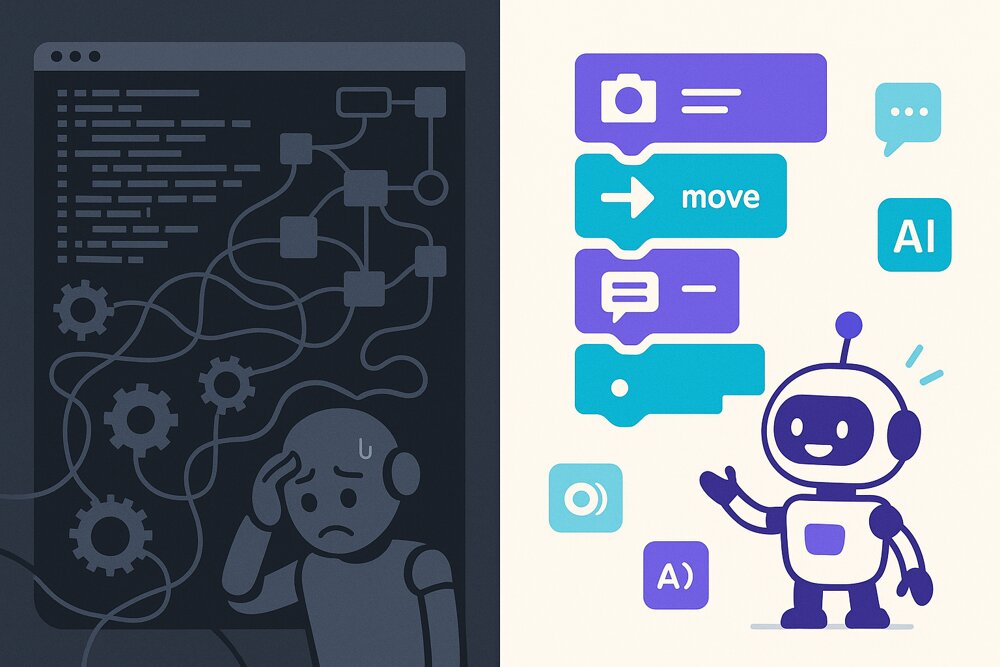
The Robot Operating System (ROS) provides tools and libraries for robot software, with development commonly done in C++ and Python. Installation and hardware integration depend on your distribution and packages. ROS 2 supports several operating systems; see the official ROS 2 installation guide for platform-specific options.
Synthiam ARC takes a different path. It is a low-code, visual robot programming platform where computer vision, speech, navigation, and AI are drag-and-drop robot skills you configure in minutes. You get results fast, without giving up the ability to script when you need to.
ARC vs ROS at a glance
| Recommended for most builders Synthiam ARC | ROS / ROS 2 | |
|---|---|---|
| Approach | Low-code, drag-and-drop skills with optional scripting | Code-first middleware and node graph |
| Programming languages | Blockly, RoboScratch, JavaScript, Python, C#, C++ | C++ and Python |
| Operating system | Windows (ARC); Windows, Linux x64 and Linux ARM64 including Raspberry Pi (ARCx); Android, Chromebook and Windows via ARC-Lite. ARC-Lite for iOS and macOS is coming soon. | ROS 2 supports Linux and Windows, with macOS source builds; support varies by distribution |
| Getting started | Install ARC, connect supported hardware and configure Robot Skills | Install a ROS distribution, choose packages and configure your robot |
| Learning curve | Beginner-friendly; no middleware expertise needed | Steep; designed for engineers and researchers |
| Vision, speech & AI | Built-in, ready-to-use skills (camera, speech, LLM/AI) | Available via packages you integrate and configure |
| AI agents (MCP) | ARC and ARCx are MCP servers: Claude, Cursor, VS Code Copilot or any MCP client can control the robot and program it | Third-party MCP bridges exist for some ROS topics; nothing built in |
| ROS 2 & industrial PLCs | ARCx bridges to ROS 2 through rosbridge and talks to PLCs over Modbus, OPC UA, EtherNet/IP and Siemens S7 | Native ROS 2; PLC drivers available through community packages |
| Hardware support | Arduino, ESP32, EZ-B, Raspberry Pi and more, out of the box | Broad hardware support through community drivers/packages |
| Ready-made content | Skill Store plus community robots, tutorials & Q&A | Large academic and research package ecosystem |
| Cost | Free edition; ARC Pro subscription for advanced features | Free and open source |
| Best for | ARC: DIY builders, hobbyists, educators & rapid prototyping. ARCx: robot products, enterprise & industrial automation | Research labs, advanced autonomy, fully custom stacks |
Why builders choose ARC over ROS
Start with ARC on Windows, or ARCx on Linux
No build toolchains, no workspace wrangling. Install ARC on Windows, or ARCx on the robot's own Windows, Linux or Raspberry Pi computer, connect your controller, and start adding capabilities immediately.
See results without deep coding
Add computer vision, speech recognition, and navigation by dropping in a skill and setting a few options — then extend with scripting only where you want to.

AI is built in
Connect large language models and AI services to give your robot natural conversation and decision-making, using the AI Script Assistant to help you write robot code.

A community that ships robots
Thousands of shared projects, skills, and tutorials mean you rarely start from scratch. Browse real community robots and clone what works.
When ROS still makes sense
We think ROS is excellent for what it was built for. If you are a robotics researcher developing novel autonomy algorithms, publishing academic work, or building a fully custom Linux-based stack with specialized SLAM and motion-planning packages, ROS gives you deep control.
Many teams use both: ROS for low-level research components, and Synthiam ARC — or Exosphere for remote control and telepresence from anywhere — to move faster on the application layer and get robots into people's hands sooner.
For commercial and industrial teams, ARCx is the natural partner to ROS. It runs headless on the same Linux computer as the rest of your stack, bridges to ROS 2, talks to industrial PLCs, and gives operators browser-based control screens and your engineers secure remote access to robots in the field.
Why robot builders choose us
Since 2010, we have worked side by side with robot builders around the world. More than 4 million robot connections have shown us what works, what breaks and what builders actually need, and every lesson has gone back into the software. Through the Robot Skill Store, we connect 600+ partners directly with those builders, so every new sensor, service and AI integration one partner adds is ready for everyone.
The secret is simple: the more our software is used, the better it gets.
ARC: proven by the community
The Windows platform for hobbyists, makers, students and teachers, with the full Robot Skill Store, Blockly, JavaScript and Python, and ARC Pro for advanced projects and courses.
ARCx: everything we learned, rewritten
Our next-generation platform, rewritten from the ground up with modern technology. It runs on the robot itself on Windows, Linux or Raspberry Pi, talks to industrial PLCs, and is programmed from a browser on your network or from anywhere.
ARC-Lite: built for learners
Our free robotics education app for Android, Chromebook and Windows. Guided lessons and Blockly activities teach robot programming step by step, then grow into JavaScript and Python. No robotics background required.
Try the low-code alternative to ROS
Download ARC for Windows, or ARCx to run on the robot's own Windows, Linux or Raspberry Pi computer. Check your controller compatibility and follow the getting-started guide to connect your robot.
Download ARC Free Download ARCx Read the FAQ