
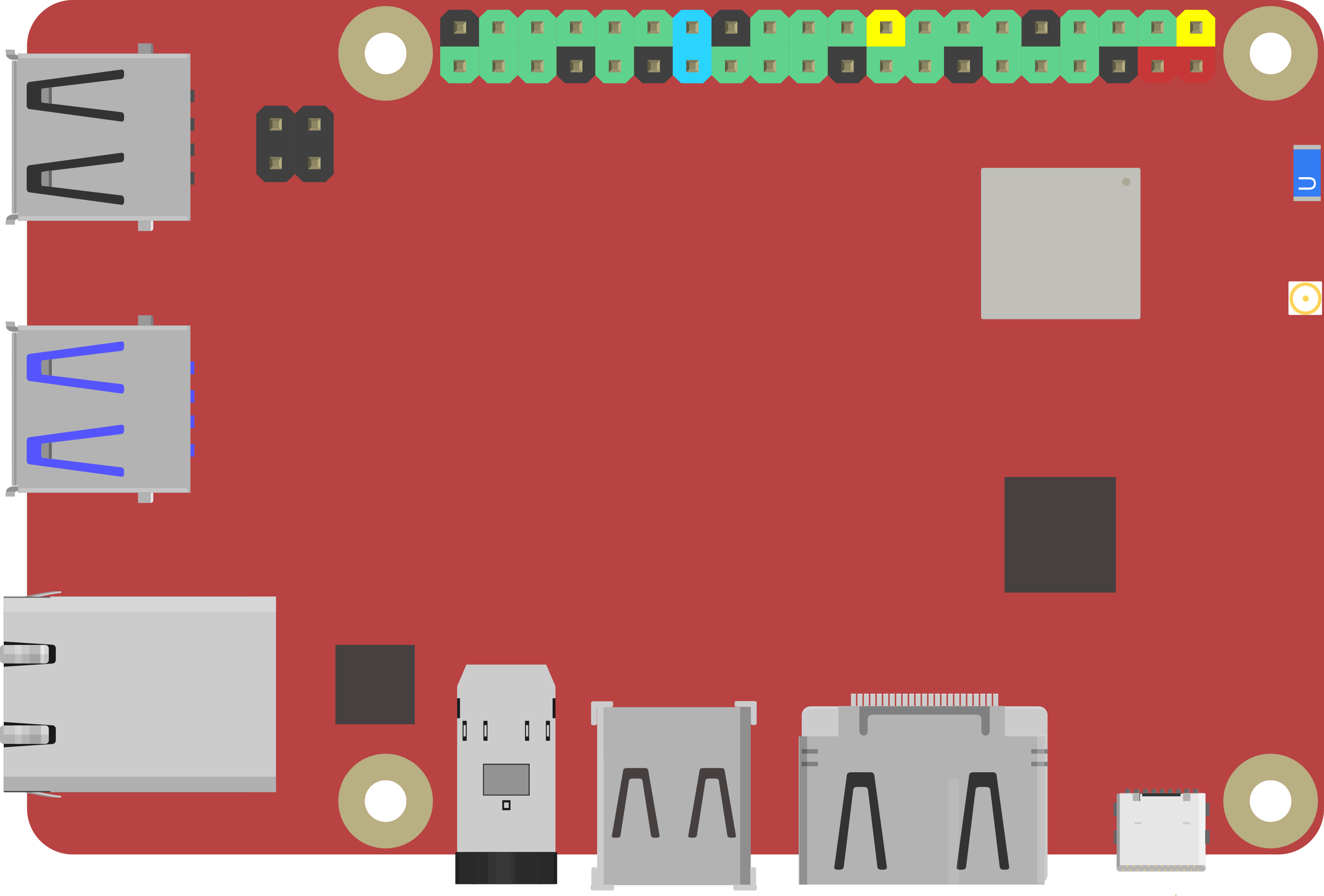
Rock Pi X by Radxa
An affordable x86 brain for your robot
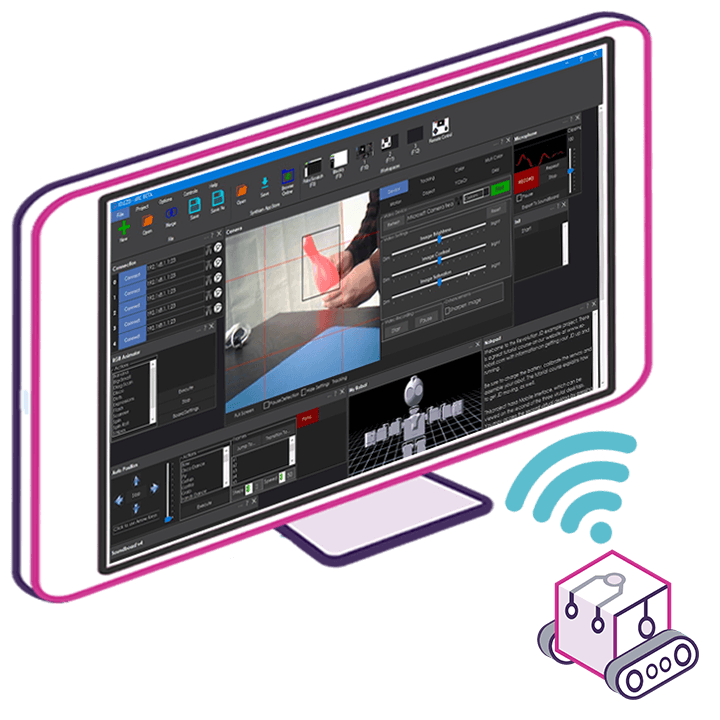
The ROCK Pi X is a small, low-cost Intel computer that runs Windows and Linux. Install ARCx on it, mount it in your robot, and use the robot from a web browser on any phone, tablet or computer.
How the ROCK Pi X works with Synthiam. It is the robot's on-board computer. It runs ARCx on 64-bit Windows 10/11 or Ubuntu 24.04 LTS, or ARC on Windows, just like a desktop PC. Servos and sensors connect through an EZB controller over USB or Wi-Fi; cameras, microphones and speakers plug straight into the board. We recommend ARCx, which runs headless and is used from any browser.
What is the ROCK Pi X?
The ROCK Pi X is a single-board computer (SBC) from Radxa: a full computer, with processor, memory, Wi-Fi and USB, on one compact board. It is Radxa's first x86 SBC, similar in concept to the UP Board and LattePanda, and typically more affordable.
"x86" matters because it is the same processor family as most Windows PCs, so Windows software and drivers work on it. It has an HDMI port for a monitor and a 3.5 mm audio jack with microphone support, so it is easy to set up on a workbench with a screen and keyboard and then mount inside a robot.
Key features, and what they mean for a robot
- Intel Cherry Trail Z8350 quad-core processor: the board's brain; four cores handle several robot tasks at once.
- 64-bit LPDDR3 memory, 1, 2 or 4 GB: working memory for the operating system and ARCx. More memory means smoother multitasking.
- HDMI up to 4K at 30 Hz: robots rarely need 4K, but a monitor is handy during setup.
- 3.5 mm audio jack with microphone: speaker output, voice recognition and microphone input.
- 802.11ac Wi-Fi and Bluetooth 4.2: fast wireless networking and Bluetooth accessories such as game controllers.
- Gigabit Ethernet: a reliable wired link, often best during development.
- USB ports: cameras, storage and robot controllers.
- 40-pin color expansion header: for add-ons; not needed for Synthiam, which uses an EZB controller for robot I/O.
- Real-time clock: keeps time for logs and schedules, especially with a backup battery fitted.
- USB PD and QC power: powered from compatible USB-C chargers and power banks.
ROCK Pi X at a glance
| Type | x86 single-board computer |
|---|---|
| Maker | Radxa |
| Processor | Intel Cherry Trail Z8350, quad-core |
| Memory | 1, 2 or 4 GB LPDDR3 |
| Models | Model A and Model B |
| Connectivity | 802.11ac Wi-Fi, Bluetooth 4.2, Gigabit Ethernet, USB, HDMI, 3.5 mm audio with mic |
| Power | USB-C, USB PD and QC |
| Synthiam uses it for | Running ARCx or ARC on board the robot |
| Website | rockpi.org, getting started |
Radxa lists the ROCK Pi X as discontinued (production stopped in 2022). Existing boards work as described here.
Model A, Model B and memory options
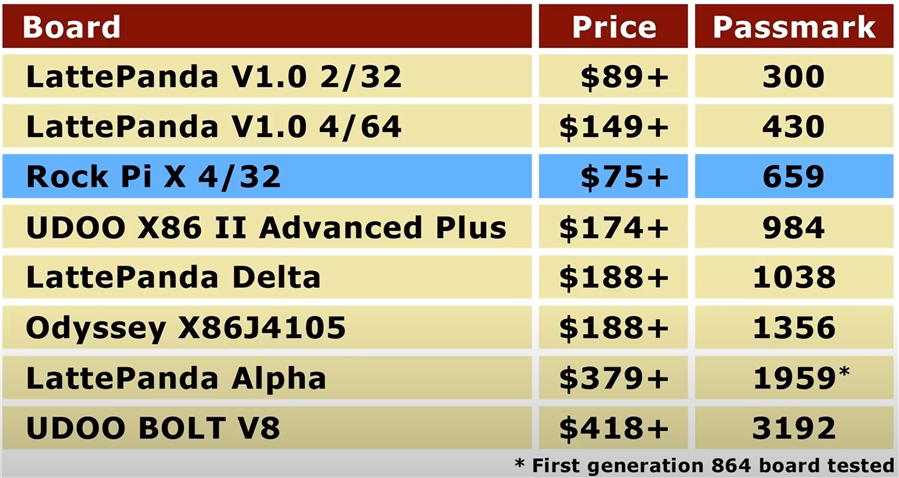
The ROCK Pi X comes as Model A and Model B, each with 1, 2 or 4 GB of memory. For the exact hardware differences between the models, check the manufacturer's specifications for your board version. The chart from our friends at Explaining Computers is a helpful overview.
Our recommendation: choose 4 GB if you can. An operating system, ARCx, a camera and several robot skills all share that memory.
What you can do with it in Synthiam
Control from any browser
ARCx runs on the board; you use it from a phone, tablet or laptop. Several people at once, and the robot keeps running when the browser closes.
Servos and sensors
An EZB controller over USB or Wi-Fi adds servos, PWM, digital, analog, I2C and UART ports for movement panels, animations and sensors.
Camera and vision
USB cameras with Camera Source (usb) for face, color, glyph and object tracking.
Voice and sound
The audio jack with microphone support gives the robot ears and a voice: speech recognition, text to speech and sound playback.
AI agents
ARCx is an MCP server, so AI agents can see, drive and program the robot, alongside conversational AI robot skills.
Scripts, Custom UI, remote
Blockly, JavaScript and Python; touch-friendly Custom UI screens; and Exosphere for remote control and telepresence.
Set up ARCx on the ROCK Pi X
- Install a 64-bit operating system. Windows 10 or 11 (64-bit) with the drivers below, or Ubuntu 24.04 LTS (64-bit) Server or Desktop. ARC needs Windows.
- Install ARCx. Follow Install ARCx on Windows 64 or Install ARCx on Linux x64.
-
Open ARCx from another device. Start ARCx Server (Bind Any) on Windows, or on Ubuntu:
Then browse to./ARCx -b http://0.0.0.0:5000http://<rock-pi-address>:5000. -
Connect an EZB controller. Add the Ezb Connection robot skill and enter the controller's port
(
COM3,/dev/ttyUSB0) or IP address, then connect. On Ubuntu, add your user to thedialoutgroup first. - First test. Move a servo with the Servo robot skill or drive with a movement panel, then add a camera and speech.
-
Run headless. Open the project at start-up (the Windows shortcut
-foption, or asystemdservice on Ubuntu, as the install guides describe) and unplug the monitor.
Windows drivers for a smooth setup
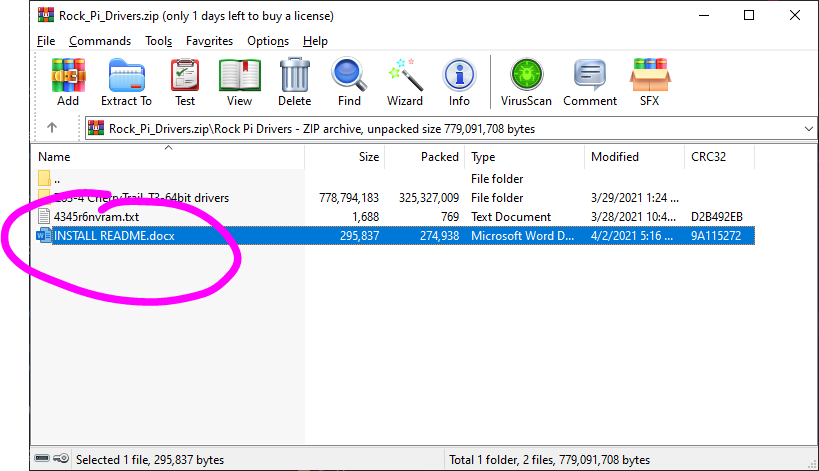
Some ROCK Pi X boards need specific Windows drivers before Wi-Fi, audio, graphics acceleration and other hardware work correctly. Synthiam has assembled a driver package to get your board running reliably.
Download ROCK Pi X Windows 10 drivers (x64)
Follow the steps in order. After extracting the ZIP file, open the included README and follow its step-by-step instructions carefully. Installing drivers in the recommended order prevents missing devices and unstable behavior.
Both run on it; ARCx is recommended
ARCx Recommended
- 64-bit Windows 10/11 or Ubuntu 24.04 LTS.
- Headless; used from any web browser by several people at once.
- MCP for AI agents; robot skills from the Synthiam store.
ARC
- Windows desktop application, installed like on any PC.
- Viewed on an HDMI monitor or through remote desktop software.
- A good choice if you already have ARC projects.
Small computers run robots very well but sometimes need tuning, especially with Windows. Our Tips to Make a Robot guide covers freeing storage space, improving performance (start-up apps, power settings, updates), powering the board reliably and running headless with remote desktop tools.
When something does not work
-b http://0.0.0.0:5000 (Ubuntu), browse to the board's IP address rather than 127.0.0.1, and allow port 5000 through the firewall.
Frequently asked questions
Give your robot an x86 brain
Install ARCx on the ROCK Pi X and control your robot from any browser.
At the moment I believe Radxa's main reseller is Seeed Studio, I don't think they have a wide distribution network yet.
*Edit: I looked into it further and Radxa only has 2 distributors: Seeed and Allnet https://wiki.radxa.com/Buy
Allnet is located in Germany and China.
Seeed Studio themselves have a wider distribution network, they sell through other distributors like Digi-key. Unfortunately, the Rock Pi X hasn't made it that far yet. Seeed also has a US warehouse for faster shipping but I don't think the Rock Pi X has made it there yet either.
I just ordered a Rock Pi X - 4GB / 128GB along with a number of accessories. I ordered from Allnet China: https://shop.allnetchina.cn/
An important note: If you get one of these boards you need to get the heatsink that is made for it also. Either that or the aluminum case that has the heatsink built into it.
I choose the Economy Express for shipping- Per their shipping information -
This shipping method was only $5 USD higher for me and will be here weeks sooner. Check out the "INTERNATIONAL SHIPMENT DELAYS FOR ALL SHIPMENT OPTIONS" link on the top of their website for more details.Here's what I ordered and the prices in US dollars:
I am really happy with ordering from Allnet and feel secure that my order will be shipped quickly and be safely delivered to be as fast as possible. They seemed very professional and have a great website. I'm not endorsing, just stating my observations and feeling.Seeed had only one size ROCK PI X available that I could find and no accessories. Not even the recommended heatsink was in stock (a must have!).
I'm really looking forward to getting this. Thanks @DJ for showing us this. I've been waiting for something exactly like this to place an onboard computer on my B9 Robot.
This looks pretty cool but what is use case for this. If I still need a EZB to interface with it for servos and sensors isn't it just a smaller weaker computer than my laptop that I use now? I could see if you have some far off robot operating autonomously but I have never used my robots more than 10 feet away from my laptop or without a network anyway. Will it run face recognition much faster than my powerful laptop? Looks like 4G of RAM vs. the 64G I have now. What is it that this will bring to a robot? It seems a funny question to ask because of course a robot needs a computer just wondering if this is a big upgrade for us or if it is an acceptable downgrade for people without a network that just want an on board computer.
@Perry_S, It's small and can be mounted directly on or inside a robot. You can rig it to power on and boot up windows when you power on the robot. ARC can then auto start and it's INT script can set up your robot to run. After that you can use your mobile app to operate the robot or do whatever your imagination or needs show you.
Can you picture powering up your robot, everything setting up automatically. Then when his face rec sees you he says "HI Perry"!
Hey Perry,
From initial impressions, the Rock Pi X doesn't look like much. For me, personally, it's very exciting because it gives us an x86 computer with a small enough form factor and affordable price that I can stick them inside a robot permanently. Running ARC onboard a robot seems extremely powerful.
It's true that we could do this in the past, but not at this price and availability. It's just within reach now. The Atomic Pi was going to be THE solution for me until I found that it was just a surplus board that would run out of stock eventually. It also was on the low end of requirements with only 2GB RAM and 16GB of eMMC.
The Rock Pi X series with 4GB RAM and 32GB eMMC is a viable solution for the future. It gives us long-term access to onboard computer-based robots. I can now make robots that are completely embedded and I can give robots to other people that won't require them to have to use a laptop or do anything to control the robot, they will be completely self-sufficient.
These SBCs can be remoted into when connected to a local network which removes the need for a monitor, keyboard and mouse connected directly to them. I haven't tested it yet but headless operation should be easy with an HDMI dummy plug. I really like the idea of programming embedded robots in this way.
Thanks for answering guys. I am amazed it is so low priced. I might get one just to play around with it. I ask because I remember when I was really into putting Raspberry PI's into my inmoov. It turned out to be an inconvenience because for every little program changes I had to make either required me to plug in a keyboard and monitor or to VPN into it. So basically I was tweaking parameters and scripts from my laptop. So I ended up with a robot that I usually used my laptop to run with a really weak computer in it. Pulled all that stuff and got an EZB.
Dave, I think the difference between you and I is that you actually have a bot that is so finished Will be cool to see what you guys come up with.
LOL @Perry! Well, maybe not. Our moto in the B9 robot builders club is "A B9 robot is never really finished". Perhaps the operative words in your statement are"so finished". LOL
Have fun!!!!!
Well - if/when jeremie makes the add-on ezb for the rock pi x, it'll be awesome. Just use your laptop to VNC into the robot and have full control via remote desktop. But, the great thing is no wifi between ARC and the controller. That means faster video, higher def video, faster response in auto position, etc... When the WiFi is removed between ARC and the EZB, things become magically more awesome