Interface & Workspace
Top Ribbon Menu
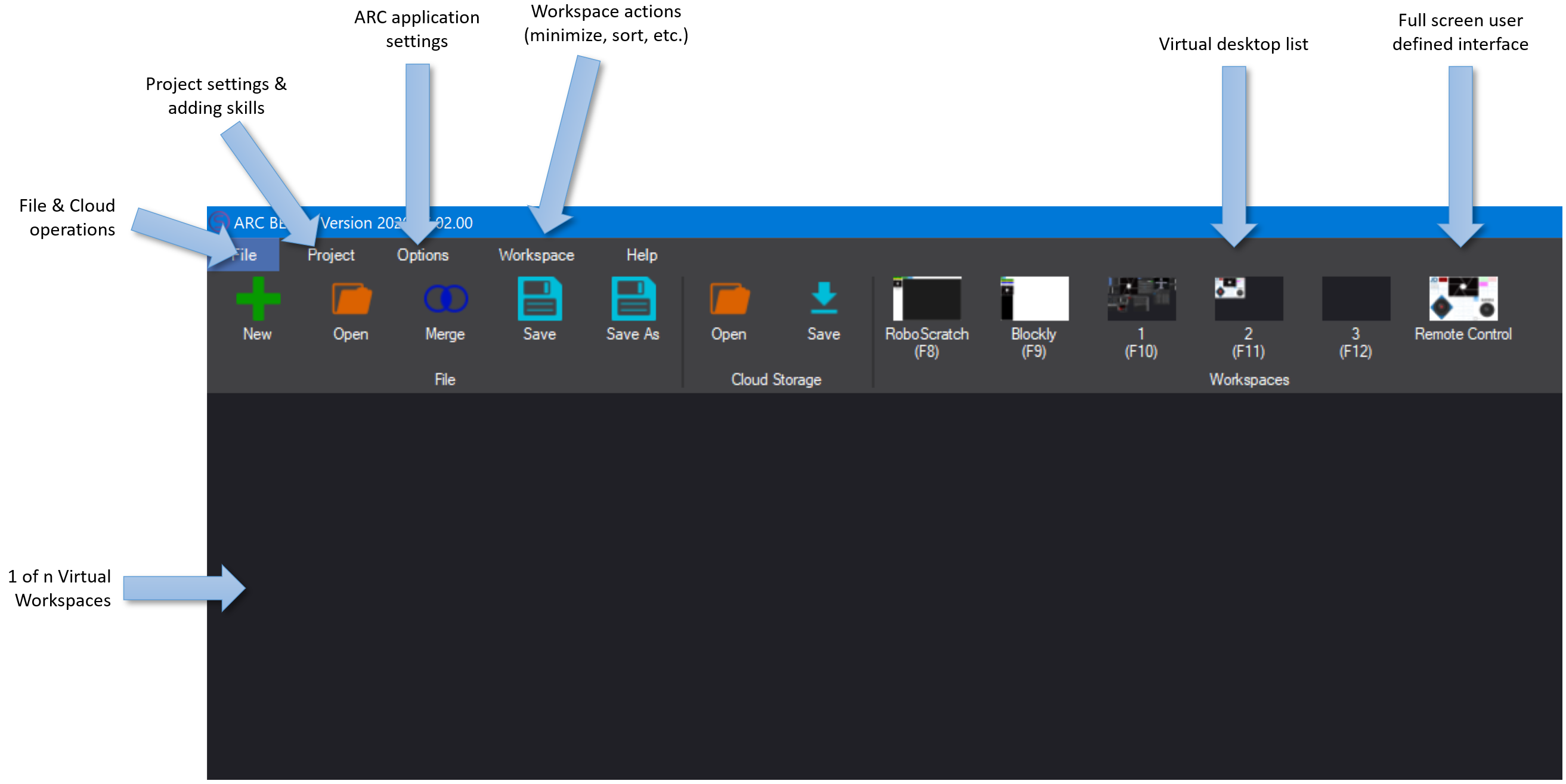
The ARC environment is controlled from the top ribbon menu, which remains visible at all times. The ribbon contains multiple tabs and menu items that group related functionality. Use the ribbon to access workspaces, add robot skills, configure settings, open manuals, and perform other global actions.
Workspaces
An ARC project contains robot skills organized into workspaces. By default a project starts with one workspace; add more by pressing the ADD button. Workspaces let you separate different groups of skills (for example, navigation, vision, or dialog) so your project stays organized and easy to manage.
For detailed instructions on creating, renaming, and organizing virtual workspaces, see the manual: Virtual Workspaces.
Robot Skills
Robot skills provide specific capabilities to your robot—examples include camera input, servo control, speech recognition, and response behaviors. A complete robot project is built from many skills placed into workspaces and configured to work together.
Learn more about available skills and how to use them in the Robot Skills documentation: Robot Skills Overview.
Configure Robot Skills
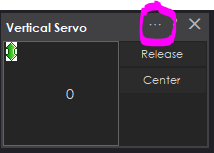
Each robot skill includes a configuration menu for adjusting its behavior and parameters. Open a skill's configuration by clicking the configuration button (displayed as two dots ".." on the skill's title bar).
Robot Skills Help
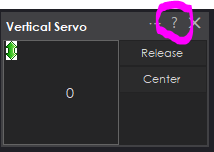
Every robot skill includes a built-in manual with instructions and examples for setup and use. To open the manual for a skill, click the question mark (?) icon on the skill's title bar. The manual typically contains usage tips, parameter explanations, and links to additional resources.
Moving Robot Skills Between Workspaces
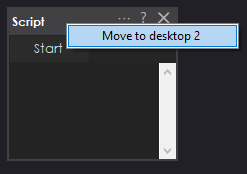
To move a robot skill to a different workspace, right-click the skill's title bar and choose the destination workspace from the context menu. The skill will be moved along with its current configuration intact. Use this feature to reorganize skills by category, project phase, or functional grouping.
Auto-Arrange Robot Skills
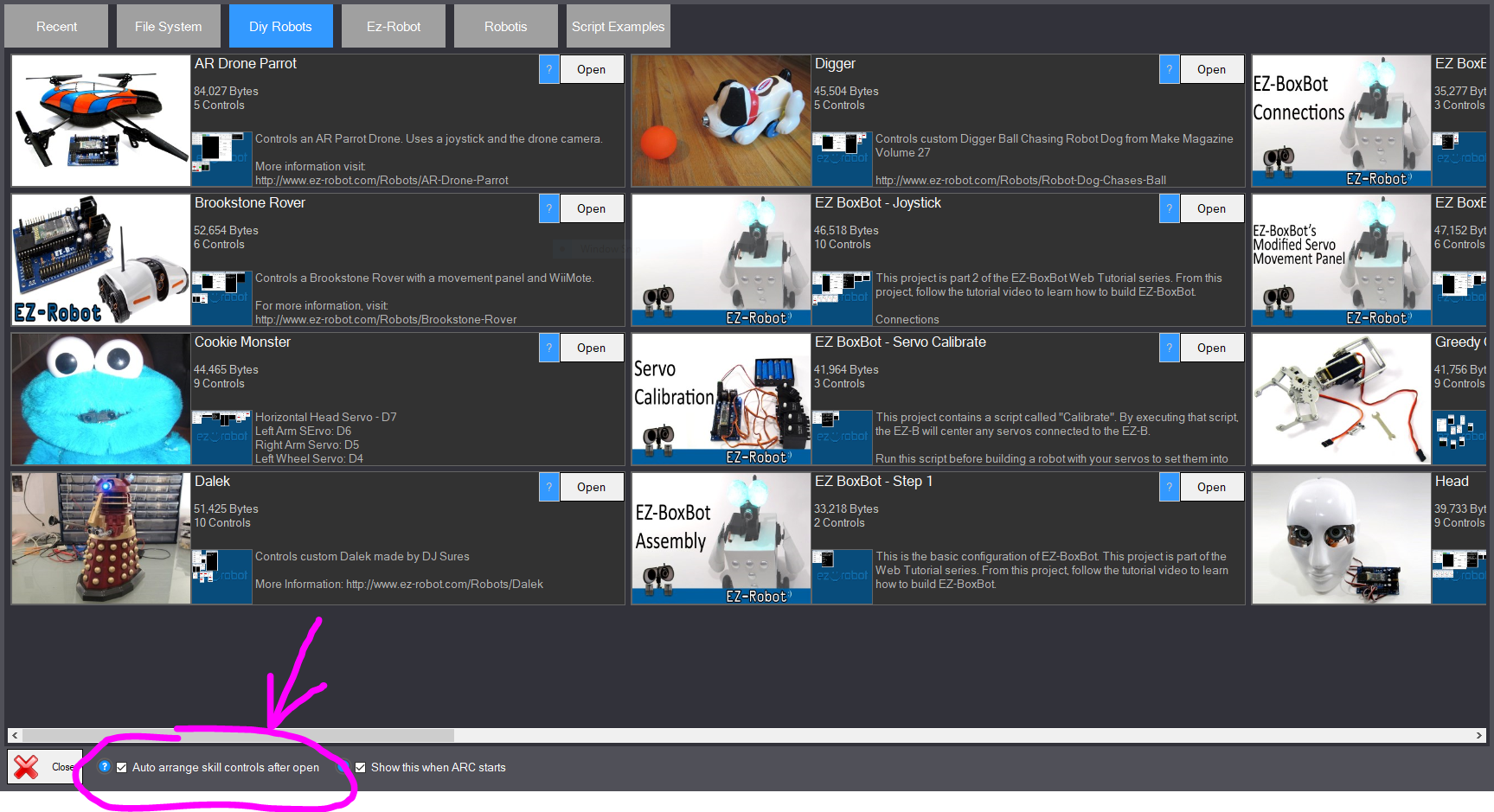
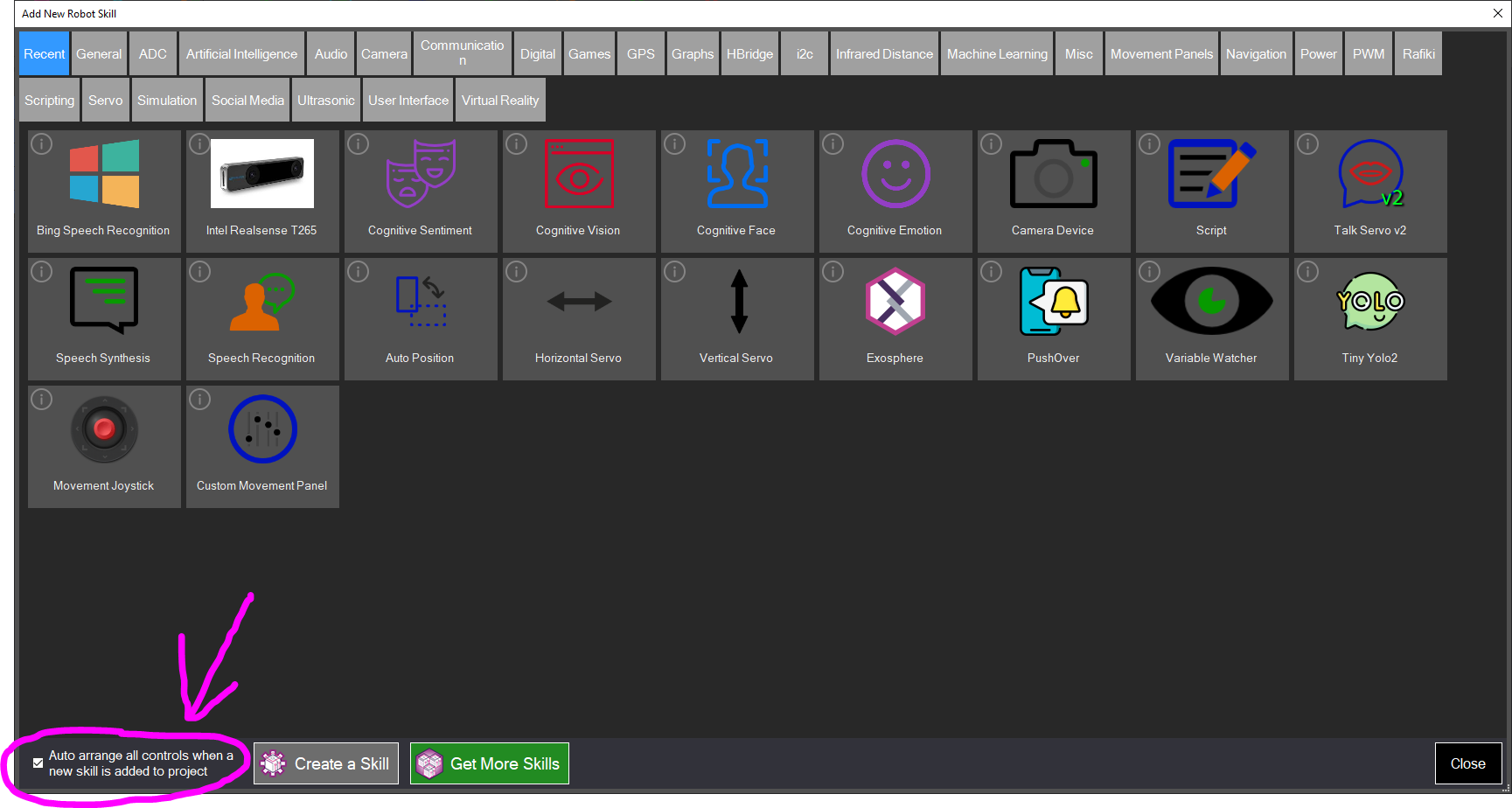
By default, ARC automatically arranges robot skills within a workspace when a project is loaded or when new skills are added. You can disable auto-arrange for either case using the options presented in the corresponding dialog windows.
Loading a Robot Project
Dialog option to disable automatic arrangement when loading a project.
Adding a Robot Skill
Dialog option to disable automatic arrangement when adding a new skill.
Virtual Desktops
Virtual desktops (virtual workspaces) let you create separate desktop layouts, rename desktops, and move robot skills between them. This helps you organize complex projects and switch quickly between different task contexts.
For step-by-step instructions on renaming desktops, moving skills, and organizing desktops, see the Virtual Workspace manual.
Virtual Desktop ManualRight-Click on the Desktop
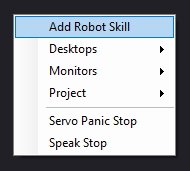
Right-clicking anywhere on the desktop opens a context menu with shortcut commands that mirror many options from the top ribbon. From this menu you can add robot skills, switch desktops, view monitors, stop servos, and perform other common tasks quickly.