





Hello, I have a question .
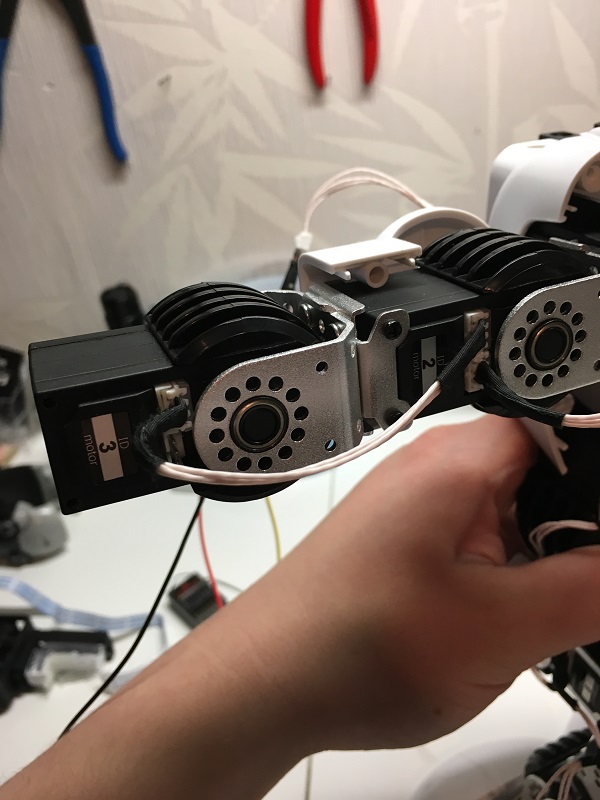
I have these servos in my robot and have now bought the EZ-B V4.
But if it does not get to work, can the Ez b control these servos?
The servos are all connected and the controller only has 1 cable
greetings
 Camera Variable Overlay
— Overlay image packs onto camera feed and map images to control-variable ranges with auto/manual assignment, position and sizing options.
Try it →
Camera Variable Overlay
— Overlay image packs onto camera feed and map images to control-variable ranges with auto/manual assignment, position and sizing options.
Try it →

Hello, I have a question .
I have these servos in my robot and have now bought the EZ-B V4.
But if it does not get to work, can the Ez b control these servos?
The servos are all connected and the controller only has 1 cable
greetings

Hi DJ,
just had an opportunity to try the plugin but can't get it to work
added the plugin to a new project with the following settings Hardware uart0 two virtual servos checked V1 and V2 plugin shows Connected Events UART 0 @ 115200bps added a Movement Panel and added the 2 virtual servos tried moving the servos but nothing happens?
the script still works fine
running windows 10 with latest updates
The id’s of the servos are V1 and V2? They need to match. In the test code I sent earlier, the ID was 0 (zero). Can you try with that servo again, on V0?
What Movement Panel did you add?
the plugin removed the 120+position as we discussed. To clarify, in your testing you also removed the 120+? So you tested with 0 and 252? Not adding 120 to anything?
Also, can you try it with only one Servo?
the id's on the servos are 1 and 2, I changed your test script to match. I don't have any servos with id 0
I tried both
3)yes I removed the 120 from your script and inputed the values from 0 - 252 directly into $data[4]
also noticed that once I remove the Ubtech plugin from a project and try to add it again it crashes the plugin on startup and the only way to get it to load again is by restarting windows. Unfortunately I was unable to get a screen shot of it last night, will post later.
I will load ARC on a another computer and try that just in case
Nomad, have you had a chance to try the plugin ?
No not
Okay thanks. I’m trying in the dark here without servos to test with, so thanks for your patience!
alan said not to use it?
I said that you should let others help with the test script and wait for the plugin. We are now talking about the plugin. You should try it.
Alan
ok alan.
the plugin is for UB tech servo's only.?