








All Community Content

Synthiam Credit
Log In

Earn Free Credit
Share your robots, answer questions, and help others — earn credit toward ARC Pro, AI credits, and robot swag.
Exosphere
What is Exosphere?
Drive Real Robots, Anywhere
Remotely operate robots around the world or add live telepresence to your own build — straight from your browser.
Discover Exosphere
Synthiam Swag
See All Swag

Gaming Mouse Pad
Recent Robot Skills
View All

Total Speech Recogni…
Offline Windows speech recognition with open dictionary, confidence filtering, and scriptable phrase...

Hugging Face
Connects your robot camera to Hugging Face AI models for vision chat, object tracking,...

Autonomous AI
Autonomous AI robot agent with vision, speech, movement, animations, memory, and self-directed task...

Featured
Trigger a script when EZB audio plays, exposing live Min, Max and Avg audio-level variables for looped monitoring; stops when audio ends.
Featured
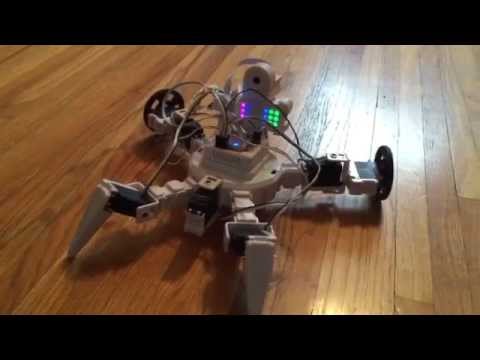
Norm is a very fitting name, affirming its aptness and suitability.
question
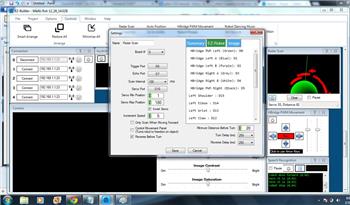
Radar Servo Position Scaling Not Correct
Since DJ changed the servo scaling from 0 to 100 to 0 to 180, the radar scan does not perform as expected. The scan does not go from 0 to... 5
5
 3 k
3 k
MarkTheBotBldr |
question
Newb Question, Can I Edit Poses By Typing?
I am trying to edit poses, and only appear to be able to click and drag to change values for each servo. I want to just click and type values, but that has not worked. Export and import gives me a work-around, but the rest of Builder is so user friendly I am hoping I am just missing something. I go into auto position, click settings, then select or...
3
2 k
DJ Sures |
question
Radio Controlled Car
help how to connect the ez-robot radio controlled car
2
2 k
PJ_Dtechy |
question
This Brings Back Old Memories
This brings back old memories....... DR. Sbaitso
3
3 k
Tony1952 |
release
Windows/Android 2015.02.19.00
New EZ-Script SoundNote() plays music through ez-b v4 and adds Adafruid 8x8 LED Matrix i2c control in Add Control
22
8 k
David mcsdaver |
blog
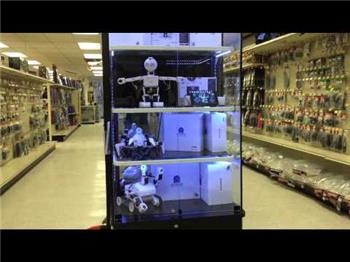
The Ez-Robot Retail Display
Interactive retail JD robot display with camera tablet, random public interactions and week-long nonstop reliability at 100+ global retailers.
9
3 k
Steve G |
robot
Websco's The Cliché Sound Of Whirling S
Quiet, lifelike robots using electrically actuated conductive nylon to mimic human muscles for smooth, natural movement.
0
2 k
WebsCo |
question
Continuously Running Servos
Hi, I have two different projects where Roli is set to respond to the color red. One file works perfectly well. When I load the other, Roli's right servos start running immediately - no red ball visible anywhere. I deselected color tracking but the tread still runs. It's obviously getting a signal from somewhere but the settings between the two...
5
2 k
tom.caine |
question
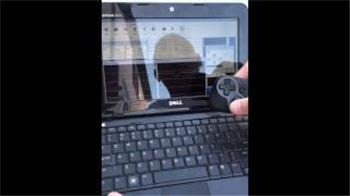
Joystick/Movement Panel Question
So I am puzzled... I have my movement panel working and it works fine using arrow keys ... But when I use the joystick I can see the GU lighting up in...
26
6 k
Jayutmb |
question
Screen Resolution
I just purchased a new dell XPS ultra book laptop with a native resolution of 3200x1800. After loading EZ software it did not present right. I went to tutorials and was instructed to move slider bar to smallest under resolution settings (dell had it set to highest). EZ software then presented correctly but the tool bar type was so small you could...
4
2 k
Dave Weindel |
robot

Orwnic82's Robie Junior
Upcoming EZ-B integration for Radioshack Robie Junior, build progress shared while a quadrotor project continues.
39
11 k
orwnic82 |
question
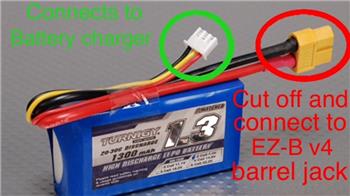
Connecting Lipo 7.4V To Ez-Bv4
Hey, I want to connect a lipo battery 7.4v to the EZ-Bv4 unluckily I don't know which port I need to use. I thought it was the I2C port, but I'm not sure that...
7
3 k
Steve G |