


Asked
— Edited
 Resolved by Jeremie!
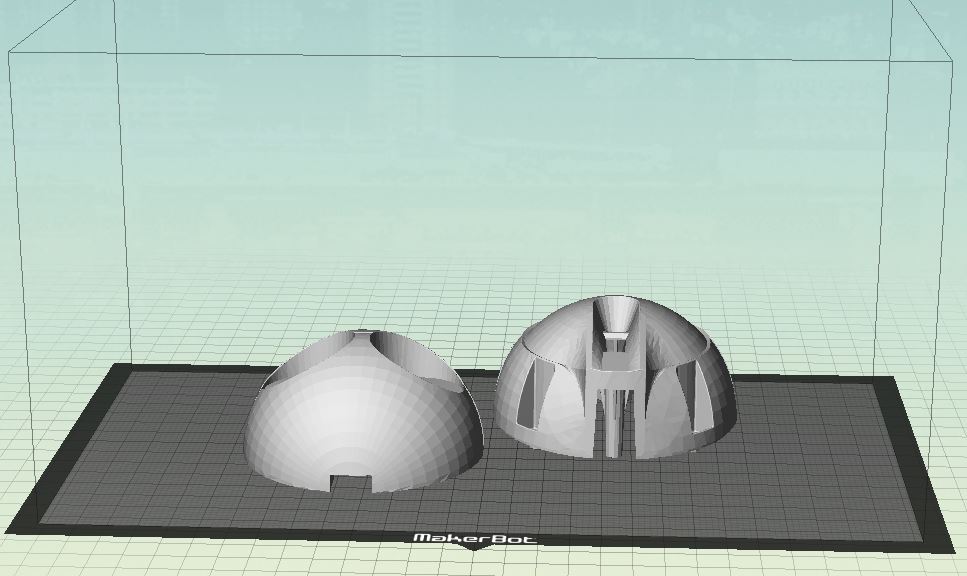
3D Print Jd Head
hi
has anyone printed a jd head?my question is ,how do you print the head on the printbed?
thank you
Related Hardware (view all EZB hardware)

JD Humanoid
by EZ-Robot
JD humanoid robot kit - WiFi-enabled, 16 DOF with metal-gear servos; easy, fun, educational, available from the EZ-Robot online store.
Wi-Fi / USB
Servos
24
Camera
Audio
UART
3
I2C
ADC
8
Digital
24
Related Robot Skill (view all robot skills)
File Manager
by Synthiam
Displays files currently open for reading by scripts, shows only read-opened files, helps diagnose read/write locks and file access errors.

nope that is for folder options . but i learn something new thanks .
Try this: *Open your folder you want to change in File Explorer. *Once your folder is open click on the View tab like EZ Ang mentioned. *Once this tab opens look to the left and you should see different view options like "Extra Large Icons, Small Icons, List, Detail and more. *Click on each one till you get the view you want. I don't know what you consider "normal" but I like the "Details" view. *I'm a little sketchy on how to get it to stick. Maybe you don't have to do anything and it will save this view. However you may now need to follow EzAng's steps but when you get to the options/view tab click on "Apply to Folders". That should make all your folders look like the options you just set. In addition there is a "Restore Defaults" button on the bottom of that tab you can use and the windows default view setting will take place.
Follow my advice at your own risk. LOL. Good luck.
hi dave
i figured the folder option .but am lookin for the file options . i know i have to click on file , choose properties . the one original is not in the choose options . this foto is what i mean with normal .
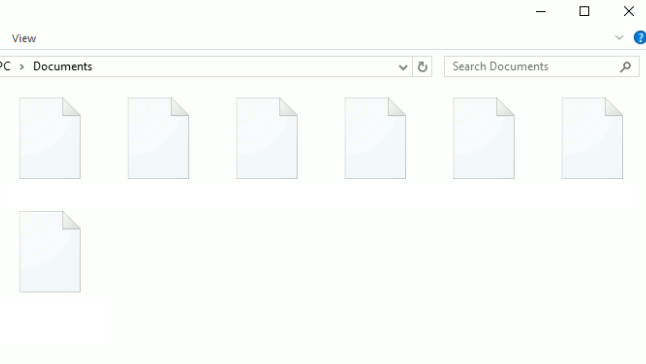
thanksOther then the suggestion I offered I can't really help anymore. Sorry. I've always struggled with this setting also.
In the past I've done a google search to find out how to make changes to the setting and views I need in Windows. However it seems that the guides and suggestions I get always seem outdated and the steps incorrect to make the change. Windows seems to always change the way you work with it. Ugh.
Good luck. I know it's frustrating.
hi dave
all advice are welcome .
thanks
problem solved .
HAPPY NEW YEAR AVERYONE .
https://www.youtube.com/shorts/e8P-9ZoEsZw
Nice job Nomad, I like the video.