
Community Robot Tutorials The Robot Program Episode 023: Mobile JD Step 7 Tutorial Professor E Canada Published Jun 2018 — Updated Jul 2018 Download as PDF Steps Professor E's Overview Step 1 Step 2 Step 3 Step 4 Step 5 Step 6 Step 7 Step 8 Step 9 Step 10 Step 11 Step 12 Step 13 Step 14 Step 15 Step 16 Step 17 Step 18 Step 19 Step 20 Step 21 Step 22 Step 23 Step 24 Step 25 Step 26 Step 27 Step 28 Step 29 Step 30 Step 31 Step 32 Quiz The Robot Program Episode 023: Mobile JD Step 8 of 34 Step 7 Click on the Connect button. Power on the robot and lay it down on a flat surface. « Previous Step Next Step » Upgrade to ARC Pro Get access to the latest features and updates before they're released. You'll have everything that's needed to unleash your robot's potential! Compare Pro Features View Subscription Plans Login to post a comment
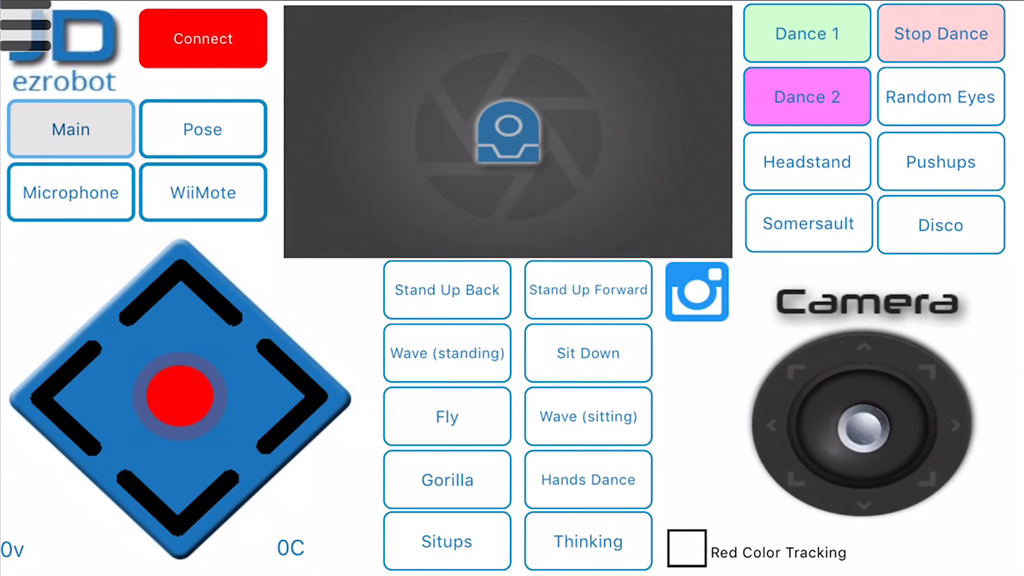
Tutorial Professor E Canada Published Jun 2018 — Updated Jul 2018 Download as PDF Steps Professor E's Overview Step 1 Step 2 Step 3 Step 4 Step 5 Step 6 Step 7 Step 8 Step 9 Step 10 Step 11 Step 12 Step 13 Step 14 Step 15 Step 16 Step 17 Step 18 Step 19 Step 20 Step 21 Step 22 Step 23 Step 24 Step 25 Step 26 Step 27 Step 28 Step 29 Step 30 Step 31 Step 32 Quiz The Robot Program Episode 023: Mobile JD Step 8 of 34 Step 7 Click on the Connect button. Power on the robot and lay it down on a flat surface. « Previous Step Next Step »