


On Variable Changed icon On Variable Changed Run scripts automatically when specified ARC variables change; define variable-to-script pairs, monitor status, and trigger actions. Try it →
Tutorial
Published — Updated

The Robot Program Episode 023: Mobile JD

Step 28 of 34
Step 27

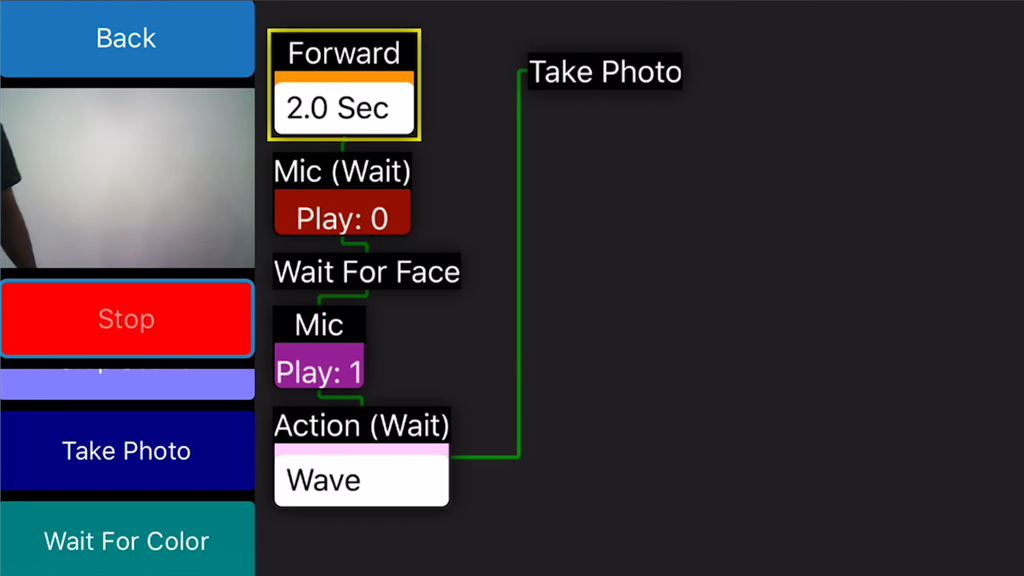
This code will make the robot walk forward for two seconds, play an audio clip, wait for a face to be detected, and then play another audio clip while waving. When the waving is complete, the robot will take a photo. Click on the Start button to execute the code. Follow the highlighting and the green line to view the execution progress.

User-inserted image


ARC Pro

Upgrade to ARC Pro

Experience the transformation – subscribe to Synthiam ARC Pro and watch your robot evolve into a marvel of innovation and intelligence.