
Modifications For The Adventure Bot Please Help Us Program This ;)
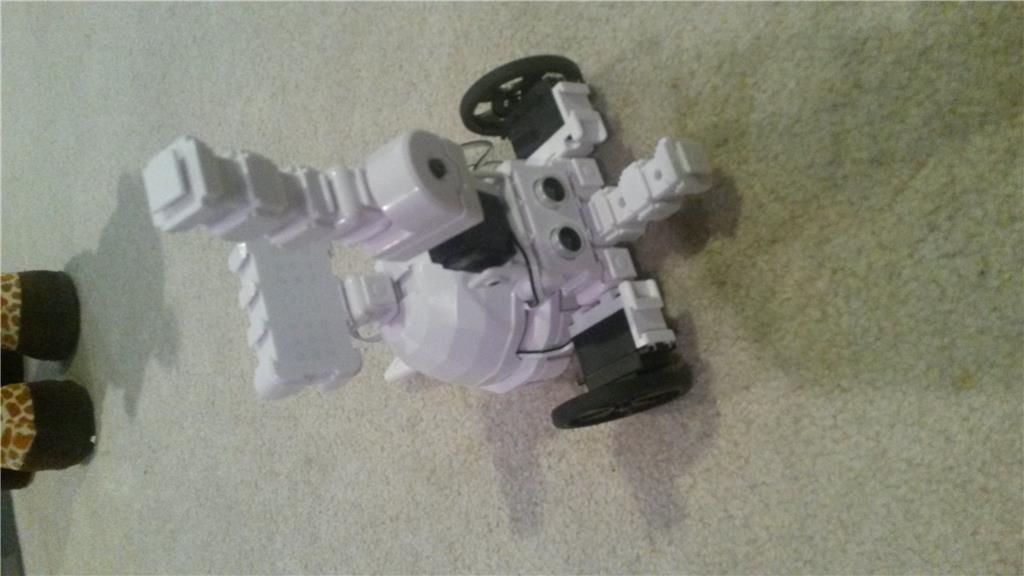
We are completely new to actually building EZ-Robots. My 7 year old son has been fascinated with them for probably about a year on Youtube. To try and encourage his love of ez-robots we bought the adventure bot for his birthday. My sister in law bought some extra parts because lets face it she wanted to win the "Best aunt" award. So she bought him the ultrasonic distance sensor and the LED block. Now we are struggling where to even begin after figuring out how to build the Adventure bot, attach the "extras", charge the batteries....we have no clue where or how to even begin programming this project. So much that the bot has been sitting for about 2 weeks! We want to encourage him but we are going to need the help of anyone who could tell us if this is even possible? We need help because the next project is to try and build him his own Wall-E bot! YES, we are crazy! stress

Thanks Alan. I won't worry about it. I just didn't want to damage it somehow.
Well, we have some of the mobile app hopefully changed around and working. But of course our little bot has been played with enough in the last couple days that his battery was low by the time we were ready to test everything out. Good thing is we were able to see some of the things working on the computer before we turned him off. Even had to test out following and spying on the dogs and cats.
One excited little guy! (Have to admit it was fun seeing him get excited about what we were doing and seeing things come together.) He renamed the App to "My first Working App" to celebrate an app we hope will work tomorrow after the battery is charged.
Should hopefully have this guy going just in time to start all over with figuring out Six next. (New battery will be on the way soon!) Then the fun will really begin having them rule our living room.
I admit I am already thinking of what else we could add to change him up even more. Think I will let little guy decide what parts he need next though.
Thanks for input and help. Not in the clear yet but hopefully we are making some good progress!
@Steve_G Excellent! Just excellent. Thank you for stepping up like that Steve. As things worked out today I had to be gone all day (and night) and have just gotten back a while ago. I didn't feel too bad about not getting to the Adventure Bot today since she said they would not be trying something else until the weekend. Apparently she found some time to try again and your writeup was just what was needed. It's essentially what I was going to do and the pictures are a great help.
Anyway, I'll wait to see how it goes before adding anything further myself. Seems like things are beginning to work out as it is. Thanks again.
Thanks! We have made some progress and my little builder did some checking things out before I got home today. So I now have new questions!
The app is working! That is huge! I was able to get most things working. The problem is that the lever servo is not working to do the "wave" I am not sure if it is because my Builder decided to play with it after school with his dad and they some how moved it or if he had it working and the servo was not where it needed to be. Of course a 7 year old doesn't remember what exactly happened.
The next question I have is for @Steve_G or anyone who knows this answer you said the lever servo needed to be at 90 degrees. If the servo right now is not at 90 degrees how do I move it back to 90 degrees safely. I don't want to screw it up!
confused
You just caught me before I went to bed, lol. When I said the servo needs to be at 90 degrees, that was just an example I was using so I could show you a script example, although 90 looked good from what I saw from your photo. But to answer, there's a few ways you can do it.
If the lever servo is calibrated correctly and not connected to the EZ-B, you can do it by hand by gently moving the lever to its half way point, although you might not get exactly 90 degrees, but pretty close. Then you can connect it to the EZ-B, although it will move slightly when power is first applied. You can also do it with the servo connected to the EZ-B, as long as the EZ-B has no power going to it.
To get it to exactly 90 degrees, with the EZ-B powered and connected to ARC, one way would be to add a single EZ-Script control like I mentioned in my last post, then with your servo connected, say to EZ-B digital port D5, write or copy the following script..,
Click "save", then click "Run". This will take your servo to 90 degrees. Now you can delete the EZ-Script control if you wish.
Another way you can do it is to...
Go to "project", then "Add Control", click "servo" then either click on "vertical servo" or "horizontal servo". Click the gear icon on the horizontal or vertical servo control you just added, Select the servo port number to, in this example, D5,
Now plug the servo in to port D5. It should move to 90 degrees as soon as you connect it as the control is set to 90 be default. But to make sure the servo is at 90 degrees...
move the "min" value down to 1 (servo will move), Move the "max" value to 180 (servo will move), Click "save" Now on the servo control, click "centre" which will take your servo to 90 degrees.
(Actually doing it this way, you can visually see what the minimum and maximum degrees your servo can safely move incase the servo does not have room to move the full 180 degrees.)
Again, You can now delete the servo control of you wish.
There are a couple of other ways to do it, but the two examples above will do what you need.
Hope that helps.
@WBS. Thanks for the kind words buddy.
Thanks! We tested some things out and now just going to try and go back and do what you suggested and add our RGB animator next. Making some progress. He is lighting up every time something works! I have to admit when things are going well it is fun for me, too!
You guys are awesome and we appreciate you so much! @ Steve_G
My son does wonder how you got your dog to sit criss cross apple sauce like at school lol @ WSB.
Your more than welcome.
Trust me, I know the feeling. That's the thing about robotics... when something doesn't work the way you expect, it can be a royal pain (but a good learning experience). But when things go right, it's smiles and happy days all around, lol. It's great to hear you're both enjoying it a bit more now.
Wow! Tonight I think I got the biggest smile out of him yet! We had a wave and he had speech recognition working on it tonight. He was so excited it took an extra 1/2 hour to get him to put down the computer and go to bed! Need to go back and read up my post on the RGB because he is wanting to work on it again tomorrow, and every day this weekend!
 Thank goodness his 2 year old sister sleeps! lol I think he would try and get her to bed by 6 p.m. if he could just so he could let the robots out! At this rate though she probably will love them as much as him since she already walks around with his Wall-e we bought to make the eventual "Wall-e Bot"
Thanks for making this easier on me!