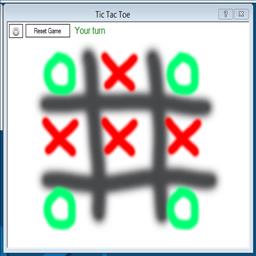

Tic Tac Toe icon Tic Tac Toe — Play Tic Tac Toe with your ARC robot: configurable turn, win and draw scripts, cheat commands and optional speech-recognition control. Try it →
Robot Showcase

The Real Wall-E

20,970 views 34 comments 2 likes 17 photos 3 videos

About this robot

It's been a very crazy past few weeks. I took a day off today. Yes! I admit it. I took a day off... And I built a robot:) Felt great to be back in the hacking saddle!

User-inserted image

This Wall-E hack from DJ Sures turned out great! DJ used the EZ-B Robot Kit to build an amazing real life Wall-E! He added the camera from the kit to Wall-E's head for visual tracking. He then added a horizontal neck servo and vertical head servo. Now this Wall-E can visually track motion, color and faces in two dimensions... Up, down, left and right!

For extra character, DJ added Wall-E sounds to actions and some voice commands. He whistles when asked to follow your face. He sighs and moans when his favorite red ball is taken away from him. Do not worry, he quickly perks up when asked to dance to the movie's familiar music score.

Be sure to watch the video and see this Wall-E in action!

Click to read more!

User-inserted image

User-inserted image

User-inserted image

User-inserted image

User-inserted image

User-inserted image

User-inserted image

User-inserted image

User-inserted image

User-inserted image

User-inserted image

User-inserted image

User-inserted image

User-inserted image

User-inserted image

User-inserted image

By — Last update

More robots by DJ Sures

Other projects from the same builder.

Discover more robots

Robots the community built with Synthiam ARC. Get ideas for your next build.


ARC Pro

Upgrade to ARC Pro

With Synthiam ARC Pro, you're not just programming a robot; you're shaping the future of automation, one innovative idea at a time.

Author Avatar
Netherlands
#9  

You can download the sdk, there is a lot of info in it. Vb and c#

I've build a control specific for the wall-e interactive. He can move his arms and head drive around and take pictures. All done with the help of the sdk

But The ARC is much better than my vb code:)

If you want the full control of your bot i suggest the ARC:)

Author Avatar
PRO
Synthiam
LinkedIn Thingiverse Twitter YouTube GitHub
#10  

controlCommand("Personality Generator", pauseon)

# play song
controlcommand("soundboard", track_5)

# forward
servo(d8, 6)
servo(d9, 30)
servo(d7, 29)
forward()
sleep(1000)

servo(d6, 25)
servo(d8, 6)
servo(d9, 19)
left(500)
servo(d6, 15)
servo(d8, 19)
servo(d9, 30)
right(1000)
servo(d6, 25)
servo(d8, 6)
servo(d9, 19)
left(1000)
servo(d6, 20)
servo(d8, 6)
servo(d9, 30)
right(500)

# reverse
reverse()
servo(d8, 6)
servo(d9, 30)
servo(d7, 15)
sleep(1000)

servo(d6, 25)
servo(d8, 6)
servo(d9, 19)
left(500)
servo(d6, 15)
servo(d8, 19)
servo(d9, 30)
right(1000)
servo(d6, 25)
servo(d8, 6)
servo(d9, 19)
left(1000)
servo(d6, 20)
servo(d8, 6)
servo(d9, 30)
right(500)

# forward
servo(d8, 6)
servo(d9, 30)
servo(d7, 29)
forward()
sleep(1000)

servo(d6, 25)
servo(d8, 6)
servo(d9, 19)
left(500)
servo(d6, 15)
servo(d8, 19)
servo(d9, 30)
right(1000)
servo(d6, 25)
servo(d8, 6)
servo(d9, 19)
left(1000)
servo(d6, 20)
servo(d8, 6)
servo(d9, 30)
right(500)

# reverse
reverse()
servo(d8, 6)
servo(d9, 30)
servo(d7, 15)
sleep(1000)

servo(d7, 23)

stop()

# hands in air and tada
servo(d8, 27)
servo(d9, 11)
controlcommand("soundboard", track_3)
sleep(1000)
servo(d8, 6)
servo(d9, 30)

controlCommand("Personality Generator", pauseoff)

Author Avatar
Australia
#11  

Thanks I have been looking for ages.

Author Avatar
PRO
Synthiam
LinkedIn Thingiverse Twitter YouTube GitHub
#12  

Oh! I added a ping distance sensor to Wall-E today. After doing so, I have some new enhancements to the ping radar control and some fun new collision options.

Looks like ARC will be released in a few days!

#13  

DJ is this wall-e based on ultimate wall-e?Do you mind take a pic of his hand and arm? Just curious how they design to make it move? Thanks

Author Avatar
Australia
#15  

Hey DJ

Just wondering were did you get all the sounds such as his sad one when he looses ball, or when you first get his attention etc for the wall-e? I've searched for while on net and cant find them. Or were you able to make use of the sounds that are orignally part of the toy?

Author Avatar
PRO
Synthiam
LinkedIn Thingiverse Twitter YouTube GitHub
#16  

I made those sounds:)

Download the latest EZB file from the Wall-E robot page:) .. I just updated it to work with the latest version of ARC