











Steps
- Overview
- Download ARC
- Install Visual Studio
- Create Project
- Example Project Overview
- Add Some Buttons
- Publish Skill To Technology Store
- More Information
- Troubleshooting
- UI Components
- Example: EZB Manager
- Example: Saving/Loading Configuration
- Example: Moving Robot
- Example: Move Servos
- Example: Theme Renderer
- Example: ControlCommand() Binding
- Example: Camera Control
- Example: Camera Custom Tracking Type
- Example: Global Script Variables
- Example: EZ-Script/Blockly Edit Control
- Example: EZ-Script Executor
- Example: Custom EZ-Script Function
- Example: Custom Movement Panel
- Example: Output Audio from EZ-B
- Example: Dependencies, Files and Sub Folders
- Example: Finding Other Behavior Controls
- Plugin Compliance
Have a fantastic idea for a new skill in ARC to publish in the Technology Store? This is the tutorial which explains how to create a skill for ARC. This tutorial will help you create an example skill with two buttons which move a servo to get you started.
Overview
Summary In this tutorial, we will cover the following steps...
- Download and install the latest ARC
- Download and install Visual Studio
- Create a new skill plugin Visual Studio project in ARC
- Make your skill do amazing stuff
- Upload the skill package to Technology Store and share with the community!
Skill Design Tip Skills can communicate with each other. This allows your skill to receive commands from other skills, programmatically. The way skills interact with each other is with scripting ControlCommand() script functions. To respond to ControlCommand() requests, your skill will most likely contain SendCommand() and GetControlCommands() override listeners. These will allow other skills to send instructions to your skill. Keep this in mind when designing your skill, as it's discussed in this tutorial.

Thanks for the quick response.
This what happens when you are working on robotics when its way past your bed time.
You miss the obvious
No problem - i get it
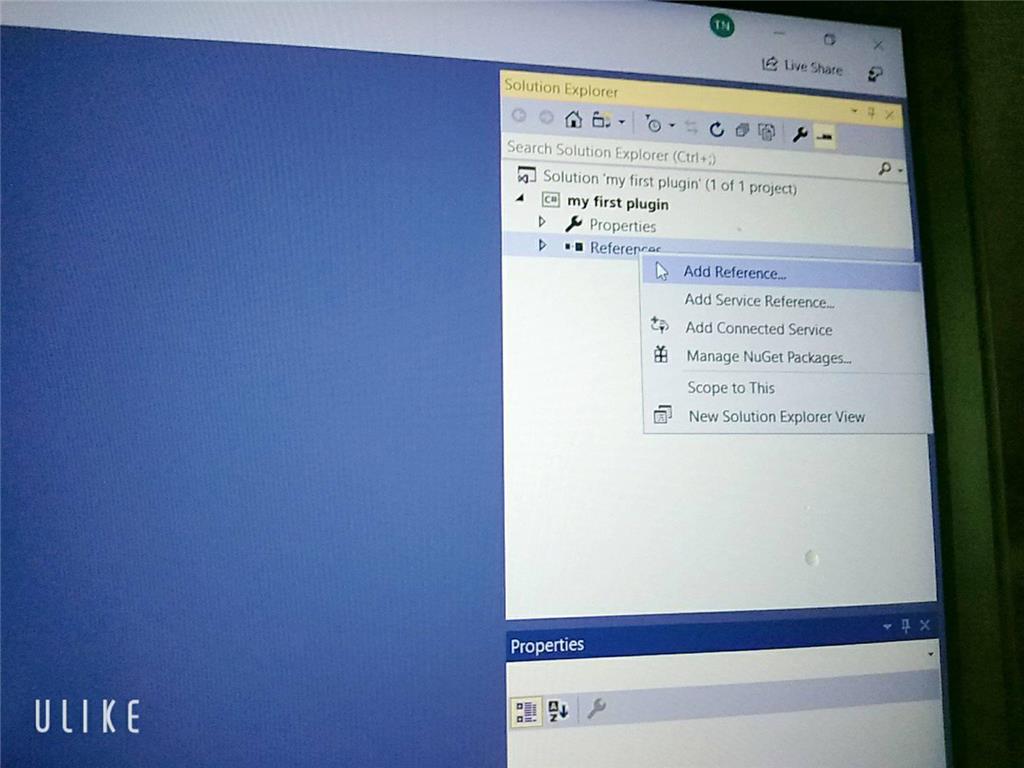
Sorry but can I ask you something why I didn't see the ARC library when I added visual studio even though I set up the C ++. DLL library and there's another way to execute it and send / receive console in out but I don't know how to do it with EZ_builder?Please follow the tutorial. It’s impossible to know why you’re plug-in isn’t showing up without asking you if you followed each step of the tutorial . Reviewing your screenshots, it doesn’t appear as if any of the tutorial steps have been followed.
Hi i fixed it. thanks
Hello, I am trying the tutorial to get the robot to speak. I am using Visual studio. Currently, the sound is output from the pc instead of the robot. Is there a code I can attach so that the sound comes from the robot speakers instead of the pc?
Look in this tutorial for the step labeled "output audio from ezb". It’s lower down in the list. There’s instruction examples for either playing audio (ie mp3) or text to speech.
Error: the referenced component" EZ_builder,EZ_B" could not be found, DJ Sure i hope you can help me !
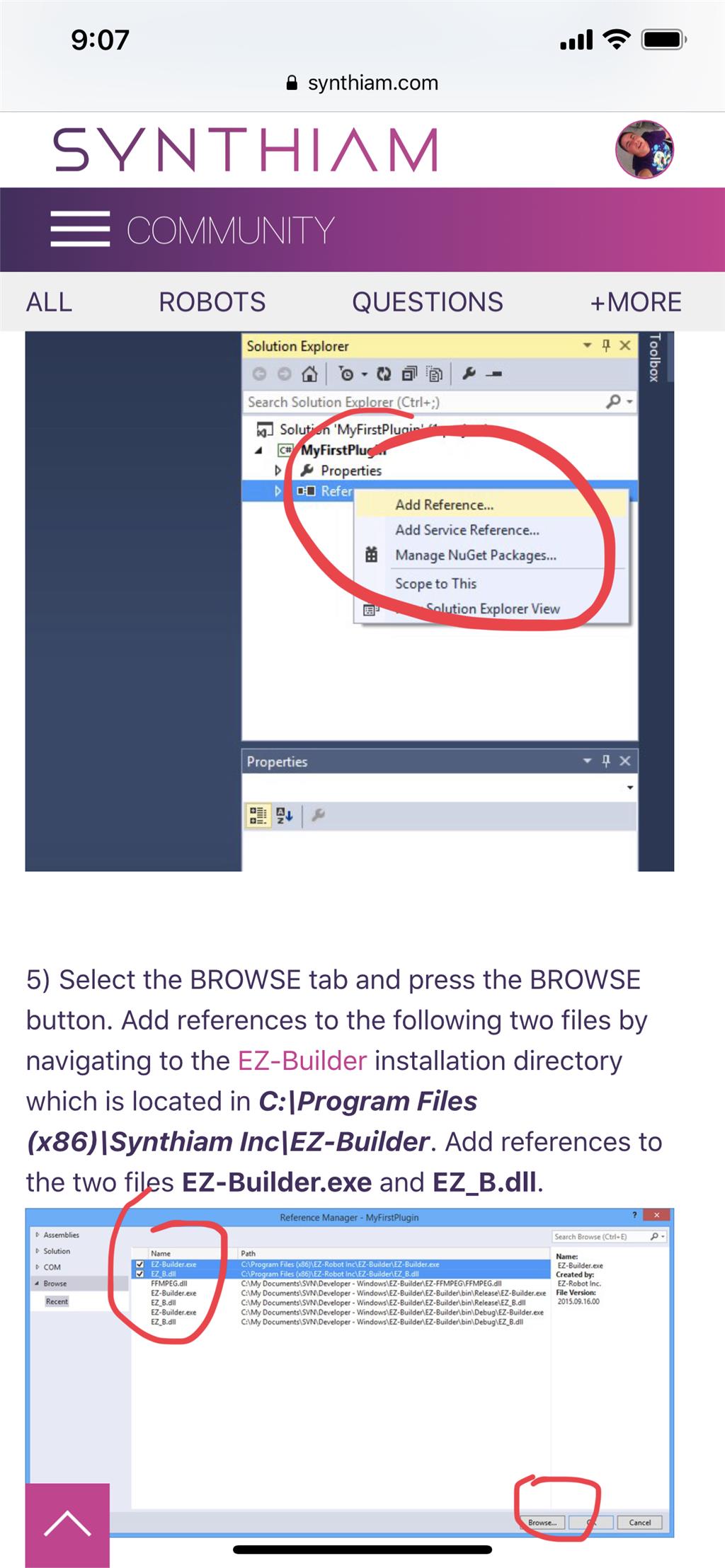
Joinny, you have to add the referencing by following the instructions in this tutorial. They are outlined with step by step to easily follow. Click add references, and browse to the appropriate files as directed in the tutorial. I can’t write anything clearer in response. The step to add references is incredibly clear but you’re skipping it.