Tutorial


Published
— Updated
Steps
- Professor E's Overview
- Step 1
- Step 2
- Step 3
- Step 4
- Step 5
- Step 6
- Step 7
- Step 8
- Step 9
- Step 10
- Step 11
- Step 12
- Step 13
- Step 14
- Step 15
- Step 16
- Step 17
- Step 18
- Step 19
- Step 20
- Step 21
- Step 22
- Step 23
- Step 24
- Step 25
- Step 26
- Step 27
- Step 28
- Step 29
- Step 30
- Step 31
- Step 32
- Step 33
- Step 34
- Step 35
- Step 36
- Step 37
- Step 38
- Step 39
- Step 40
- Step 41
- Step 42
- Step 43
- Step 44
- Step 45
- Step 46
- Quiz
Step 2 of 48
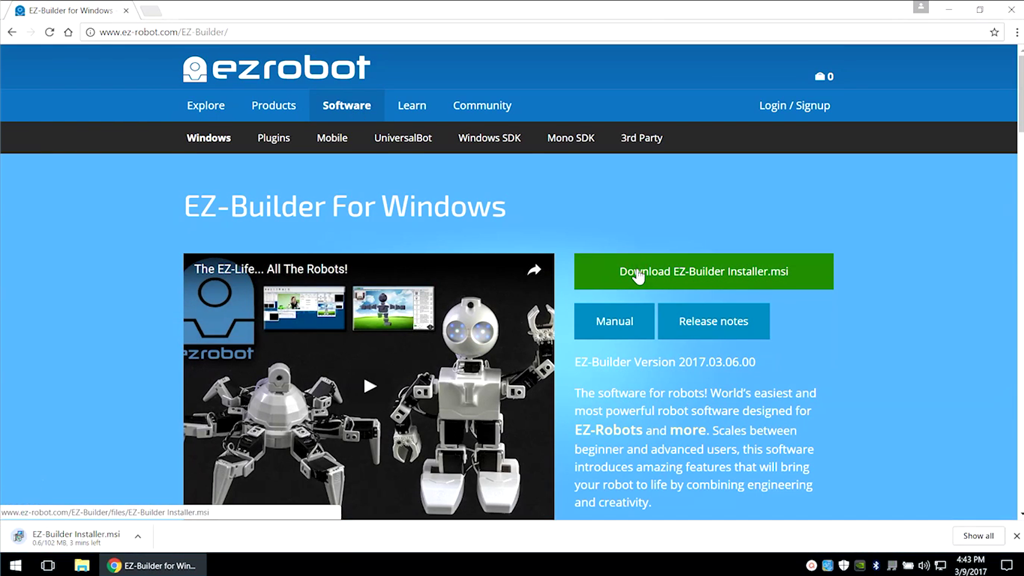
Step 1
Download EZ-Builder from www.ez-robot.com.