








Robot Building Community
Share robot projects, ask ARC programming questions and learn from other builders. Browse tutorials, Robot Skills, example programs and community discussions.


Drive Real Robots, Anywhere
Remotely operate robots around the world or add live telepresence to your own build — straight from your browser.
Discover Exosphere
I Make Robots Crew Socks

Autonomous AI
Autonomous AI robot skill with vision, speech, movement, animations, and self-directed task...

Azure Text To Speech
Azure Text-to-Speech for ARC: generate natural-sounding robot speech with Microsoft Azure voices,...

Exosphere
Telepresence and remote control for any robot with human-assisted tasks, video, audio, and AI...

Azure Speech Synthes…
Microsoft Azure neural text-to-speech for ARCx scripts and skills, with multilingual voices, SSML...
Rtk Gps
RTK GPS rover/base skill with NTRIP corrections, cm-level pose, heading support, map fusion, and NMS...

Outdoor Navigator
GPS-driven outdoor robot navigation with satellite maps, saved waypoints, zones, no-go areas,...

EZB UART parser and Serial-TCP bridge to connect EZ-Robot cameras via Teensy USB, enabling ARC camera control and USB-to-serial bridging.
‘Script Manager’ In Mobile
I have a lot of scripts for my InMoov in Script Manager’ and want to run some of them via mobile. As the Script Manager’ is not implemented in mobile yet! Any suggestions how to run the individual scripts, apart from redoing everyone in individual EZ-Script controls? 0
 3 k

Saylotiny ( Hello ) ?
how does it work to use the lotiny.sayezb dont work. anyone thank you
11
4 k
Let Your Rgb Talk
i found a way to let your rgb talk.its a simple script.it works perfect. you can change colors ,if you want.here a chort video and some pics.
4
3 k

Servo Fine Tune
I have a new JD that I'm setting up. I have one servo that vibrates when I connect and it moves to 90 degrees. I know it is only this servo because it does the same thing regardless of where...
3
2 k
Motors
I am building a robot that weighs about 15KG. I realized that the continuous rotation servo motors will not be ideal to drive the base wheel I am considering a 12V DC motor to do this task. Now my questions: 1) Is a 12V DC motor ideal option for the base wheel? If not could you make some recommendations. 2)Assuming the 12V DC motor is the best...
1
2 k

Nice Hackable Robot (Cool Head)
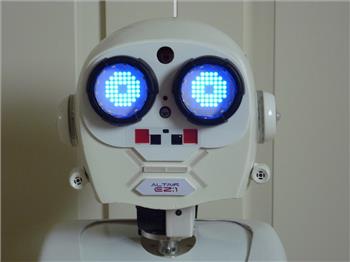
this looks a cool robot to hack.the face is awesome. i ask the seller for a video. ebay robot COCO
7
5 k
Camera On Mobile App
I had to mount camera on it's side, rotate 90 degrees works fine on desktop but not when I use mobile app. am I missing something? confused malc
5
3 k

Who Is Professor E?
Join JD the robot interviewing Professor E, explore The Robot Program and discover weekly updates, interviews, and program highlights.
0
962
More Video's Of First Jd
i just saw the first jd robot and i love it very much. are there more video of this first jd? love to see them. congrats dj&team and thanks for so much fun
7
4 k

Rgb Error
i connected a second ezbv4 on connection 2.i connected 1 rgb and set , the settings to board 2.only the rgb says not connected to ezbv4. what am i missing?
7
4 k
Your Favourite Community-Built Ez-Robots
Share your favorite EZ-Robot community-built robots after our Meet the Team video spotlight - tell us which builds inspire you
5
3 k
Ezb Boor Up Time
I have a question, and it may be odd. This is for those who may have mini-cpu/ laptop, or a tablet on-board your robot. Has anyone ever timed how long it takes for every thing on the robot to be up and running from the moment you apply power? What I mean is, and its something I always notice takes too long... You hit the power switch, your robot...
5
3 k