



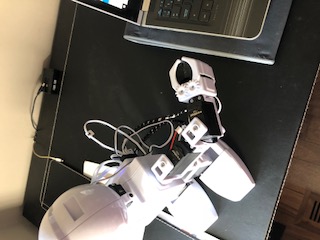
I have a new JD that I'm setting up. I have one servo that vibrates when I connect and it moves to 90 degrees. I know it is only this servo because it does the same thing regardless of where it is placed (see image).
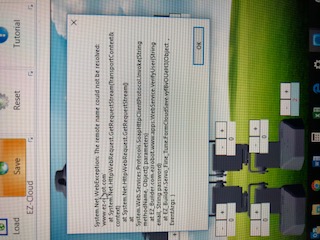
When I try and use the servo fine tune profile. the setting is well past 10 of course and even then it won't stay in one position. I can't save a servo profile either. I get an error message. I'm not sure if this is related to the problem with the servo (see image). I uninstalled and reinstalled the software but no change.
Does anyone have an idea as to what is wrong and how to fix?
Happy for any help, thanks, J

The Lever servo Calibration did the trick (after a while!). thanks
Hello @jen.years
The reason you couldn't save the servo profile is because you were trying to save the profile to the cloud and you weren't connected to the internet (probably connected to your JD, right?) Good news is that you can also save the profile to your local drive. The button to save locally is just a little further to the left.
If this servo continues to give you trouble please contact Customer Support.
Great Job @jen.years! I was typing in my suggestion still!