




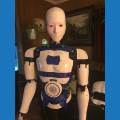

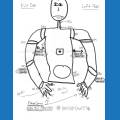
Hi, I have a home-made robot with 6 servo motors that I want to animate using ports D0-D6 of a Developer kit. I’d like to have the option of moving all the motors at the same time, but cannot get RoboScratch or Blockly to move any of them. I can see the blue light is on and the camera is sending a signal to my laptop.
Unfortunately, I can’t find a way to select the port using RoboScratch so I’m trying to use Blockly, but this returns an error saying I am not connected to EZ_B. I am right in sticking with Blockly, or is there another method of animating these motors I should use?
If so, please advise which tutorial(s) I should be watching.

barnardsb
see lesson/49 all the way below.it say gait.you chould have that window in your project.
I don’t wish to create a standard moving style, I merely want to code it so that all 6 motors to move independently, but at the same time. Thereby creating an illusion that the robot is alive.
Rather than using Blockley or RoboScratch, is there a virtual joystick type method of programming that I can use?
Random movements? Random would be super easy with a Blockly or ezscript loop.
But.... I’d use the Auto Position control. Read about it and follow tutorials here: https://synthiam.com/Tutorials/Help.aspx?id=180
No need to do any coding... use the autopostioner control to create frames and actions for all your servo movements.... See here Auto positioner
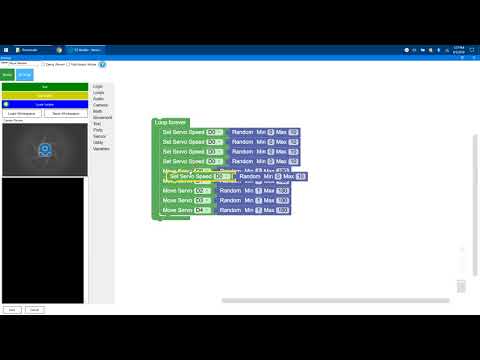
For random movements use a little Blockly program like this video below...
Here's a screenshot...
What do you mean by virtual joystick? You can use a real joystick: https://synthiam.com/Tutorials/Help.aspx?id=43
Otherwise I guess you can use the servo touch pad if you don’t have a real joystick: https://synthiam.com/Tutorials/Help.aspx?id=150
All servo controls let you move as many servos as you need. Look here: https://synthiam.com/Tutorials/Lesson/49
Thanks very much for all the help. This is a tremendous help and has given me loads to look into.