Speech Synthesis Settings— Configure Windows Audio.say()/Audio.sayEZB() TTS on EZB#0: voice, emphasis, rate, volume, speed/stretch and audio effects; copy control script.Try it →
Patrick, if you put a loop in the "camera tracking start", it will loop forever until a "camera tracking stop" script is executed. You can stop it by putting this in the "camera tracking stop" script:
Halt()
Putting something (anything) in the camera tracking stop script will stop any other camera scripts. Each control can run one script at a time, so this example shows how that
ControlCommand("Camera", CameraRecordStart)
#center camera on object
if($Cameraistracking = 1)
sleep(500)
ControlCommand("Camera", CameraSnapshot)
ControlCommand("SMTP Client", SendImage, "Camera", "[email protected]", "patrick dierckx", "Motion detected", "Hey patrick, this is jd. I have detected motion in your house. Here's a picture of what I saw.")# you can change this to say what ever you want
Sleep(2000)
ControlCommand("Camera", CameraRecordStop)
endif
sleep(10000)
goto (start)




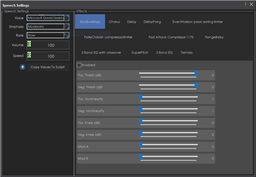 Speech Synthesis Settings
— Configure Windows Audio.say()/Audio.sayEZB() TTS on EZB#0: voice, emphasis, rate, volume, speed/stretch and audio effects; copy control script.
Try it →
Speech Synthesis Settings
— Configure Windows Audio.say()/Audio.sayEZB() TTS on EZB#0: voice, emphasis, rate, volume, speed/stretch and audio effects; copy control script.
Try it →

hi holy1
glad you like it also.next point will be video or sound in the mail.
thanks
Patrick, if you put a loop in the "camera tracking start", it will loop forever until a "camera tracking stop" script is executed. You can stop it by putting this in the "camera tracking stop" script:
Putting something (anything) in the camera tracking stop script will stop any other camera scripts. Each control can run one script at a time, so this example shows how that
hi dj
thats a new one for me.thanks for the tip.but wil i be able to stil use video record ?
Then just do this... Voila, done!
Put this in the Camera Tracking Start script...
Put this in the Camera Tracking Stop script...
great dj thanks.
is this correct for video?
:start
ControlCommand("Camera", CameraRecordStart) #center camera on object if($Cameraistracking = 1) sleep(500) ControlCommand("Camera", CameraSnapshot)
ControlCommand("SMTP Client", SendImage, "Camera", "[email protected]", "patrick dierckx", "Motion detected", "Hey patrick, this is jd. I have detected motion in your house. Here's a picture of what I saw.")# you can change this to say what ever you want Sleep(2000) ControlCommand("Camera", CameraRecordStop) endif sleep(10000) goto (start)