Release 2019.12.09.01
Change Release Notes
- Behavior controls raise OnClosing for plugins/controls when application exiting
- Fix for mobile interface sizing
- resized some controls to better optimize screen realestate
- movement panels use color dimming on buttons rather than setting colors explicitly
- keep original themed bg color of the script start/stop button
- Ensure new controls are added to a virtual desktop by verifying the selected index id
- Display controls in the top menu controls tab
- Additional GUI rendering performance improvements from last update
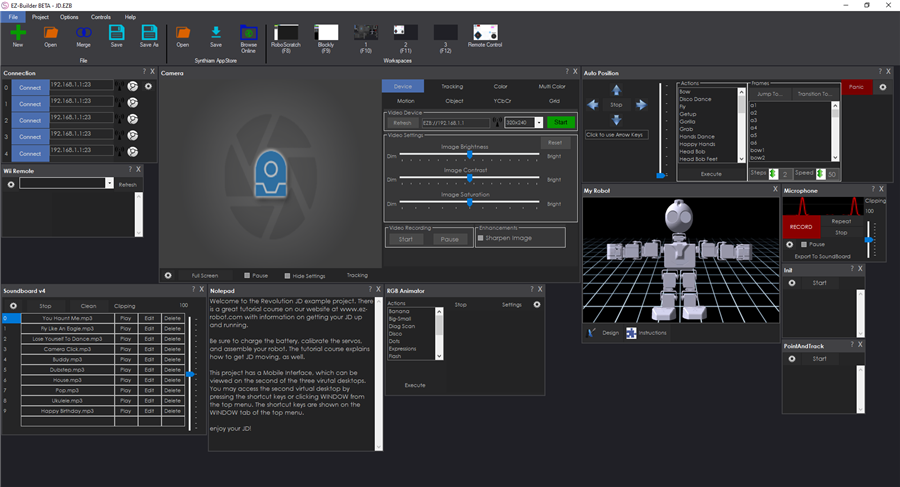
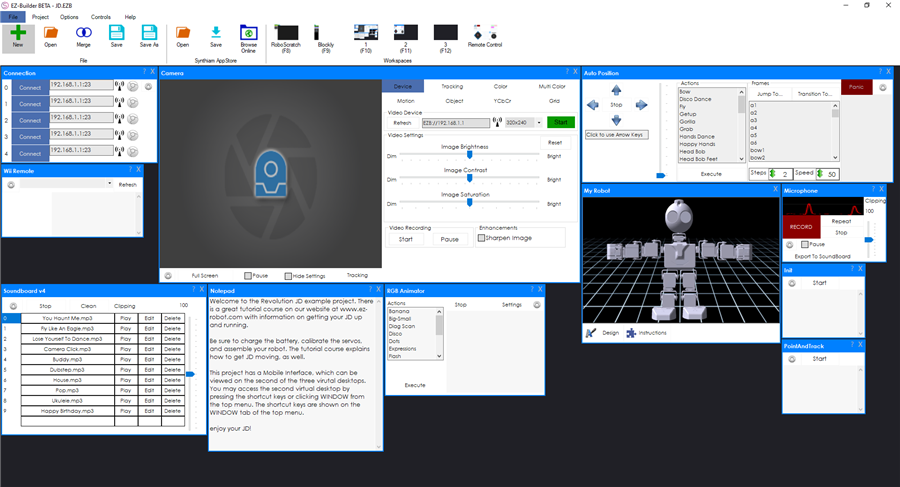
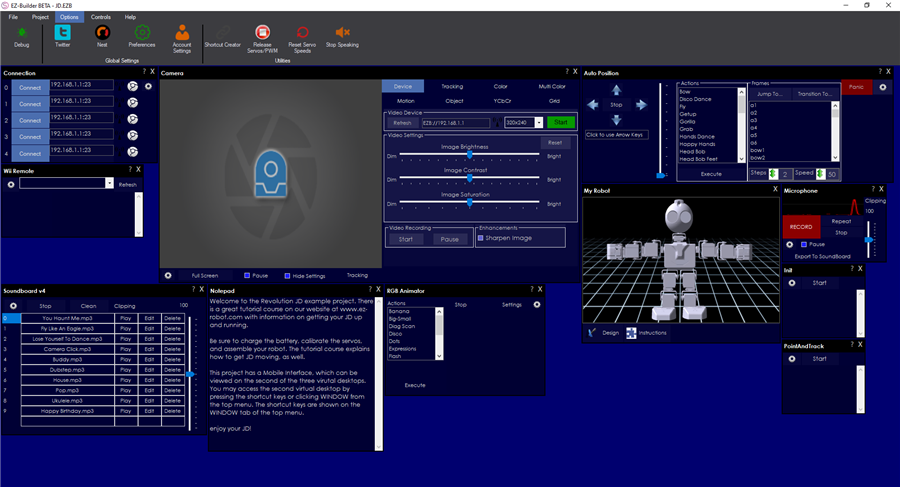
- Top menu can be themed in Options -> Preferences -> Theme
- Fixes to a few controls that didn't render correctly (sound servo, etc)
- More visible checkboxes
- Theme editor displays example during configuration
- updated json library
- Disabled gpu usage on cef rendering
- Theme colors can be edited Options -> Preferences -> Theme
- Uses the stable plugin interface (all plug-ins must be updated to work with this release moving forward
Authors of Plugins to Update The pnlControl has been removed. This means you'll have to edit the designer.cs file for your forms and remove the pnlControl references to use this. For example...
Change: this.pnlControl.Controls.Add(something); To: this.Controls.Add(something);
ARC Downloads
ARC
FREE
$0
always free
- 1 third-party plugin skill per project
- Trial cloud services
- Personal, DIY & education use
- Updated every 6–12 months
 Download
Recommended
ARC
PRO
$8.99
per month
- Use on 2+ PCs simultaneously
- Unlimited robot skills
- Cloud backup & revision history
- Weekly features & bug fixes
- Business use permitted
ARC
RUNTIME
$0
always free
- Load & run any ARC project
- Read-only mode
- Unlimited robot skills
- Includes early access fixes & features
- Minimum requirements: Windows 10 or higher, 2 GB RAM, 500 MB free disk space.
- Recommended: Windows 10 or higher, 8 GB RAM, 1 GB free disk space.
- Prices are in USD.
- More about each edition: Download & install guide.
- Latest changes: Release notes.
Compare Editions
| Feature |
ARC
FREE
|
ARC
PRO
|
|---|---|---|
| Get ARC Free | View Plans | |
| Usage | Personal · DIY · Education | Personal · DIY · Education · Business |
| Early access to new features & fixes | — | ✓ |
| Simultaneous microcontroller connections * | 1 | 255 |
| Robot skills * | 20 | Unlimited |
| Skill Store plugins * | 1 | Unlimited |
| Cognitive services usage ** | 10 / day | 6,000 / day |
| Auto-positions gait actions * | 40 | Unlimited |
| Speech recognition phrases * | 10 | Unlimited |
| Camera devices * | 1 | Unlimited |
| Vision resolution | max 320×240 | Unlimited |
| Interface builder * | 2 | Unlimited |
| Cloud project size | — | 128 MB |
| Cloud project revision history | — | ✓ |
| Create Exosphere requests | — | 50 / month |
| Exosphere API access | — | Contact Us |
| Volume license discounts | — | Contact Us |
| Get ARC Free | View Plans |
* Per robot project
** 1,000 per cognitive type: vision recognition, speech recognition, face detection, sentiment, text recognition, emotion detection, azure text to speech

Upgrade to ARC Pro
Elevate your robot's capabilities to the next level with Synthiam ARC Pro, unlocking a world of possibilities in robot programming.
Not the slightest. I respect your opinion about being able to select your preferred colors. Much like david, you've both requested that ability. So i made it happen
Perry, Your one of the good guys my friend. You're a talented builder and I respect that. Just trying to have a good time with a fellow builder. Sorry if it came across harsh.
OK, so a question. Are we good to go? able to download,install, and use? Has that connection issue from that last release been addressed? it was one where I could not open ARC unless I connected to the internet first. Then, once opened, had to disconnect from the internet to reconnect to the EZB. Then all was fine after that. Obviously, Opening the builder without the internet is the preferred as it was with past releases.
This one (2019.12.09.01) shows stable on the download page. However just under it there is a ver 2019.12.09.02 that looks like it's still considered Bata. I'd say yes, 2019.12.09.01 is good to go.
I'm able to open ARC just fine if disconnected from the internet.
I've never heard any preferences on if it's better to be connected or not when opening ARC. I can't think of any reason why you would need to be concerned. I've always been connected when I start up ARC. Am I missing something?
@Dave Thanks for the update. Yes, for some reason. with the last big update, I found out I could only open the ARC if the pc (my Win 10 tablet) was first coneected to the internet. I have never had this happen before with any of the pervious updates ever. After the builde loads, I then disconnect from the internet and connect to the EZB and everything works fine. If i close the builder, I have to again reconnect to the internet to run the builder yet again. Its very annoying of course, And yes Im in the default AP mode when this all happens.
i notest the ARC has no anthena in connections to look for your ezbv4?
It's a dark icon with your theme
ah amazing its hidden.you see the mouse arrow change in hand .cool
thank you