

RoboHappy
 Resolved by Dunning-Kruger!
Servo Movement Panel- Unable To Turn Left Or Right?
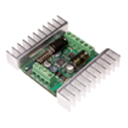
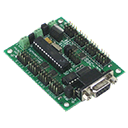
So this is a head scratcher one for me. I am still using ARC 2020.01.05.00 first off. Im trying to get the robots drive system to make left or right turns, but I can only do forward and reverse. I have a EZB-V4, I have a SSC32 to the EZB. Ive tried a DE 2x12RC motor controller and then a Sabertooth 2x15 motor controller. Both exhibit the same results. On the SSC32 I have setup V14 for F/R and V18 for L/R. Here is where it really gets wierd.... when in the test setup mode of the Continueus Movement panel,when i click on the verious test buttons, I can get the proper motor directions, but once I save it and go to use the movement panel, I can get only forward or reverse, no matter which of the four directional buttons i click on. And the real topper.... Ive tried both motor controllers hooked up to a 3 channel RC car system and all directions work perfectly fine. So has anyone dealt with this same issue? Ive used the movement pannel on other robots and never seen this happen before.
Related Hardware (view all EZB hardware)

Related Robot Skills (view all robot skills)

EDIT: Deleted. Forget all this. I see you already have covered it. I should read closer. LOL