


Asked
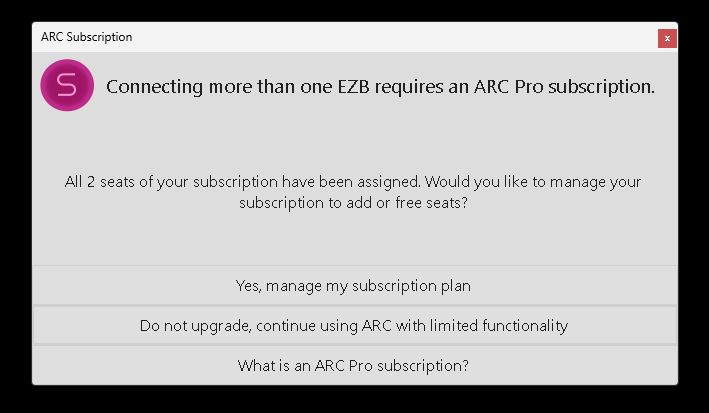
ARC Shutdown Seat Error
Hello,
Since the last ARC update I've started seeing a new issue: ARC shows a popup error and hangs during shutdown, preventing the robot from completing its shutdown sequence. I do not allow Windows 11 OS updates on the robot's mini computer, so this started after the ARC update.
A few details about my setup and workflow:
- Hardware and connection model: I have a mini PC mounted on the robot that runs ARC and is connected to three EZ-B v4 controllers via USB. The sensors/actuators (including ADC inputs) are connected through the EZ-Bs and are visible to ARC.
- Remote access: I do not attach a monitor to the mini PC. I control and view it remotely over TightVNC. Most animations and behaviors are autonomous.
- Shutdown automation (ARC scripting): I have an ARC script that watches a momentary button on the robot. When I push that button during shutdown, one of the EZ-B v4 ADC ports (as seen by ARC) detects the expected voltage change. That triggers a PC shutdown script, and after some additional automation the whole robot has powered down cleanly for a long time.
- Problem behavior: After the PC shutdown script runs, ARC begins to shut down: my scripts close (it looks like ARC is turning off), and any running scripts stop. Just before ARC closes, it hangs and a popup appears (screenshot below). The popup claims both seats have been assigned and gives choices. I then must click the "X" in the popup to close it, after which ARC exits and the robot finishes shutting down.
- Account/seat observation: When I check my Synthiam account, the robot's mini PC is listed as one of the seats. It’s odd that ARC starts and runs correctly on the mini PC, but then hangs at shutdown with a message saying my two seats are full.
- Attempts so far: I tried removing the robot’s mini PC from my account seats and then re-enabled it as a seat when ARC starts on the mini PC, but the error still occurs and ARC hangs at shutdown.
Screenshot of the popup: img
How can I get this to stop and allow ARC to shut down properly? Any help is appreciated. Thank you.

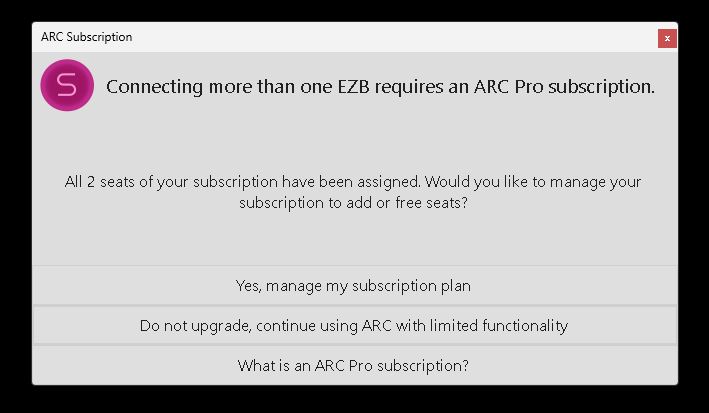
Dave, we're starting to wonder if there's something strange happening with that particular computer "ROBOT-BRAIN". In order to understand better, can you please perform these steps...
click START and type POWERSHELL
select to launch PowerShell which will open a window (similar to a command prompt window)
paste this line in and press enter
now do the same with this line
Let me know if you receive any error messages. You should see something like "SerialNumber ------- 234234324324" and "ProcessorId ----- 234234324324"
More details about the error with a suggested solution can be found here: Subscription Errors - Troubleshooting ARC - Support - Synthiam
*Note: Do not post those numbers. Just tell me if you receive an error or if you see valid numbers.
Ok, thanks for the continued support.
I'll get the info you're asking for in a few hours.
@Customer Support, I ran the commands you asked for in PowerShell on ROBOT_BRAIN computer.
Let me know if you want me to get any other info for you.
@DJ, LOL. thanks for the compliment on the new cleaner and cleaver shutdown script. I wish I could take credit for writing it. However I asked ARC's AI assistant to look at my old script (the one I first posted above) and rewrite it in a cleaner and better version. The second one above that you commented on is what came back. I'm really happy with the results. I had to study it a little to understand what was going on but it works like a charm! I think I'm kinda getting a crush on Athena.
As far as the seats listed in my ARC account it says I only have one of two seats filled. It shows ROBOT_BRAIN as that filled seat. Here's the screen shot: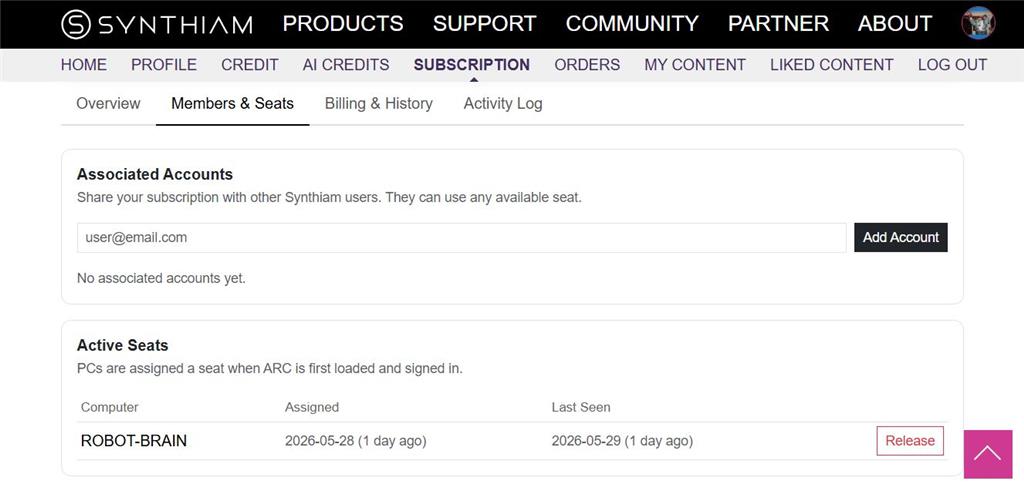
Thanks for doing that. Can you try running these steps from that manual page as well...
Step 2 - Repair the WMI repository. Open Command Prompt or PowerShell as an administrator (right-click "Run as administrator"), then check the repository:
If it reports the repository is consistent, WMI is healthy and the cause is elsewhere - let us know. If it reports inconsistent (or the commands in Step 1 failed), repair it with:
@Customer Support. After running winmgmt /verifyrepository as administrator it reported that "WMI repository is consistent".
Anything else I can do for you?
This is a strange one, Dave. Was that computer working? I'd uninstall ARC, reboot, and Reinstall ARC. Something is behaving incorrectly with Windows
@DJ, as far as I know the robot's mini computer is working. It's not very old or outdated. Lots of HD room and is running win 11. the computer is a Beelink Mini PC, Mini S13 Mini Computer, Intel Twin Lake N150 (up to 3.6GHz),with 16G DDR4 RAM
I've already tried to run a repair on ARC. However I'll follow your advice and fully uninstall ARC and reinstall.
Thanks again! I'll let you know if that helps.
Yeah, it's not about age or being outdated. But something is preventing ARC from generating a unique ID based on the hardware enumeration. I've never experienced it before, and the deeper we dig into it, the more it's not an issue with ARC. It appears to be an issue with Windows. Here's what's happening
That's essentially it. But it clearly used to work recently. It worked with this recent version of ARC as well, so it isn't due to an upgrade. I'm at a loss as to why that particular computer is behaving this way.