


Asked
ARC Shutdown Seat Error
Hello,
Since the last ARC update I've started seeing a new issue: ARC shows a popup error and hangs during shutdown, preventing the robot from completing its shutdown sequence. I do not allow Windows 11 OS updates on the robot's mini computer, so this started after the ARC update.
A few details about my setup and workflow:
- Hardware and connection model: I have a mini PC mounted on the robot that runs ARC and is connected to three EZ-B v4 controllers via USB. The sensors/actuators (including ADC inputs) are connected through the EZ-Bs and are visible to ARC.
- Remote access: I do not attach a monitor to the mini PC. I control and view it remotely over TightVNC. Most animations and behaviors are autonomous.
- Shutdown automation (ARC scripting): I have an ARC script that watches a momentary button on the robot. When I push that button during shutdown, one of the EZ-B v4 ADC ports (as seen by ARC) detects the expected voltage change. That triggers a PC shutdown script, and after some additional automation the whole robot has powered down cleanly for a long time.
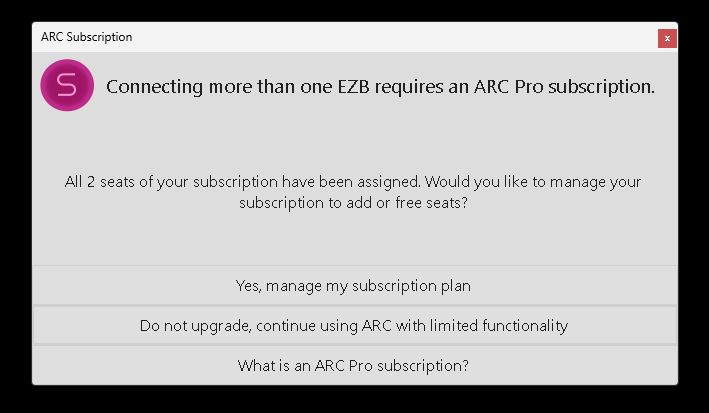
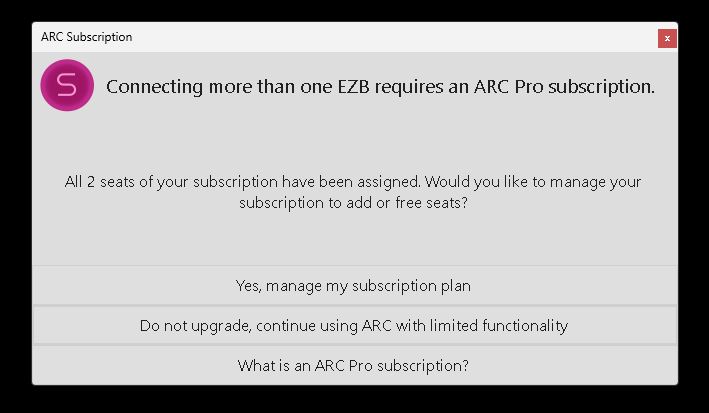
- Problem behavior: After the PC shutdown script runs, ARC begins to shut down: my scripts close (it looks like ARC is turning off), and any running scripts stop. Just before ARC closes, it hangs and a popup appears (screenshot below). The popup claims both seats have been assigned and gives choices. I then must click the "X" in the popup to close it, after which ARC exits and the robot finishes shutting down.
- Account/seat observation: When I check my Synthiam account, the robot's mini PC is listed as one of the seats. It’s odd that ARC starts and runs correctly on the mini PC, but then hangs at shutdown with a message saying my two seats are full.
- Attempts so far: I tried removing the robot’s mini PC from my account seats and then re-enabled it as a seat when ARC starts on the mini PC, but the error still occurs and ARC hangs at shutdown.
Screenshot of the popup: img
How can I get this to stop and allow ARC to shut down properly? Any help is appreciated. Thank you.

Hmmm, okay, I understand. We had an update to the subscription panel in the user account section of the website that I think will be useful. I had it pushed now. There is a new section that shows the activity log, so you can see when seats are modified. You can compare that against what you're doing to see what's up.
What you're suggesting is totally accurate. I do it all the time because we run school classes with a limited seat count (I only have 50) and always delete/re-add as needed. This new activity log should help diagnose what's going on. Let me know if it's helpful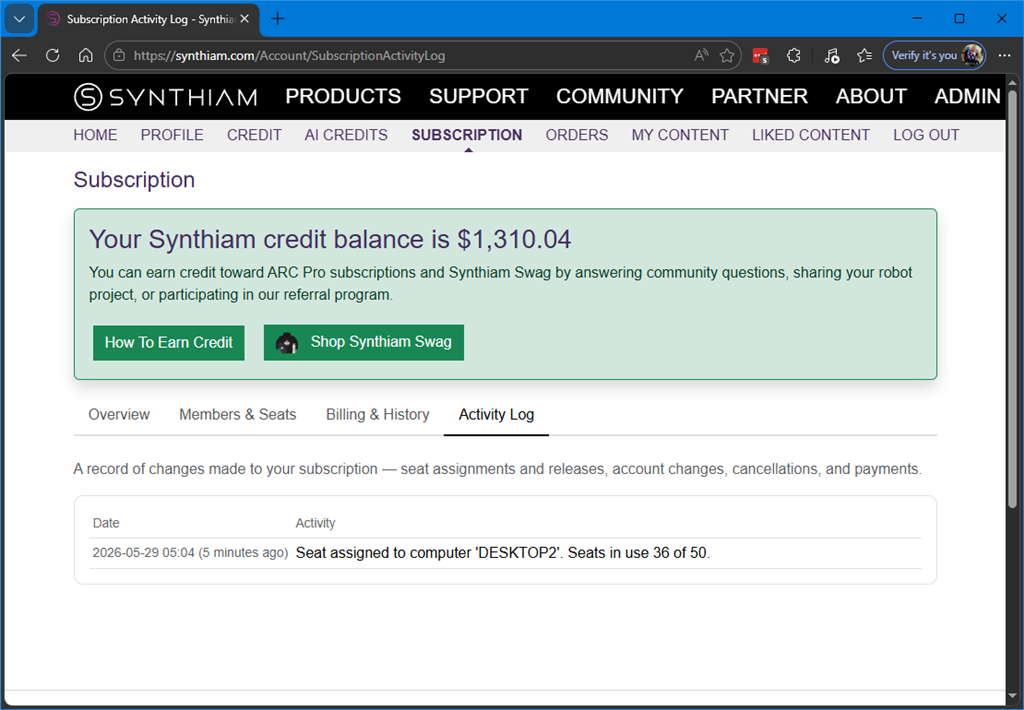
I've been doing a lot of troubleshooting and testing on this frustrating issue. I've ran through all of @Athena and @DJ's advice.
I think I've pinpointed the source of the shutdown stoppage issue.
It seems that the only time ARC will hang up and not shut itself down along with Windows (and I see this seat popup) is when the connection skill is actively connected to my EZBs. As mentioned above, I have three EZ Robot v4 EZBs that are connected through Windows com ports and the computers USB.
Here's what I found; If I disconnect the EZB's in the Connection skill, run the Utility.Shutdown(PC) command, ARC will properly shut down without the pop up and Windows will also shut down along with the computer. As expected.
First I'll comment on the results of Athena's suggestion list. I'll then continue:
So, to prove my theory on the cause of the ARC hanging up on shutdown I ran several tests with my current project and also a clean new project with nothing loaded except the connection skill and a javascript with the shutdown(PC) command in it.
Also, I now only have one computer seat listed on my Synthiam account. It's the Robot's onboard computer called ROBOT_BRAIN. My second seat is empty. All computers in my house with ARC loaded on them are shut down.
Here's my results:
Test 1.) FAIL Normal way I run the robot with my usual project:
**Test 2). *Success!! *** Everything is the same as Test 1 except that I manually disconnected the three EZBs before I run the Shutdown PC script.
Test 3), FAIL - New, clean Project.
Test 4), Test 3), Success!! - New, clean Project.
You asked for the wording on the popup I see when everything stalls. Now that I only have one seat filled it's slightly different. Basically it's asking me if I want to register the computer I'm using to the available seat. Here's the odd part; When I try, it asks for my password and when given, it says the Cast is not valid (or something like that). Even though I've been running ARC just fine until I shutdown.
Also nothing is showing in my Activity log in my Account info.
Here's some screenshots:
Any thoughts on how I can get back to normal?
OK, inserting a disconnect command in my shutdown script has worked. I can now shut down ARC with the Utility.shutdownPC() command after this script parks motors and stops running scripts. No more pop ups or stalls! Ya!
I did find a better command to disconnect ARC from the EZB's. Instead of disconnecting one connection at a time like suggested there is a command that disconnects them all at once. It's: ControlCommand("Connection", "DisconnectAll");
I'm still playing with the script sleep timing before and after the disconnect command. As @Athena I need to have these pauses to let motors park, scripts to stop and com ports to release. I want this event to be as quick as possible. I've got them down to 3.5 seconds and will try to shorten that up more.
To answer @Athena 's last question, No I haven't tried to disable just one connection at a time to see if there is any difference in ARC's shutdown stall. I'll give that a try at a later time.
Below is a new cleaned up and streamlined shutdown script that the AI in ARC helped me to write. It looks a lot sharper then the one I wrote awhile back that I posted above in my first post.
Can you please provide entire screenshots to see the message as well as the error?
Also, are you using the latest version of ARC?
@Customer Support, we must have been posting at the same time. If you look above your last post you will see that I used the ControlCommand("Connection", "DisconnectAll"); at the end of my cleaned up shutdown script that has solved my stalled shutdown problems.
I can recreate the error and pop up if you need me to. I can simply remove the connection disconnect command and let ARC stall.
Yes I am using the latest edition of ARC.
@Customer Support,
OK, here's the full screen shots you asked for. I removed the
ControlCommand("Connection", "DisconnectAll")command in my new shutdown script and the popup and shutdown stall started up again. I took full screen shots of the process as requested. I clicked on the "Activate This Computer" button. and got the other two pop ups.My guess is that this happens at shutdown (after ARC has successfully been running) of this computer and is already registered??? It's just a guess as I'm unskilled in this issue.
Hope this helps. From here I'm going to simply disconnect the EZBs before shutdown as a good workaround.
Thanks!
@Athena, goodbye! Thanks for the help.
Ha ha ignore her. She runs out of space if the convo gets too long.
I’ll have to take a deeper dive to understand what's happening. Can you tell me a screenshot of what computers you have in your seat list
Btw that new script is super clean. Nice work using random to select from the class array!