



i cant seems to ad a movement to script movement panel?
Forward( 255,5000 ) sleep(1000) ControlCommand("Auto Position", AutoPositionAction, "Armwalk")
anyone thank you
 Remote UI Client
— PC Remote UI Client for ARC enables remote robot control via customizable multi-page interfaces from other ARC instances.
Try it →
Remote UI Client
— PC Remote UI Client for ARC enables remote robot control via customizable multi-page interfaces from other ARC instances.
Try it →
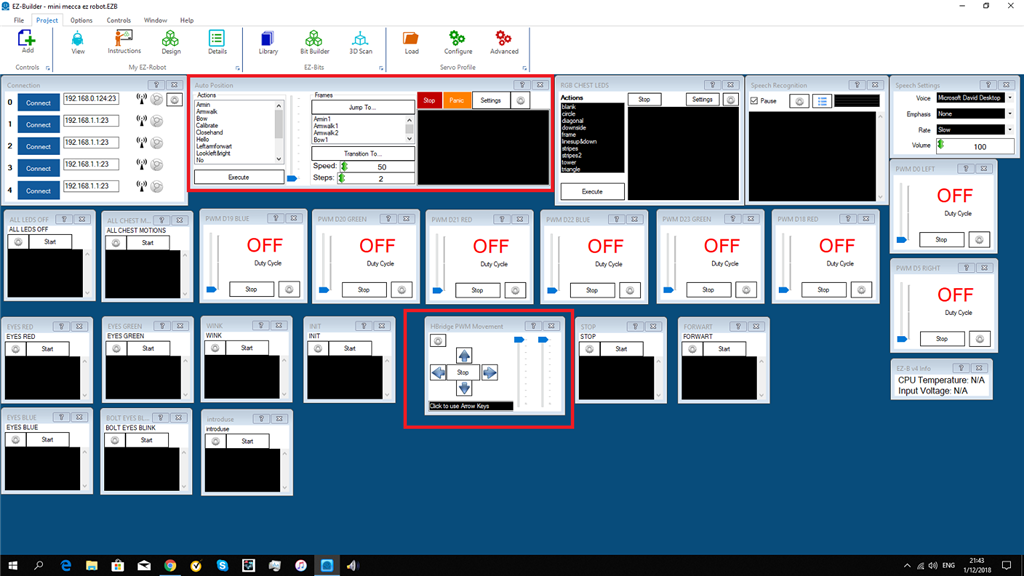
i cant seems to ad a movement to script movement panel?
Forward( 255,5000 ) sleep(1000) ControlCommand("Auto Position", AutoPositionAction, "Armwalk")
anyone thank you

dj thank you again. blush
i asked you a question lol - show me the code you put into the script movement control
ah didn see that. i try pwm(D0,90) but it dont work?
ah i see the pwm change to 89 percent whits is correct. the bar in the H-bridge dont move
I can’t help unless you post the code of the script movement control
You cannot use pwm() and expect the speed to change. You set the speed and the pwm will change. The speed controls the pwm or what ever kind of speed the Movement Panel uses.
Use the speed() and let the Movement Panel do its own thing. Don’t override it
dj
sorry i dont understand coding.do you have an excample?
Why don't you use blockly? It sets the speed for you.
any coding is diff for me.but i will see if i can notest something in blockly.