

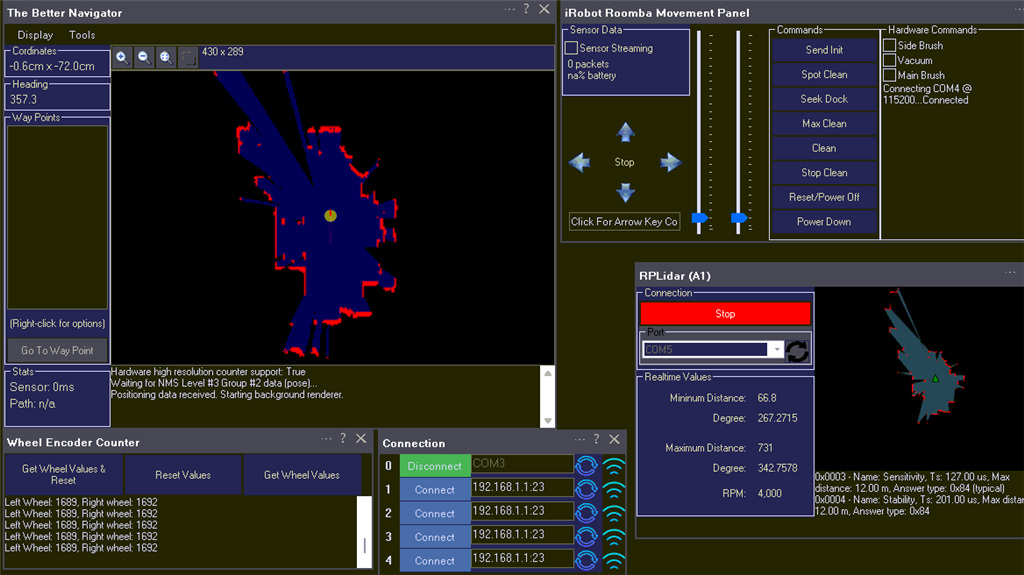
DJ hi, I am getting some weird map results in Better Navigator using the encoder counter skill. Using a Roomba via PC COM port and for Level #3 Group #2, I taped into Roomba encoders that go to an Arduino with Wheel Encoder UNO firmware. For Level #3 Group #1, I use a RPLidar. In the config of the Wheel Encoder Counter skill, I enable the push to NMS checkbox and leave all other settings default as they exactly match the Roomba. In The Better Navigator, I use External as pose hint source. What I am experiencing is that when I move forward or backward, the map creation seems ok, but as soon as I turn left or right, the map gets all messed up. The counts from the encoders are surprisingly good. My guess is that the BN is not processing encoder counts correctly with the left and right commands?

Dark Harvest
Portugal
Asked
Some More Encoder
Related Hardware (view all EZB hardware)
Roomba
by iRobot
Synthiam ARCx turns iRobot Roomba into a drivable robot with scripts, sensors, browser control, and AI-ready robotics skills.
Controller Dependant
Servos
✕
Camera
Audio
UART
✕
I2C
ADC
✕
Digital
✕
Related Robot Skill (view all robot skills)

The Better Navigator
by Synthiam
Hector SLAM navigation with NMS pose and obstacle data for room mapping, waypoints, and autonomous obstacle-avoiding routes.
Requires ARC
v46

Fixed - i was totally wrong with my bitwise. That's what i get for rushing things Try the new version, it'll work!
https://synthiam.com/Firmware/Wheel-Encoder-Firmware-NVXCXGPCQMJ
The good news, it didnt blow up my Arduino or my house.xD The bad news, it counts always positive. It loock like the variable "_WheelDirections" is not updated. If I can help in debuging and testing let me know DJ.
Ah yes - update the robot skill and try the new firmware https://synthiam.com/Firmware/Wheel-Encoder-Firmware-NVXCXGPCQMJ
What’s the verdict? Did that new skill and firmware fix it
Well here is how it tested out:
1- The counting issue is fixed. When turning left: left wheel counts down and right counts up. When turning right: right wheel counts down and left wheel counts up.
2- Moving the robot forward seems ok, the map gets updated.
3- Moving the robot left or right screews it all up. The values from the encoder are acurate so I imagine it has something to do with how those values are processed in BN?
Tell me how I can help DJ. Thanks
Just tested the "send position to nms" from the roomba Movement Panel and it works but not very acurate. The map doesent get messed up.
I’m guessing it gets messed up because the dimensions are not entered correctly. The math to convert wheel ticks to pose is very advanced and requires incredible precision of the dimensions.
try with the dimensions added because that’s important.
Thank you DJ, the dimensions are correct. I dont want to steal any more of your time with this, so I will use the fake NMS pose hint for now. It is difficult for someone to debug something without having the setup to test it.