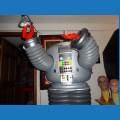

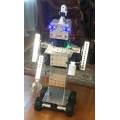





Welcome to my MRB1 (My Robot Buddy V1)
I have removed the post because it was corrupted somehow and all the pictures and formatting was lost.
This post needs to be deleted.
 Comm Expansion Configuration
— Configure EZ-B v4/2 Comm Expansion: switch between UART transparent proxy and USB direct PC link (avoids WiFi); EZ-B needs separate power.
Try it →
Comm Expansion Configuration
— Configure EZ-B v4/2 Comm Expansion: switch between UART transparent proxy and USB direct PC link (avoids WiFi); EZ-B needs separate power.
Try it →


Welcome to my MRB1 (My Robot Buddy V1)
I have removed the post because it was corrupted somehow and all the pictures and formatting was lost.
This post needs to be deleted.

Hey I have question about to all the builders here.
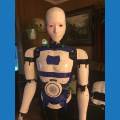
i need to paint the black patch’s on the Inmoov legs but I have had issue with the spray paint bleeding underneath the masking tape in the texture on the 3D printed parts.
My question is how can I stop this from happening?
smiller29
the only way is to spray multiple layers primer before the color . then tape it .
Oh happy I don’t want to have to paint the complete leg just the black patch areas on the top of the legs.
Thought I would try a first layer of clear to seal around the edges of the tape and hit with black after that.
the problem is when printing you see all lines ontop each other . when painting the paint will follow these lines and dont stop . or sand it real smooth then try . any pictures ?
smiller29
Have you tried "Rust-Oleum Ultra Cover Spray can's? Also try painter's blue tape. That's what I used, but I spray a light cost first then spray it again.
That is actually exactly what I used and had issues with. But I need to move forward and see what happens
For my legs I used brush on acrylic paint that is commonly available at hobby/craft stores. Multiple coats smooth out really well the brush marks disappear. If you screw up you can remove it with Windex. A spray on clear coat is applied after to control the glossyness and for long term protection.
Yep that looks good I think I am going to go that way much better chance of not screwing it up... Thanks