



I have an ezb v4 that has been on the shelf for several years. (worked when last used). I was on the shelf too so we are both a little dusty so bare with me. When I set up an I/O port in ARC for a servo there is no signal present on the signal pins. I have a scope on them. If i go to the diagnostics page of the ezb's web server and hit the "center all servos" button the pins come to life. I think its something simple but ...?
Asked
 Resolved by EzAng!
I/O Ports Not Responding To The ARC UI Servo Control
Related Hardware (view all EZB hardware)

EZ-B V4
by EZ-Robot
EZ-B v4 with Synthiam ARCx controls servos, sensors, camera and audio over Wi-Fi or USB serial, no firmware needed.
Wi-Fi / USB
Servos
24
Camera
Audio
UART
3
I2C
ADC
8
Digital
24
Related Robot Skill (view all robot skills)

Horizontal Servo
by Synthiam
Mouse-drag horizontal servo control with configurable min/max limits, center/release functions, multi-servo mirroring and direction invert.

Thanks DJ My bench supply is a variable voltage/current unit . The ezb was drawing a little over 300 milliamps. I will dig into this tomorrow.
Here we are another day,
what was the latest on your situation?
I will generate a diagnostic log for Mr. Sures today. I've got some "honey dos" to get done first...before I can play
I understand that
"It's Dead, Jim"
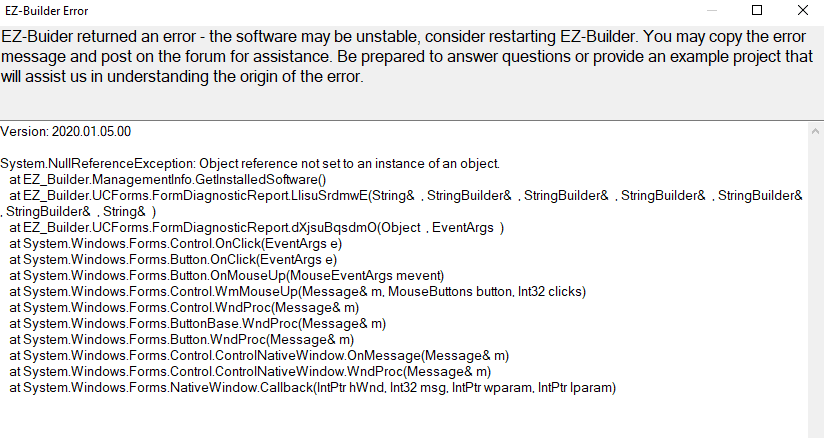
From bad to worse... I reset the EZB and then put it back in client mode. Then I re-downloaded and reinstalled ARC. Now when I choose connect, I get a single chime and then the disconnect chimes. The debug window show the following;
at System.Net.Sockets.NetworkStream.Read(Byte[] buffer, Int32 offset, Int32 size) --- End of inner exception stack trace --- at System.Net.Sockets.NetworkStream.Read(Byte[] buffer, Int32 offset, Int32 size) at EZ_B.EZB.jESW1h4BHX(Int32 , Byte[] cmdData) 2020/02/07 11:53:56 -08:00 - BbytesToExpect: 1 2020/02/07 11:53:56 -08:00 - U Received: 0 2020/02/07 11:53:56 -08:00 - Disconnected 2020/02/07 11:53:56 -08:00 - Connection Failed: System.Exception: Controller Not Responding at EZ_B.EZB.zJtWXYC09V() at EZ_B.EZB.Connect(String hostname, Int32 baudRate) 2020/02/07 11:53:56 -08:00 - Disconnected
Got it! You (Ezang) were right on with your comment about antivirus. I added exceptions to my antivirus and to my firewall but that wasn't good enough. I completely uninstalled the dumb thing and we have controls!
Congratulations!
I knew it, thanks I could help
Ant virus was always my problem
all the best!