
Change Release Notes
Happy New Year everyone
New beta version of ARC Mobile. Recommended to uninstall the previous version. Also, the latest ARC Mobile does not support EZ-B v3 due to cross-platform compatibility. Download: https://www.ez-robot.com/ARC/android Manual: https://www.ez-robot.com/Tutorials/Lesson/60
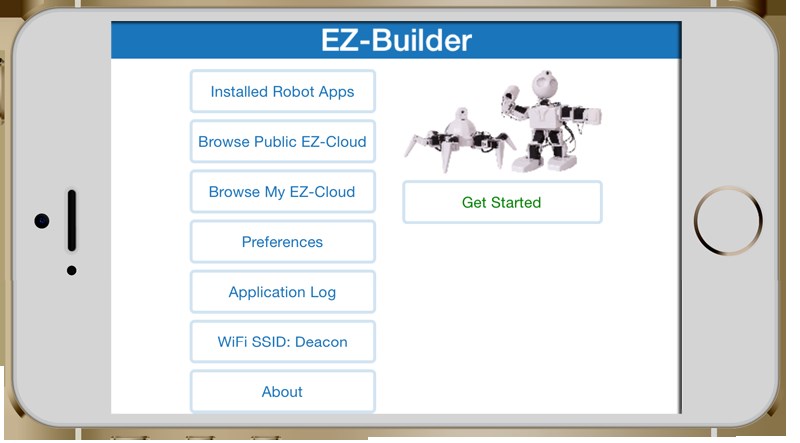
iOS and Windows Phone ARC Mobile coming soon to AppStores
fix link in bit builder that pointed to localhost
first time popup for tutorial links updated to new learn section format
more help regarding tracking in the camera device blue quesetion mark

ARC Downloads
ARC
FREE- 1 third-party plugin skill per project
- Trial cloud services
- Personal, DIY & education use
- Updated every 6–12 months
 Download
ARC
PRO- Use on 2+ PCs simultaneously
- Unlimited robot skills
- Cloud backup & revision history
- Weekly features & bug fixes
- Business use permitted
ARC
RUNTIME- Load & run any ARC project
- Read-only mode
- Unlimited robot skills
- Includes early access fixes & features
- Minimum requirements: Windows 10 or higher, 2 GB RAM, 500 MB free disk space.
- Recommended: Windows 10 or higher, 8 GB RAM, 1 GB free disk space.
- Prices are in USD.
- More about each edition: Download & install guide.
- Latest changes: Release notes.
Compare Editions
| Feature |
ARC
FREE
|
ARC
PRO
|
|---|---|---|
| Get ARC Free | View Plans | |
| Usage | Personal · DIY · Education | Personal · DIY · Education · Business |
| Early access to new features & fixes | — | ✓ |
| Simultaneous microcontroller connections * | 1 | 255 |
| Robot skills * | 20 | Unlimited |
| Skill Store plugins * | 1 | Unlimited |
| Cognitive services usage ** | 10 / day | 6,000 / day |
| Auto-positions gait actions * | 40 | Unlimited |
| Speech recognition phrases * | 10 | Unlimited |
| Camera devices * | 1 | Unlimited |
| Vision resolution | max 320×240 | Unlimited |
| Interface builder * | 2 | Unlimited |
| Cloud project size | — | 128 MB |
| Cloud project revision history | — | ✓ |
| Create Exosphere requests | — | 50 / month |
| Exosphere API access | — | Contact Us |
| Volume license discounts | — | Contact Us |
| Get ARC Free | View Plans |
* Per robot project
** 1,000 per cognitive type: vision recognition, speech recognition, face detection, sentiment, text recognition, emotion detection, azure text to speech

Upgrade to ARC Pro
Stay at the forefront of robot programming innovation with ARC Pro, ensuring your robot is always equipped with the latest advancements.
That fixed it for me as well. Sorry for the terminology confusion, going between Windows and Android too much. I just meant the launcher, not start menu.
Devices were HTC One M8 (stock Android 4.4) and Nexus 7 2013 (stock but rooted Android 5.01)
Alan
On my newer Win 8.1 touch screen laptop Start Menu is a third party launcher app . It came pre installed on the HP computer. It's made by Pokki. Seems to work pretty well but it takes up a lot of system resources.
Pokki Support
I use a small 3rd party launcher for my win8 machines...Classic Shell
Ios! Omg... Yay. @dj "soon" as in a few weeks or maybe months?
Soon as a week or few days - hopefully... waiting on Apple to get back to us
That's really fantastic news! I'll be standing by.