



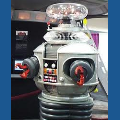

Hello Everyone! My name is Joseph I have just received the EZ-Robot kit, and I can't wait to get at it. I have also ordered the Rover 5 which I should receive next Monday. Unfortunately I'm at work, and it will have to wait until I get home. Maybe I'll get sick and have to leave early. Ha! Ha! I have been looking at a lot of the projects you all have been working on, and I am truly amazed at what you all have been able to accomplish. I'm not sure what I'm going to build just yet, but whatever it is I know I'm going to have a lot of fun!
joseph4760
USA
Asked
— Edited
5 Participants

Thanks techno I ll do that. Yeah the can is a big problem so far nothing has resolved it .rich just sent me a zip file to try I hope it ll work.