

I have many programs that I created with the AimlBot / Bing Speech recognition programs. I would like the AimlBot to speak the response the same way the PandoraBot speaks its responses.
Thank for any help?
Ang
 PWM Servo Feedback (I2c)
— Real-time servo position input via Arduino ADC over I2C; supports Nano (6 channels) or Mega (16), configurable I2C address and scalable chaining.
Try it →
PWM Servo Feedback (I2c)
— Real-time servo position input via Arduino ADC over I2C; supports Nano (6 channels) or Mega (16), configurable I2C address and scalable chaining.
Try it →
I have many programs that I created with the AimlBot / Bing Speech recognition programs. I would like the AimlBot to speak the response the same way the PandoraBot speaks its responses.
Thank for any help?
Ang



I just tried this, its pretty good. One question...I have to keep manually start/stop recording under the Bing Speech tool, How do I make it work automatic?
I always have to click the Bing Speech Recognition to ask it a question, then I just get some kind of automatic answer.
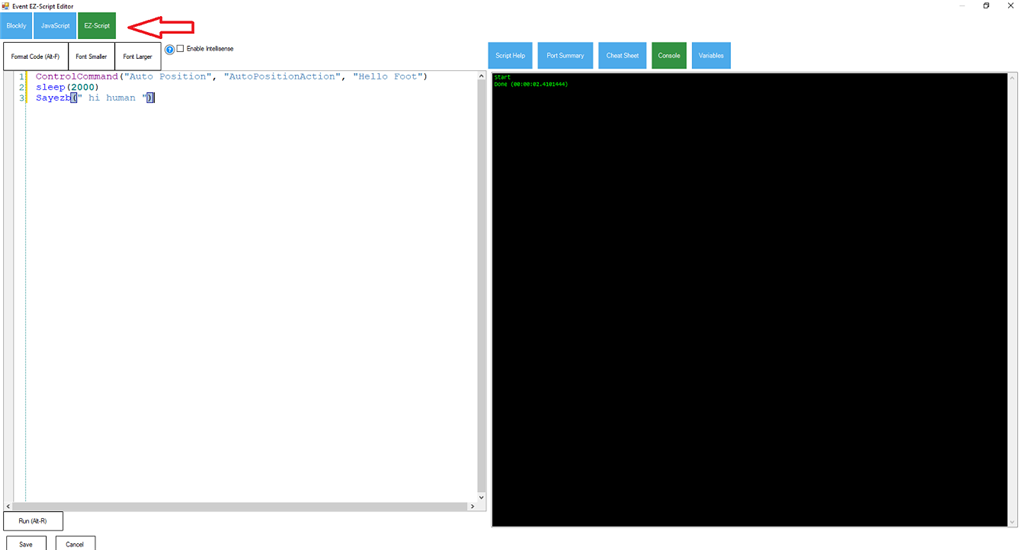
In Bing Speech Recognition put: ControlCommand("AimlBot", SetPhrase, $BingSpeech)
In Recognized Script
In AIML BOT Put in java script:Audio.say(getVar("$BotResponse"));
Save that’s it, good luck
EzAng