Robot Skill To Camera— Capture a robot skill's display and stream selected area as video to a configured camera device with FPS and live preview crop.Try it →
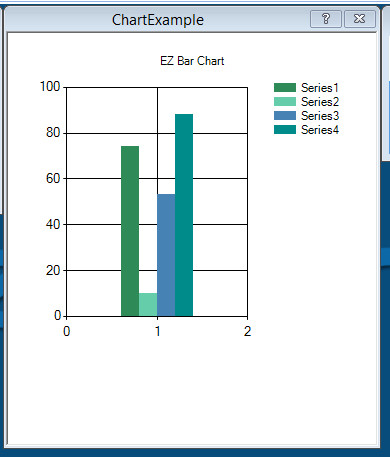
Nice work @leversofpower.... I can use this as a graphical monitor for my ezb and roomba battery voltages.... It would also be awesome to use if you had 3 or 4 pings across the front or around your robot in order to monitor various distances....





 Robot Skill To Camera
— Capture a robot skill's display and stream selected area as video to a configured camera device with FPS and live preview crop.
Try it →
Robot Skill To Camera
— Capture a robot skill's display and stream selected area as video to a configured camera device with FPS and live preview crop.
Try it →

Just used your plugin - i like the color change. I have a suggestion for the RGB values.
Currently they are specified in a string...
It would increase versatility if each color was specified separately like so...
Because then you could do this...
Great, idea. For some strange reason I think I took the more obtuse way doing that by using a string. Will do for next release.
awesome - looking forward to it! I've been using the graph control for visualization.
Any idea if you will be making a historical line graph in the future?
Nice work @leversofpower.... I can use this as a graphical monitor for my ezb and roomba battery voltages.... It would also be awesome to use if you had 3 or 4 pings across the front or around your robot in order to monitor various distances....