



wifi connection wow its the way to go, experimented with both modes as explained in video very easy to setup Next step web access I have setup http server,also port forwarding in router Is it possible to use EZB software to gain access from web ? thank You in advance Pat

Bravia
Ireland
Asked
— Edited
 Resolved by DJ Sures!
4 Participants
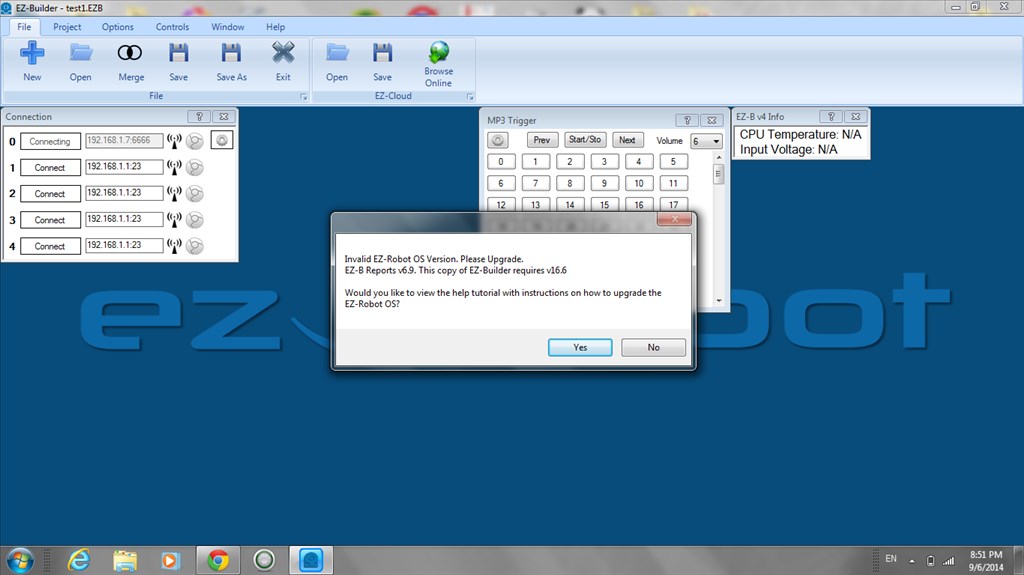

Your IP address.... 192.168.1.7.6666. Where did you get that from?
Same error with mine, I guess it may be a bug in the software?
Thats the ip address and server port of the pc thats connected to the EZb
I should remove that video. The connection feature is no longer supported. We had to remove it because it was getting impossible to support with all the new v4 features.
To connect remotely, open a port in your firewall and connect to the robot. Otherwise, use the http server. We are also working on the ability to add your own HTML files to it. So that will allow greater customization and deprecate the need for remote ARC connectivity.
thanks DJ no problem that its not supported my goal was to connect from the web and was using the wifi to carry out a local test first Pat