
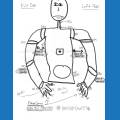




After configuring my Roli to client mode, it says that it connected successfully to my WLAN. But the ARC scan cannot find it :-( It may be a policy (firewall?) problem, but I have not installed or activated any AV software. [Using Win8]

dodi
Germany
Asked
— Edited
 Resolved by CochranRobotics!
7 Participants

Good job Dave.

Awesome work @d.cochran!
Thanks, David, for your kind assistance :-)
Roli is already moving and dancing, and the camera works. Now I can start digging into the details...
Remains one question: can I assign the robot a static IP address? It seems to change with every power on. But I fear that this had to be done in the router, and that looks impossible to me right now.
Assigning a static IP does need to be done in the router (really a reserved IP, not a static IP. Sometimes called Static DHCP).
Alan
you can set the dhcp for that mac address to always get the same IP. Because I dont read German, it would be hard for me to find the right place in your router to configure. You are looking for something under home net that says Static Leases. You will want to get the mac address from the lease page we were on earlier. You would then assign that mac address to a specific ip in your dhcp range(192.168.1.3 for example).
@d.cochran Nicely done! So glad you were able to help.
Finally I also could locate the DHCP settings page in the router, well hidden in the menu. Now my Roli also has an name, and a fixed IP address :-)
Grats Dodi, and you learned where that is for when you get hooked and start buying more EZ-B's.